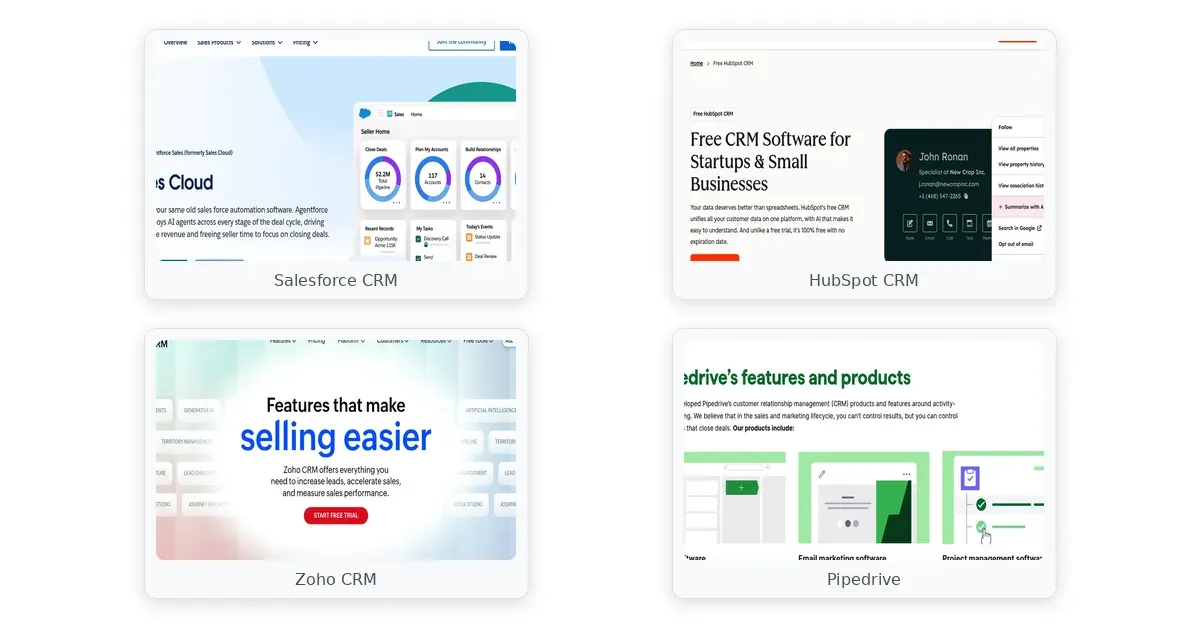
best crm software comparison — Salesforce CRM, HubSpot CRM, Zoho CRM
This article may contain affiliate links. We may earn a commission when you sign up through our links — at no extra cost to you. Our recommendations are based on independent evaluation and are not influenced by commissions.
TL;DR: HubSpot CRM stands out as the best CRM software for most businesses because it combines a genuine free tier with unlimited users, fastest time-to-value for small teams, and a seamless upgrade path to marketing and service tools—though its advanced features jump steeply in price once you outgrow the free version. [1]
This guide is written for business decision-makers evaluating CRM platforms to improve sales pipeline visibility, customer data management, and team productivity. Whether you lead a 5-person startup, manage a 50-person mid-market team, or oversee a complex enterprise with hundreds of users, the decision hinges on three tensions: total cost of ownership beyond the base seat price, implementation timeline and required expertise, and whether you need a specialized sales tool or a broader customer platform. We’ve evaluated five category leaders—Salesforce CRM, HubSpot CRM, Zoho CRM, Pipedrive, and Microsoft Dynamics 365 Sales—across pricing, onboarding speed, customization depth, and integration ecosystems to help you cut through vendor marketing and choose the right tool for your organization.
What matters when choosing best crm software
When selecting the right CRM for small teams to large enterprises, four core criteria separate the platforms that deliver ROI from those that sit idle on forgotten licenses.
Total Cost of Ownership Beyond Per-Seat Pricing. The headline price of $25 or $50 per user per month obscures the true investment required. Salesforce’s Starter plan at $25 per user excludes API access—essential for syncing with accounting or ERP systems—forcing a jump to $80/month Professional tier. HubSpot’s free tier works for core CRM but marketing automation, custom reporting, and advanced workflows require jumping to $890/month Professional or $3,600/month Enterprise, sometimes exceeding $1,500/month for a 20-person marketing and sales team. Implementation costs compound: Salesforce typically requires 3–12 months with a certified consultant for mid-market deployments, while HubSpot and Pipedrive allow self-service setup in days. Zoho CRM and Pipedrive offer the lowest per-seat costs, but Zoho’s third-party integrations require additional middleware, and Pipedrive lacks built-in marketing automation, forcing standalone tool purchases. The safest approach is calculating the full-team cost across seats, implementation, integrations, and maintenance for year one and year three before comparing headline pricing. [2] [3] [4]
Time-to-Value and Team Adoption Speed. Sales teams resist CRM adoption when implementation drags. Pipedrive enables a 10-person sales team to import contacts, set up pipeline stages, and begin tracking deals within an afternoon—its Kanban interface is intuitive for reps focused exclusively on deal management. HubSpot CRM’s contact timeline and simple deal stages allow teams to go live within hours; unlimited free-tier users accelerate early adoption because reps never wait for seat allocation. Salesforce’s 50+ configuration options and complex Lightning Experience overwhelm new users without structured onboarding; a 50-person rollout without a dedicated admin risks low adoption and wasted licensing. Zoho CRM’s setup interface contains 20+ subsections for customization, requiring 2–3 days of configuration even for straightforward deployments. Microsoft Dynamics 365 Sales requires 4–8 weeks for standard setups and 3–6 months for customized environments with Microsoft Solutions Partner involvement. Choose Pipedrive or HubSpot if your team prioritizes speed and ease; choose Salesforce, Dynamics 365, or Zoho if you have implementation resources and deeper customization needs.
Customization Depth for Complex Sales Processes. Not all sales organizations are the same. Startups and small teams follow linear pipelines: prospect → qualify → proposal → close. Mid-market and enterprise organizations track multi-stakeholder deals, regulatory approvals, complex contract negotiations, and revenue recognition workflows. Salesforce’s custom objects, fields, approval processes, and mature API ecosystem enable modeling of any business process; financial services, healthcare, and manufacturing organizations rely on Salesforce’s pre-built compliance templates and audit trails. HubSpot’s free and Professional tiers limit custom objects and workflow branching; Enterprise tiers unlock these capabilities but at $3,600+/month. Zoho CRM provides enterprise-grade customization at mid-market pricing ($52/user/month Enterprise tier), including custom objects and Zia AI anomaly detection without add-ons. Pipedrive intentionally keeps customization minimal to maintain simplicity; organizations needing multi-step approvals or complex permission hierarchies will outgrow it. Microsoft Dynamics 365 Sales leverages Power Platform (Power Automate, Power Apps) for extensibility, but requires dedicated development resources. Map your actual sales process to each platform’s customization ceiling before assuming a tool will grow with you.
Integration Ecosystem and Technology Stack Fit. Your CRM must sync with accounting software (QuickBooks, NetSuite), marketing platforms (Marketo, Mailchimp), email clients (Outlook, Gmail), and communication tools (Slack, Teams). Salesforce’s AppExchange provides over 3,000 third-party integrations covering finance, HR, and vertical industries; organizations with integration-heavy tech stacks benefit from mature API access and pre-built connectors. HubSpot’s App Marketplace connects to 1,000+ integrations and includes native bundles with its own Marketing and Service hubs, reducing external dependencies. Zoho CRM integrates deeply with 40+ Zoho ecosystem applications (Books, Desk, Campaigns, Flow) but struggles with non-Zoho third-party connectors; teams already in Zoho get seamless integration; others face potential friction. Pipedrive connects to popular tools like Slack, Mailchimp, and Google Workspace through its marketplace, but lacks native marketing automation and service ticketing. Microsoft Dynamics 365 Sales natively integrates with Outlook, Teams, SharePoint, and Power BI for organizations in the Microsoft 365 ecosystem but has significantly fewer third-party integrations than Salesforce. If you rely on a mixed technology stack, verify integration depth before purchase.
Comparison table
| Product | Pricing Tier & Free Plan | Time-to-First Deal | Integration Ecosystem | Customization Ceiling |
|---|---|---|---|---|
| Salesforce CRM | $25/user/mo (Starter, no API) → $80+/mo (Professional); free trial only | 4–12 weeks with consultant; requires admin expertise | 3,000+ AppExchange integrations; mature API access | Custom objects, approval workflows, field-level security |
| HubSpot CRM | Free tier (unlimited users, 1M contacts); $45+/user/mo (Professional tier bundles) | Hours to days; import contacts and configure pipeline same day | 1,000+ App Marketplace integrations; tight native bundle with Marketing/Service | Custom objects & workflow branching gated to Enterprise; free tier = 5 dashboards max |
| Zoho CRM | Free tier (3 users, 5K records); $14–52/user/mo (Standard–Enterprise); includes AI features | 1–3 days; 20+ setup subsections require configuration time | 40+ Zoho ecosystem integrations; weaker third-party connectors for non-Zoho tools | Enterprise-grade customization at mid-market pricing; Zia AI included |
| Pipedrive | No free tier; $11.90–49.90/user/mo (Essential–Professional); 14-day trial with card | Single afternoon; intuitive Kanban requires no configuration | Slack, Mailchimp, Google Workspace integrations; no native marketing automation | Intentionally minimal; simple design prioritized over deep customization |
| Microsoft Dynamics 365 Sales | $95–135/user/mo (Professional–Premium); free trial only; no free tier | 4–8 weeks standard; 3–6 months customized; requires Microsoft Partner | Native to Outlook, Teams, SharePoint, Power BI; fewer third-party apps than AppExchange | Power Platform (Power Automate, Power Apps) extensibility; requires development resources |
The table above reveals a fundamental trade-off: platforms offering fast self-service implementation (HubSpot, Pipedrive) require less upfront investment but may hit customization or integration ceilings as teams scale, while Salesforce and Dynamics 365 demand longer timelines and more consulting but deliver greater depth for complex organizations. Zoho CRM bridges the gap, offering enterprise features at mid-market pricing but requiring more hands-on configuration. Your choice depends on whether you optimize for speed and simplicity now or depth and flexibility later.
Product reviews
Salesforce CRM
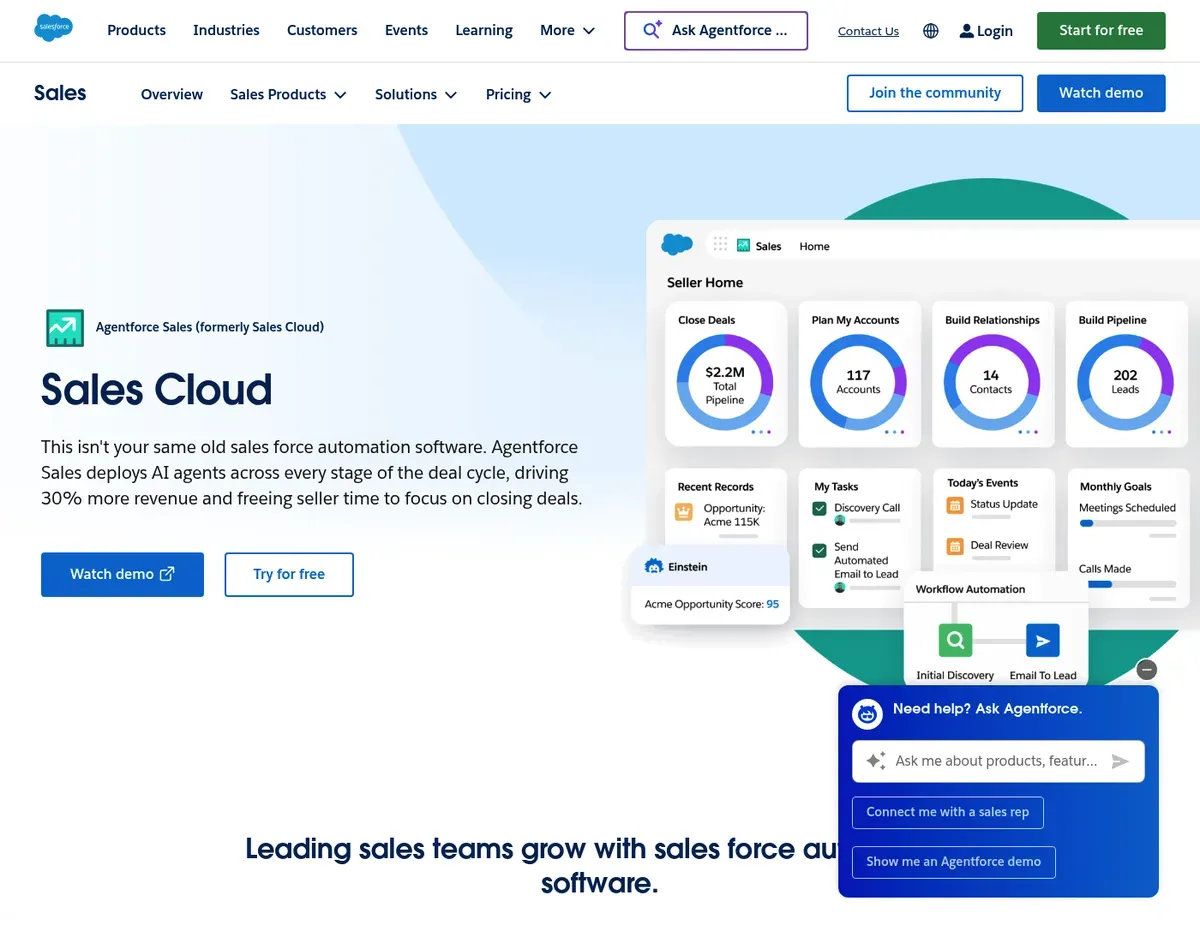
Salesforce CRM Sales Cloud dashboard showing pipeline opportunities by stage with color-coded
Salesforce CRM is built for mid-market and enterprise organizations managing complex, multi-stakeholder sales processes requiring deep customization, granular permissions, and tight regulatory compliance—but it demands the most implementation time and expertise of any platform in this comparison. The platform’s strength lies in its unmatched customization engine: custom objects, approval workflows, field-level security, and mature API access allow organizations to model virtually any business process. Salesforce Einstein AI delivers predictive lead scoring, opportunity insights, and automated next-best-action recommendations without additional fees, while the AppExchange marketplace provides over 3,000 integrations covering finance, HR, and vertical-industry solutions.
Organizations in regulated industries (financial services, healthcare, manufacturing) benefit from mature, pre-built compliance templates and audit trails out of the box.
The limitations are significant and operational. Salesforce’s Starter plan ($25/user/month billed annually) excludes API access—teams automating data sync with accounting or ERP systems must upgrade to the Professional tier at $80/user/month, more than tripling the per-seat cost. Fresh implementations typically require 3–12 months with a certified Salesforce consultant or a dedicated in-house administrator; a 50-seat deployment without dedicated admin resources risks underutilization, poor adoption, and wasted licensing. The Lightning Experience interface overwhelms new users with 15+ navigation menu items, 50+ setup options by default, and dense field configurations; without structured onboarding and a champion, sales teams resist adoption.
The total cost of ownership for a 25-person team implementing Salesforce with consultant support easily exceeds $50,000–100,000 in year one, including licensing, implementation, training, and ongoing administration.
Unlike HubSpot CRM, Salesforce requires a certified administrator or experienced consultant to configure custom objects, approval processes, and permission sets during deployment, not self-service setup by a sales manager. Unlike Pipedrive, Salesforce’s general-purpose design means sales teams navigate a complex interface rather than a streamlined pipeline-focused view optimized for deal tracking.
Salesforce pricing shown above reflects the public pricing page at publication; actual licensing discounts, enterprise negotiations, and add-on costs vary significantly — verify current pricing and implementation timelines at https://www.salesforce.com/editions-pricing/ before committing to deployment schedules.
HubSpot CRM
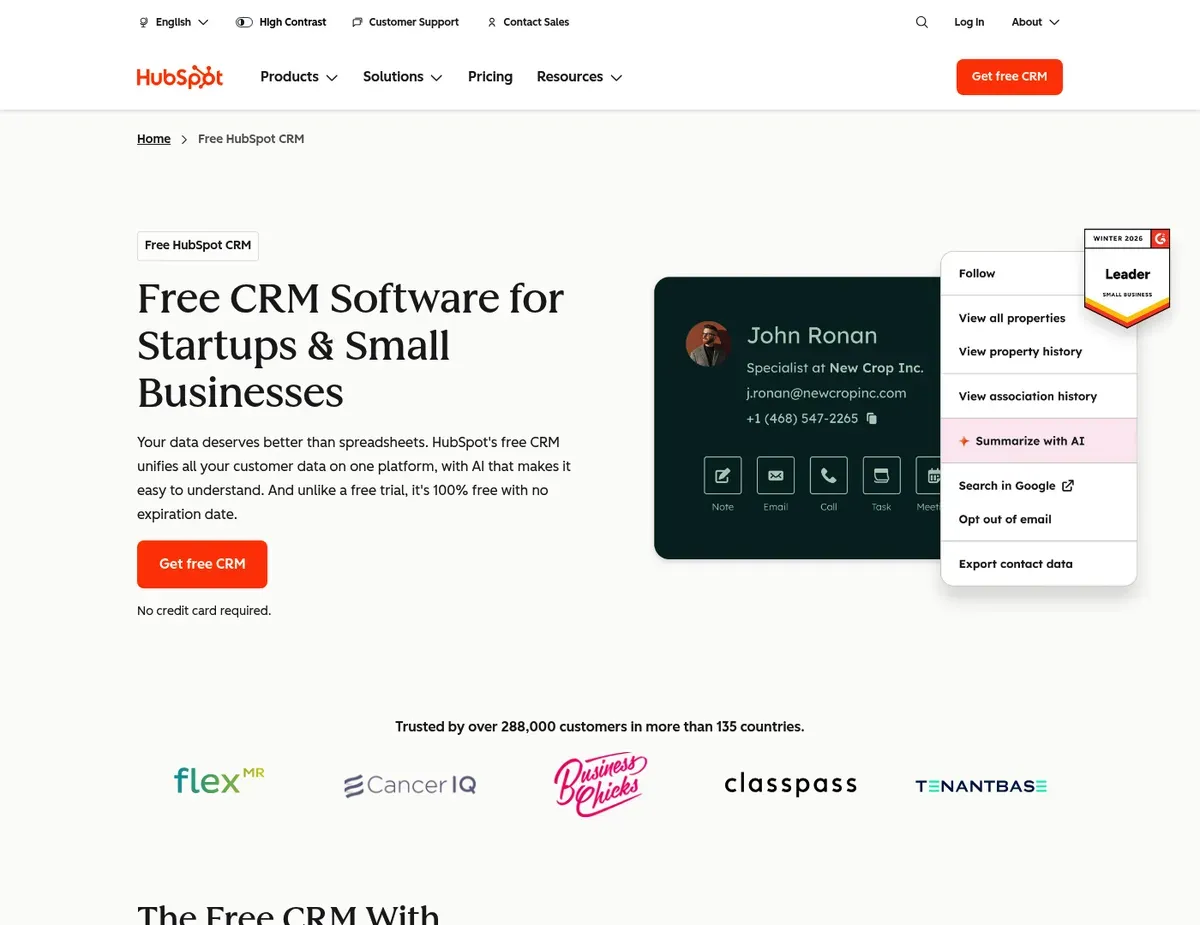
HubSpot CRM Contact record view showing unified customer timeline with email history
For small-to-mid-market teams (5–50 users) prioritizing implementation speed and ease of adoption, HubSpot CRM is the fastest path to a functional sales pipeline with genuine value delivered on day one. The platform’s core promise is a unified customer view: every email, call, meeting note, and deal interaction appears in a single scrollable contact timeline, eliminating the need to hunt across email inboxes or scattered spreadsheets. The free tier includes unlimited users and up to 1,000,000 contacts without budget commitment—teams can add 10 sales reps without incrementally increasing cost, removing adoption friction that plagues Salesforce and Pipedrive. New teams import contacts, configure deal stages, and begin tracking pipelines within hours; the drag-and-drop deal interface and activity reminders require no configuration expertise.
HubSpot’s limitations appear as your team grows and needs advance beyond core CRM. The free tier restricts custom reporting to 5 dashboards with limited widget types; teams needing cohort analysis, multi-object revenue attribution, or executive dashboards must upgrade to Professional ($890/month for 5 users) or Enterprise ($3,600/month). Marketing Hub pricing is separate; a 20-person team needing marketing automation plus CRM faces combined costs exceeding $1,500/month at the Professional tier—making HubSpot’s “affordable” positioning misleading after the free-to-paid jump.
Custom objects and advanced workflow branching (if/then logic beyond simple triggers) are gated to Enterprise tiers, meaning teams with multi-step approval processes or complex onboarding workflows hit plan limits within months of scaling. [5]
Unlike Salesforce CRM, HubSpot provides a functional free tier allowing unlimited users, but scaling to advanced reporting and marketing automation requires a significant jump to Professional or Enterprise pricing. Unlike Zoho CRM, HubSpot’s pricing at paid tiers is substantially higher for equivalent seat counts, making it less cost-effective for teams that have outgrown the free version and need comparable features.
HubSpot’s custom objects and advanced workflow branching capabilities are gated to Enterprise tiers; exact feature limitations at Professional tier may change between releases — verify current plan capabilities at https://www.hubspot.com/pricing/marketing before committing to specific tiers.
Zoho CRM
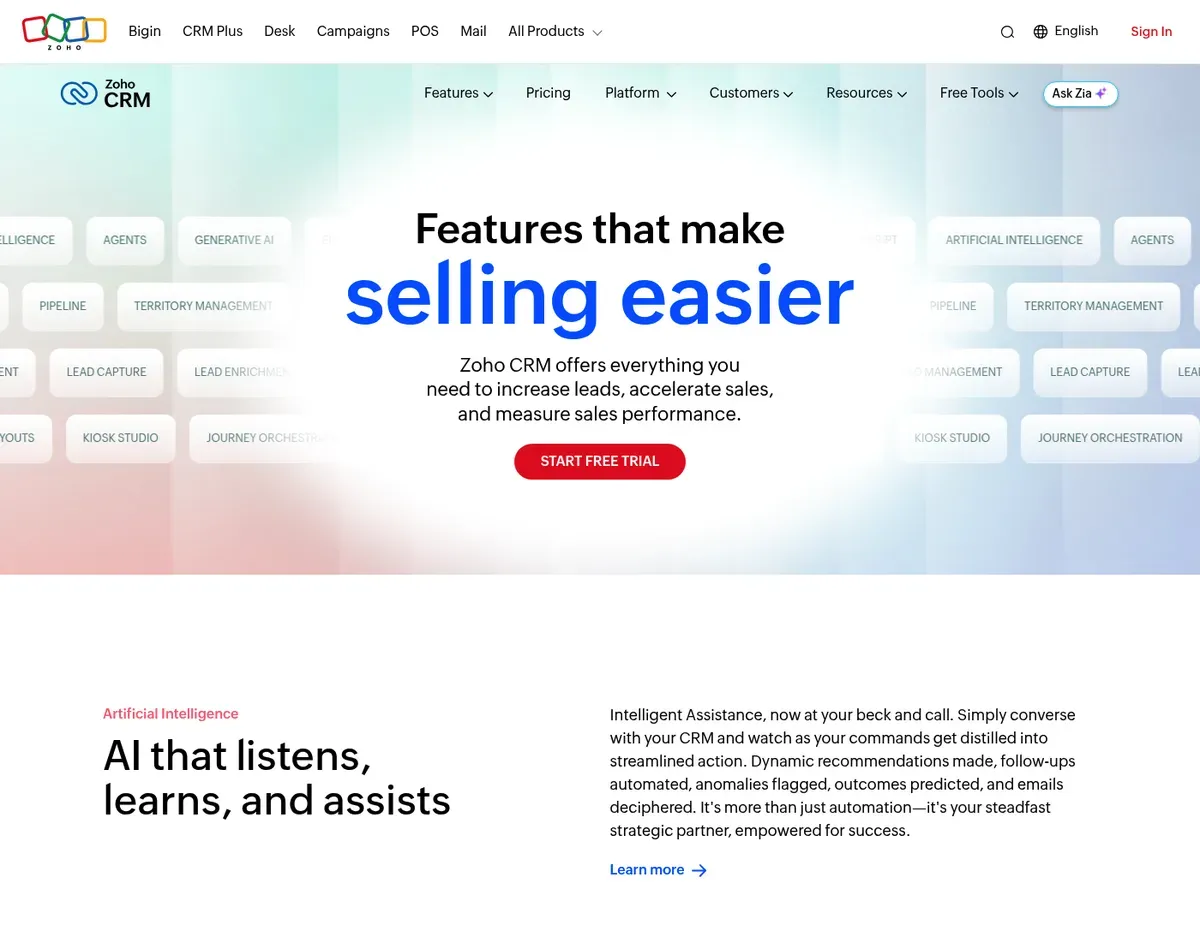
Zoho CRM Pipeline management view with color-coded deal stages and built-in Zia AI
Zoho CRM delivers the strongest price-to-feature ratio for budget-conscious mid-market organizations (10–100 users) needing enterprise-grade functionality without the $80+/user/month Salesforce premium. The platform’s value proposition is comprehensive features at transparent pricing: the Enterprise plan at $52/user/month (billed annually) includes custom objects, workflow automation, Zia AI predictive scoring, and API access—features Salesforce gates at much higher tiers. Zia AI assistant is native and included without add-ons, providing deal probability scoring, sentiment analysis on customer emails, and anomaly detection on revenue patterns.
Deep integration with the broader Zoho ecosystem (40+ applications including Books, Desk, Campaigns, and Flow) allows organizations to build a unified business suite without third-party middleware, reducing licensing fragmentation and administrative overhead.
Zoho CRM’s constraints emerge in two areas: the free tier and third-party integrations. The free tier is limited to 3 users and 5,000 records, making it unusable for any team beyond a solo founder plus two partners; most growing teams must upgrade to Standard ($14/user/month) within months of hiring. Integration with non-Zoho products requires Zoho Flow or third-party connectors; native integrations for popular tools like Slack, QuickBooks, or Shopify are shallower than Salesforce’s AppExchange or HubSpot’s marketplace, potentially requiring custom middleware development.
UI customization options, while extensive, require navigating a setup interface with 20+ subsections; a non-technical administrator configuring page layouts and custom fields for the first time typically needs 2–3 days of trial-and-error or deep documentation review.
Unlike Salesforce CRM, Zoho CRM provides AI features (Zia) at lower pricing tiers but sacrifices the breadth of the AppExchange integration marketplace. Unlike HubSpot CRM, Zoho’s free tier is limited to 3 users, so teams of 5+ must commit to paid plans from day one.
Zoho CRM’s Zia AI anomaly detection and predictive scoring accuracy are not publicly documented; exact feature availability and accuracy expectations vary by region — verify current AI feature limitations at https://www.zoho.com/crm/zia.html before relying on predictive insights for critical business decisions.
Pipedrive
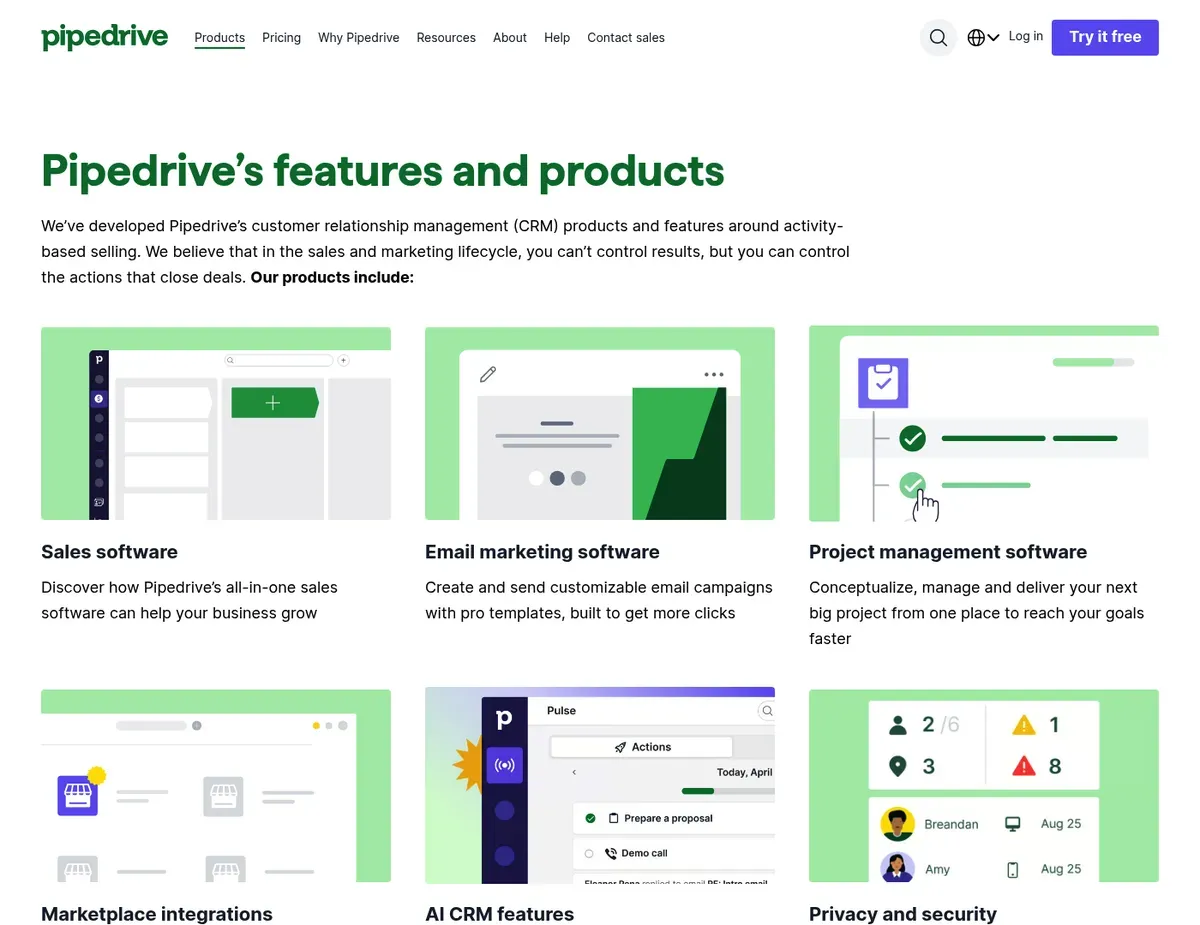
Pipedrive Kanban-style deal pipeline board with color-coded stage columns and
Where Pipedrive earns its reputation is in visual pipeline management: the drag-and-drop Kanban board and activity-driven workflow prevent deals from stalling and keep sales teams focused exclusively on moving deals to close. The platform targets small-to-mid-size sales teams (2–50 reps) who want a straightforward, no-fluff CRM without the overhead of marketing or service modules. New users can navigate the interface within minutes of account creation, and a 10-person sales team can import contacts, configure pipeline stages, and begin active deal tracking within a single afternoon. Built-in activity scheduling and reminders ensure every deal has a defined next step; the activity timeline makes it impossible to lose track of promised follow-ups.
Pipedrive’s limitations are structural: it is a sales-only tool, not a customer platform. There is no genuine free tier; the 14-day trial requires a credit card, and the lowest-cost Essential plan ($11.90/user/month billed annually) excludes workflow automation—teams wanting to auto-assign leads or trigger follow-up sequences must upgrade to Professional ($49.90/user/month). Marketing automation capabilities are limited to basic email campaigns; teams requiring nurture sequences, landing pages, or lead scoring must integrate Pipedrive with a dedicated marketing tool like Mailchimp or HubSpot Marketing Hub, adding cost and data sync complexity. Project management and post-sale service tracking are not supported; organizations needing to track customer onboarding, ticket resolution, or renewal workflows must operate Pipedrive alongside a separate service tool.
Unlike HubSpot CRM, Pipedrive offers no free tier, so teams must commit to paid plans from the start; however, the focused pipeline interface reduces onboarding time for sales-only teams. Unlike Zoho CRM, Pipedrive provides a cleaner, sales-focused experience but lacks the broader business suite capabilities (marketing, support, inventory) available in the Zoho ecosystem.
Pipedrive’s marketing automation capabilities are limited to basic email campaigns; exact feature boundaries between email campaigns and full automation sequences are not clearly documented — verify current marketing feature scope at https://www.pipedrive.com/features before expecting nurture sequence capabilities.
Microsoft Dynamics 365 Sales
Microsoft Dynamics 365 Sales Dynamics 365 Sales workspace showing opportunity records integrated with
If your organization is already invested in the Microsoft 365 ecosystem—Outlook, Teams, SharePoint, Power BI—Microsoft Dynamics 365 Sales is the right call for enterprise teams needing native integration without context-switching. The platform’s core strength is seamless workspace unification: CRM records, Outlook email pane, Teams collaboration sidebar, and relationship analytics appear together in one view, eliminating tool-jumping for users who live in Microsoft products. Dynamics 365 Sales delivers enterprise-grade security and compliance with built-in GDPR, HIPAA, and ISO 27001 controls managed through Microsoft Purview; regulated industries benefit from compliance certifications at the base tier without additional fees.
Power Platform extensibility (Power Automate, Power Apps) allows organizations to build custom workflows and applications without third-party development tools, enabling business users to automate processes without IT bottlenecks.
Dynamics 365 Sales introduces three operational constraints for broader teams. The Professional plan at $95/user/month is the minimum cost for any organization; there is no free option or trial beyond a limited evaluation license. Implementation for a 50+ user deployment typically requires a Microsoft Solutions Partner, with timelines of 4–8 weeks for standard configurations and 3–6 months for heavily customized environments—significantly longer than HubSpot or Pipedrive’s self-service approach.
The interface complexity across Dynamics 365 modules (Sales, Customer Service, Field Service, Marketing) creates a steep learning curve; new users without prior Dynamics experience require formal training or a dedicated internal champion to reach proficiency, and sales-focused teams often find modules irrelevant to their workflow adding interface clutter.
Unlike Salesforce CRM, Dynamics 365 Sales provides native Microsoft 365 integration without requiring third-party connectors, but its AppSource marketplace has significantly fewer third-party integrations than Salesforce’s AppExchange. Unlike HubSpot CRM, Dynamics 365 offers enterprise security and compliance controls from the base tier but provides no free option and requires a much longer implementation timeline.
Dynamics 365 Sales implementation timelines of 4–8 weeks for standard configurations and 3–6 months for customized environments vary significantly by partner and organization complexity — verify realistic deployment timelines with a certified Microsoft Solutions Partner at https://dynamics.microsoft.com/sales/overview/ before committing to go-live dates.
Best CRM software recommendations by scenario
Scenario 1 – Small startup (5–15 people) bootstrapping with minimal budget: Stick with HubSpot CRM because the free tier delivers unlimited users and up to 1,000,000 contacts at zero cost, allowing you to grow your sales team without incrementally increasing licensing spend. The contact timeline and basic deal tracking provide immediate value, and you can defer paid plan upgrades until you need marketing automation or advanced reporting. The major caveat is that once you add more than 5 team members doing marketing or need custom reporting beyond the 5 dashboard limit, the jump to Professional pricing ($890/month for 5 users) becomes expensive; plan to migrate to a more specialized platform or negotiate a growth pricing agreement with HubSpot before that point. Use the free tier to validate your sales process and build team discipline around pipeline management before investing in paid CRM infrastructure.
Scenario 2 – Mid-market B2B SaaS team (25–50 users) managing complex deals with multiple decision-makers: For this scenario, HubSpot CRM at the Professional tier ($890/month) makes sense if your deals are relatively straightforward and 90% of your CRM complexity is tracking pipeline and activity. However, if your deal process involves multi-stakeholder approvals, contract negotiations, and complex revenue recognition workflows, Salesforce CRM becomes the better choice despite the 3–6 month implementation timeline and $80+/user/month per-seat cost. Salesforce’s custom objects and approval workflows allow you to model your exact sales process without workarounds; the AppExchange integrations with your accounting software (NetSuite, QuickBooks) synchronize revenue data automatically. The limitation is that a 25-person Salesforce deployment with a consultant typically costs $50,000–100,000 in year one, so calculate the full cost of ownership before committing. If budget is the primary constraint, Zoho CRM’s Enterprise plan at $52/user/month delivers 70% of Salesforce’s customization at 35% of the cost.
Scenario 3 – Distributed sales team (10–30 reps) prioritizing pipeline visibility and deal velocity: Pipedrive is the pick here because the visual Kanban interface and built-in activity reminders ensure deals don’t stall, and a 10-person sales team can go live within days without IT involvement. Sales reps embrace Pipedrive because the interface is intuitive and focused exclusively on pipeline management, not cluttered with marketing or service modules irrelevant to their job. The major edge case is that if your marketing team needs to run nurture campaigns or your customer success team tracks renewals, you will operate Pipedrive alongside separate tools, adding administrative overhead. If you need an integrated marketing and sales stack, upgrade to HubSpot CRM Professional instead; if you need deep enterprise customization, choose Salesforce. Pipedrive works best for pure-sales organizations without complex back-office requirements.
Scenario 4 – Enterprise organization (100+ users) with Microsoft 365 as the platform spine: Microsoft Dynamics 365 Sales fits when your organization is built on Outlook, Teams, SharePoint, and Power BI; native integration means CRM data flows into employee workflows without context-switching. Dynamics 365 Enterprise tiers include advanced forecasting and LinkedIn Sales Navigator integration, valuable for large enterprise sales organizations. The caveat is that implementation requires a 4–6 month engagement with a Microsoft Solutions Partner and typically costs $100,000+; you must have dedicated IT and business process resources to succeed. If your Microsoft investment is light or your team resists Outlook-heavy workflows, choose Salesforce instead—its 3,000+ AppExchange integrations and broader third-party ecosystem serve organizations with mixed technology stacks better than Dynamics 365’s narrower focus on Microsoft products. Verify realistic timelines and costs with a Microsoft Solutions Partner before committing.
CRM implementation and rollout strategy
- Pre-implementation audit (Week 1). Inventory your current CRM, spreadsheets, and data sources: Salesforce, Pipedrive, Google Sheets, Excel databases, or legacy systems. Document the number of contacts, company records, deal history, and custom fields currently tracked. Identify which data is mission-critical (contacts, open deals, pipeline stages) and which can be archived or discarded (old closed-won deals from 3+ years ago, inactive contacts with no recent activity). Run a data quality check: remove duplicate contacts, fix malformed email addresses, and standardize company names. Export a clean CSV or API feed ready for import into the new platform. Define your CRM objectives in writing: Do you need better pipeline visibility? More automated follow-up reminders? Marketing automation integration? Revenue forecasting? Your CRM choice depends on these priorities.
- Phased rollout and user onboarding (Weeks 2–4). Deploy to a pilot group first: pick 3–5 high-engagement power users (your top sales rep, a sales manager, and an operations person) to configure and test the new CRM for 5–7 days before full team rollout. This pilot catches configuration mistakes and builds internal champions who train others. For HubSpot and Pipedrive, the pilot group can complete setup and data import in 2–3 days; for Salesforce and Dynamics 365, the pilot extends to 2–4 weeks to accommodate consultant-led configuration. Import historical deal and contact data during the pilot; run test deals through the pipeline to verify workflow automation, email integration, and reporting are functioning. Hold a live training session for the full team: walk through the top 5 workflows (create contact, assign deal, log activity, move deal to next stage, run pipeline report), and distribute written guides with screenshots. Assign an internal CRM champion—an operations person or sales manager who owns configuration changes, answers basic questions, and escalates bugs to the vendor.
- Post-launch validation and iteration (Weeks 5–8). After full rollout, monitor adoption metrics: log into the CRM daily and count active users, updated deals, and logged activities; compare against your baseline. If adoption is below 80% after two weeks, investigate resistance: interview reps to identify missing features, workflow friction, or unclear processes. Common blockers include inaccurate pipeline stage definitions, missing integrations with email or calendar, or unclear guidelines on which records to prioritize. Adjust the configuration based on feedback: rename pipeline stages if they don’t match your sales process, add email integration if it’s missing, or create simpler deal tracking for reps resisting the new system. Run bi-weekly team check-ins during the first month to gather feedback and celebrate early wins (a rep who closed a deal faster using the CRM, a manager who ran their first pipeline forecast). After 30 days of stabilization, archive or retire your legacy CRM to prevent data drift and dual-entry work.
- Integration validation and data integrity checks (Week 4+). Verify your CRM syncs correctly with downstream systems: if you use accounting software (QuickBooks, NetSuite) or ERP, run a data reconciliation after the first week of activity. Compare a sample of deals in the CRM to your accounting system’s invoice and revenue records; ensure deal amounts, close dates, and customer names match. If integration broke, debug with your CRM vendor’s support team or your consultant. Test marketing automation workflows if you integrated Mailchimp or HubSpot Marketing Hub: send a test campaign to a small segment, verify delivery and open tracking, and confirm that new contacts or lead scores flow back into the CRM. Document integration touchpoints and any manual workarounds needed; over time, prioritize replacing workarounds with native integrations or automation.
FAQ
Q: What is the best free CRM software available?
HubSpot CRM is the top choice for teams using a free CRM because it genuinely offers unlimited users and up to 1,000,000 contacts without budget commitment, and the unified contact timeline and basic deal pipeline work out-of-the-box for small sales teams. You can add 10 sales reps to HubSpot’s free tier without incrementally increasing cost—a unique advantage over competitors who charge per-seat or restrict free tiers to 3 users (Zoho) or require credit cards for trials (Pipedrive, Salesforce, Dynamics 365). The caveat is that the free tier limits custom reporting to 5 dashboards and restricts custom objects and advanced workflows to paid tiers; teams outgrowing the free version typically upgrade to Professional ($890/month for 5 users), a steep jump. Verify current free tier limits at https://www.hubspot.com/products/crm before relying on specific constraints.
Q: How long does it take to implement a new CRM?
Implementation timeline depends heavily on the platform: Pipedrive and HubSpot allow small teams to go live within 1–3 days of account creation because configuration is minimal and self-service; a 10-person sales team can import contacts, configure deal stages, and start tracking deals within a single afternoon. Zoho CRM requires 2–3 days of hands-on configuration due to its 20+ setup subsections, though the learning curve is manageable for a non-technical administrator. Salesforce and Microsoft Dynamics 365 Sales require 3–12 months with a certified consultant for mid-market deployments (25+ users); a typical 50-person Salesforce deployment spans 4–6 months and requires dedicated project management. Implementation cost compounds the timeline: self-service platforms like Pipedrive cost zero in consulting; Salesforce and Dynamics 365 typically cost $50,000–150,000 in professional services for a mid-market rollout. The underlying tension is speed versus depth: buy Pipedrive or HubSpot if you need to operationalize within weeks, choose Salesforce or Dynamics 365 if you have time and budget for deeper customization.
Q: How do I calculate the ROI of switching CRM software?
Salesforce CRM deployments for sales-driven organizations typically deliver 15–25% improvement in pipeline visibility and deal velocity within 6 months, translating to 5–10% higher close rates if your current system is manual (spreadsheets or legacy CRM). Calculate ROI by measuring the time saved per sales rep per week (eliminated manual data entry, no more hunting for contact history across email and spreadsheets) multiplied by loaded rep cost and the number of weeks in a year, then subtract the annual CRM cost. Example: if a 25-person Salesforce deployment costs $100,000/year (licensing, implementation, administration) and saves each rep 3 hours per week of manual work (25 reps × 3 hours × 50 weeks = 3,750 hours saved), and a loaded rep cost is $100/hour, the time savings alone equal $375,000, a 3.75:1 ROI. Additional benefits include higher close rates (5–10% improvement if you systematize your sales process in the CRM) and shorter sales cycles (1–2 week reduction). For HubSpot and Pipedrive, the time-savings ROI is similar but at lower cost because implementation is faster and self-service, so smaller deployments break even within 6 months. The hidden cost is adoption failure: if reps resist the system and revert to email and spreadsheets, you lose all ROI and waste the CRM license. Prioritize team buy-in and clear communication of the workflow changes during rollout.
Q: Can I migrate data easily from my current CRM to a new platform?
Data migration feasibility depends on your current system and target platform: if you are migrating from Salesforce to HubSpot, most vendors provide tools or consultants to map custom objects and field values, typically completing migration within 2–4 weeks for mid-market organizations. If you are migrating from spreadsheets or a legacy CRM, you will likely export to CSV, clean the data (remove duplicates, fix email formats, standardize company names), and import into the new platform; this process typically takes 1–2 weeks for 10,000–50,000 records. The highest risk is data integrity loss: contact records with missing fields, old deals from archived years cluttering the new system, and custom field mappings that don’t translate between platforms. Best practice is to run a test migration with a subset (100–500 records), validate the import in the new platform, adjust your mapping based on what broke, and then execute the full migration. For Salesforce migrations, hire a certified consultant; for HubSpot and Pipedrive migrations, the vendors often provide self-service import tools with documentation. The critical caveat is that migration complexity and timeline vary dramatically by data volume and source system; verify migration timeline and cost with your target vendor before committing to a platform switch.
Q: How should we choose between a CRM focused on sales pipeline versus a broader customer platform?
Pipedrive is the right call if your organization is sales-only (no marketing campaigns, no customer support) and your reps spend 100% of their time managing deals and closing customers; the focused interface and activity-driven workflow reduce onboarding time and accelerate deal velocity. HubSpot CRM and Salesforce are the right calls if you need to scale beyond pure sales: HubSpot’s tight integration with Marketing Hub and Service Hub allows a 50-person organization to manage the entire customer lifecycle (marketing → sales → support) in one platform without integrating three separate tools. Salesforce is the choice for enterprises needing multiple business units (sales, service, marketing, commerce) under one umbrella with deep customization and compliance controls. Zoho CRM bridges the gap: it includes broader capabilities (marketing automation, customer support, inventory management) at mid-market pricing, but the feature breadth creates interface complexity for sales-only teams. The underlying tension is whether you want a best-of-breed specialist tool (Pipedrive) for pure sales, or a bundled platform (HubSpot, Salesforce, Zoho) that grows as your organization expands. For startups, start with Pipedrive if you are sales-only, or HubSpot if you need marketing integration; as you mature and add support and commerce, plan your transition to Salesforce or Zoho.
Final verdict
HubSpot CRM takes the top slot because it balances speed, ease of adoption, and genuine value delivered at zero cost for small teams, making it the lowest-risk entry point for most organizations. The free tier with unlimited users eliminates adoption friction, the contact timeline consolidates scattered customer data into one view, and teams can go live within hours. For small-to-mid-market teams (5–50 users) prioritizing implementation speed and ease, HubSpot CRM is the clear choice. The caveat is that scaling beyond the free tier requires commitment to paid plans; marketing automation at Professional tier costs $890/month for 5 users, and custom objects are gated to Enterprise ($3,600/month), so teams eventually exceed HubSpot’s price-to-feature ratio as they grow.
Salesforce CRM earns the recommendation for complex enterprise organizations managing multi-stakeholder deals, regulatory compliance requirements, and integration-heavy technology stacks. The AppExchange ecosystem of 3,000+ integrations, Einstein AI predictive insights, and mature customization engine (custom objects, approval workflows, field-level security) handle scenarios where HubSpot’s generic approach falls short. The implementation timeline of 3–12 months and consulting cost of $50,000–150,000 is justified for mid-market and enterprise deployments where CRM is mission-critical to revenue operations.
Pipedrive stands out as the strongest fit for small sales teams (2–50 reps) wanting pure pipeline focus without marketing or service module complexity. The visual Kanban interface and activity-driven workflow keep deals moving; new reps adopt the system within days. However, Pipedrive’s lack of built-in marketing automation and customer service ticketing makes it unsuitable for organizations needing an integrated customer platform.
Zoho CRM is the recommendation for budget-conscious mid-market organizations (10–100 users) needing enterprise-grade customization without the Salesforce price premium. The $52/user/month Enterprise plan includes AI features, custom objects, and API access—a feature set Salesforce charges $80+/user/month for. The limitation is Zoho’s narrower third-party integration ecosystem and steeper setup complexity for non-technical administrators.
Microsoft Dynamics 365 Sales is the pick for enterprise organizations already invested in Microsoft 365 infrastructure (Outlook, Teams, Power BI). Native integration eliminates context-switching; Power Platform extensibility allows business users to build custom workflows. The implementation timeline of 4–8 months and cost of $95+/user/month is justified for organizations where CRM consolidation into the Microsoft ecosystem reduces overall software fragmentation.
Sources
- ↑ HubSpot Pricing Page — https://www.hubspot.com/pricing
- ↑ Salesforce Sales Cloud Pricing Page — https://www.salesforce.com/editions-pricing/
- ↑ Pipedrive Pricing Page — https://www.pipedrive.com/pricing
- ↑ Salesforce Developer Documentation — https://developer.salesforce.com/docs/
- ↑ Zoho CRM Pricing Page — https://www.zoho.com/crm/pricing/

Leave a Reply