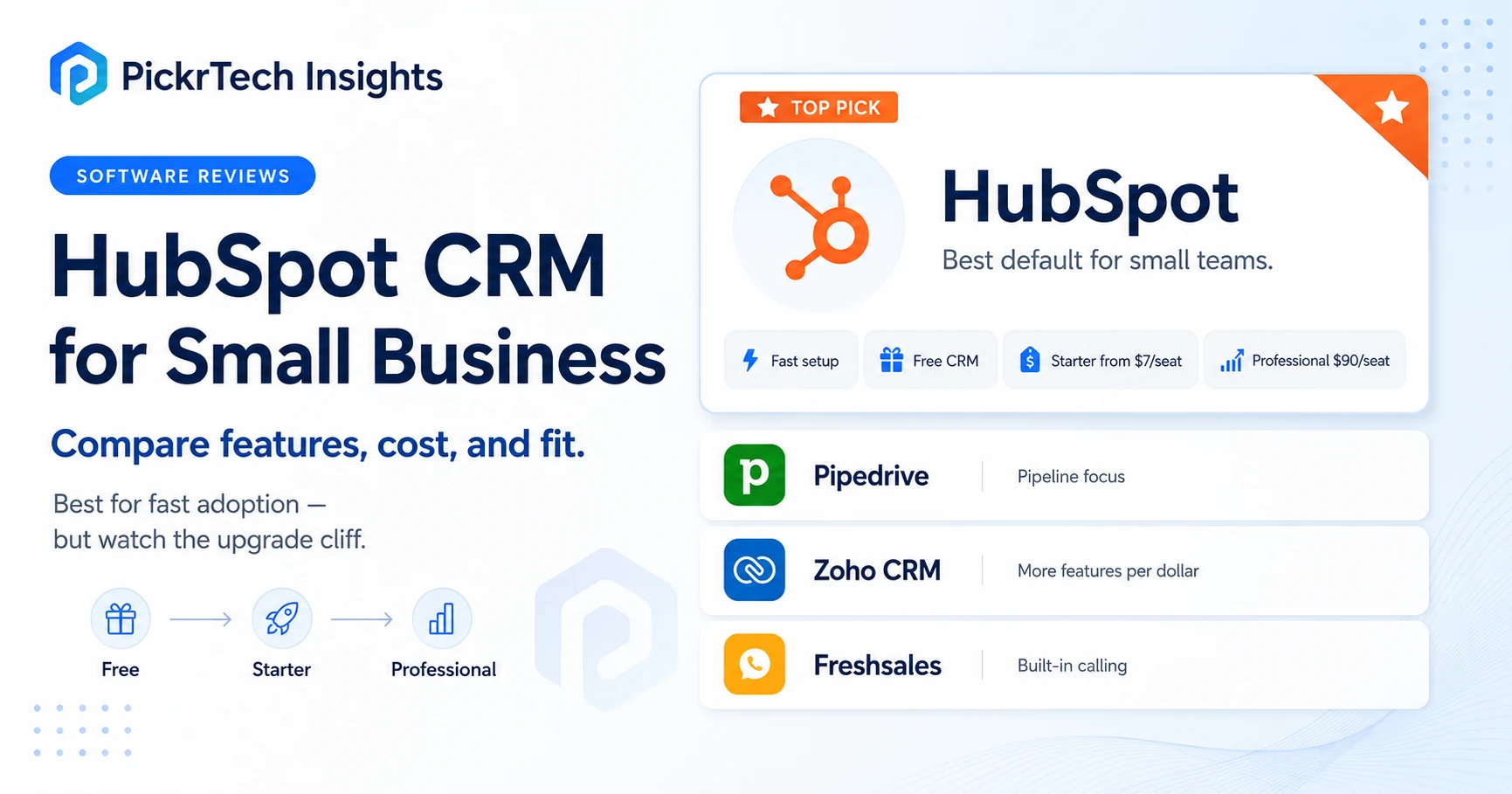
TL;DR: For most small businesses that want one system for contacts, pipeline, meeting scheduling, forms, and follow-up without a rollout project, HubSpot is the sensible default — its free CRM (up to 2 users) and a Starter tier currently promoted at $7 per seat per month can often get a small team going quickly. The one number that decides everything is the upgrade cliff: the moment you need email sequences and real automation, you jump to Sales Hub Professional at $90 per seat per month plus a one-time $1,500 onboarding fee, which takes a 5-person team from about $420 a year on Starter to roughly $6,900 in year one. If that cliff breaks your budget, pick Freshsales when lower-cost built-in calling matters ($9/seat) or Zoho CRM for more features per dollar ($14/seat); pick Pipedrive when a focused sales pipeline is the goal; and choose Salesforce only when process complexity is genuinely real. All prices are US vendor list or currently displayed prices on annual billing, checked July 2026.
Before you commit: validate the fit hands-on with our HubSpot free trial evaluation checklist, score it against alternatives with the software evaluation scorecard, and when you’re ready to move your data, follow the step-by-step CRM migration guide. This evaluation is based on each vendor’s published pricing and documentation checked in July 2026, not a hands-on lab test; the trial and migration guides above are the execution destinations.
Is HubSpot the right CRM for your small business?
For most small teams replacing spreadsheets, a shared inbox, and scattered calendar invites, the answer is yes — provided your first priority is adoption rather than feature depth. HubSpot’s main advantage is time to first value: a two-person team can often be up and running quickly, because the free CRM already covers the daily job of a small business. It becomes the wrong pick in exactly one situation — when serious automation is a day-one requirement and the budget can’t absorb the Professional tier, which is where the rest of this guide focuses.[1]
The real question with any CRM for a 3-to-10-person team is simple: will people actually use it every day? You want cleaner lead visibility, better follow-up habits, and a pipeline your team keeps current — not software to hand off to a full-time admin. HubSpot fits that test because there’s little setup standing between you and a working pipeline, and because sales and light marketing data live on one contact timeline instead of in four disconnected tools. If you also need forms, marketing emails, or service visibility later, that shared context is a genuine advantage rather than a second migration.
The trade-off is range you may not want. If your team only sells and wants nothing but a pipeline board, HubSpot’s breadth can feel like surface area you’ll never touch — which is the honest case for a focused tool like Pipedrive. Buy for the process you need in the next 30 days, not the one you might need in two years.
What HubSpot’s free and Starter plans actually include
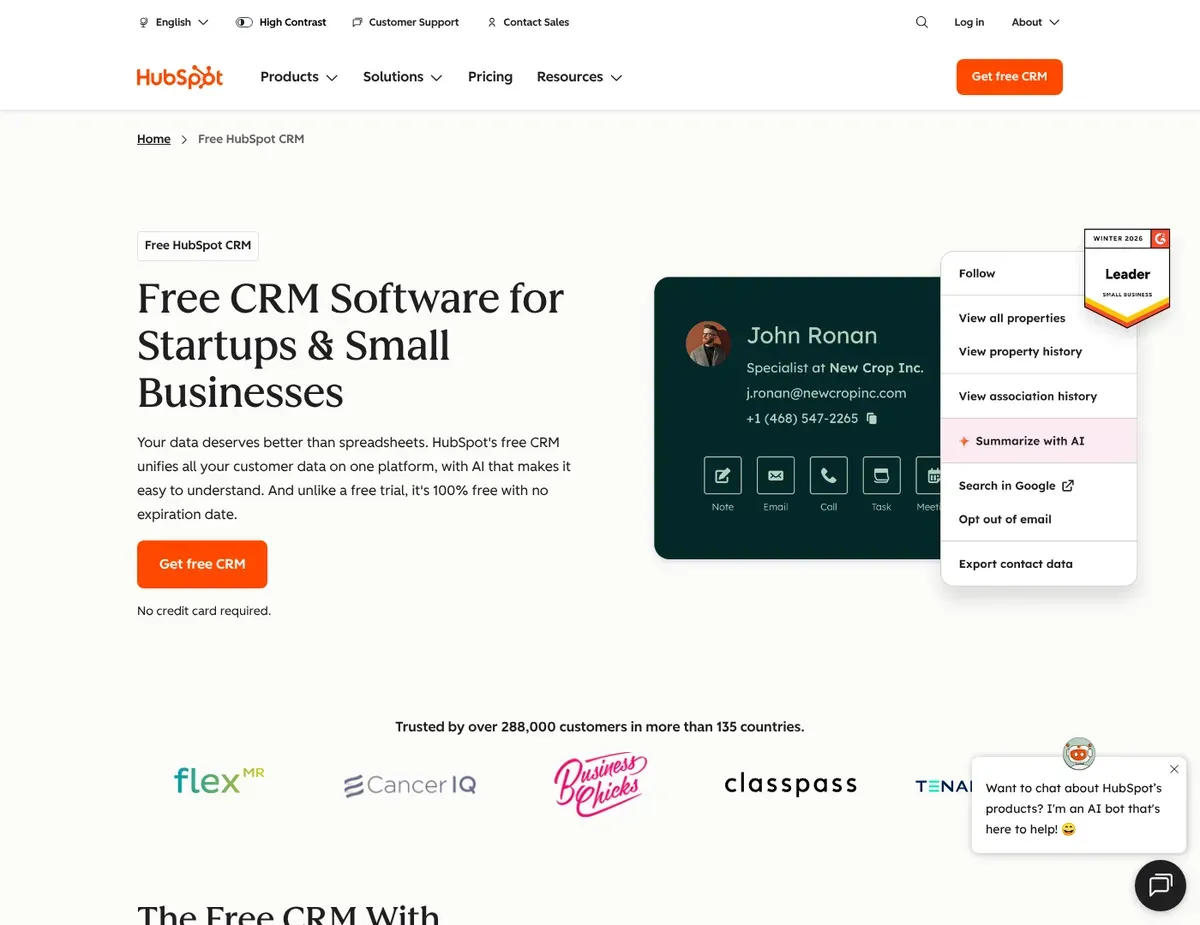
The reason HubSpot is the easy default for spreadsheet refugees is that the free tier is real software, not a demo. It covers contact management, a deal pipeline, a meeting scheduler, live chat, and forms — enough for a small team to run its whole sales motion without paying anything, capped at two users under HubSpot’s current seat-based model.[2] When you outgrow two users or want HubSpot branding gone, Starter is currently displayed at a promotional $7 per seat per month on annual billing for new customers (list price $20 month-to-month), checked July 2026, while keeping the same fast onboarding.
For a lot of owner-led businesses, free or Starter is the whole story for a year or more. The moment that stops being true is specific and predictable: the day you need automated email sequences, multi-step workflows, or deeper reporting. That’s not a Starter add-on — it’s a tier jump, and it’s the single most important thing to understand before you commit.
The HubSpot pricing cliff: what Professional really costs
Email sequences, meaningful workflow automation, and advanced reporting all sit in Sales Hub Professional at $90 per seat per month on annual billing ($100 month-to-month), plus a mandatory one-time $1,500 onboarding fee in year one.[2] The jump to Professional isn’t incremental — once the onboarding fee is added, the year-one gap for a small team is stark:
- Free (2 users): $0 — contacts, one pipeline, meeting scheduler, live chat, forms.
- Starter, 5 seats: about $420 in year one at the current promotional $7/seat rate (list price $20 month-to-month), no onboarding fee.
- Professional, 5 seats: about $6,900 in year one (5 × $90/month + $1,500 onboarding), then roughly $5,400/year after.
The distance from about $420 to about $6,900 is the number to plan around. It doesn’t make HubSpot the wrong choice — it makes it a choice you should enter with eyes open. If your 12-month plan genuinely needs sequences and automation, budget for the cliff from the start rather than discovering it after your team has already adopted the free tier. If your plan doesn’t need them, free or Starter can carry you a long way, and the cliff is irrelevant. Bear in mind the $7 Starter rate is a promotional price that can revert, so confirm the current number in HubSpot’s checkout before you commit.
⚠ Budget for the cliff, not the free start: email sequences and real automation are gated behind Professional at $90/seat/month (annual) plus a one-time $1,500 onboarding fee — a 5-person team’s year-one cost jumps from roughly $420 on Starter to about $6,900. Source: HubSpot Sales Hub pricing
When to choose something other than HubSpot
HubSpot is the safe default, not a universal answer. Four situations point clearly elsewhere. The table maps each exit; the notes below explain when to take it.
| Tool | Free plan / entry (annual) | Pick it over HubSpot when… | Watch out for |
|---|---|---|---|
| HubSpot (reference) | Free (2 users) · Starter $7 promo | You want fast all-in-one CRM + light marketing | $90/seat Professional cliff + $1,500 onboarding |
| Pipedrive | No free plan · Lite $14 | You want only a clean sales pipeline, and will pay from day one | Automation starts at Growth ($24); add-ons can increase the total cost |
| Freshsales | Free (3 users) · Growth $9 | Built-in calling matters and budget is tight | AI + multiple pipelines gated at Pro ($39); smaller integration ecosystem |
| Zoho CRM | Free (3 users) · Standard $14 | You’ll trade setup time for more features per dollar | Denser setup; Blueprint automation at Pro ($23) |
| Salesforce | Free Suite (2 users) · Starter Suite $25 | Real process complexity or governance already exists | 4x jump to Pro Suite ($100); heavy admin |
Pipedrive: the cleaner pick if you only want a sales pipeline
If your whole process is moving deals through stages and holding reps accountable in weekly reviews, Pipedrive’s visual pipeline is more focused than HubSpot’s broader interface, and it is generally easier for spreadsheet-based teams to pick up. The catch is that there’s no free plan — only a 14-day trial — and the $14 Lite tier is primarily for core deal and pipeline management. Full email sync and workflow automation arrive at Growth ($24 per seat per month on annual billing), which is the more realistic starting tier for teams that need follow-up automation, so a 5-person team runs about $840/year on Lite or $1,440/year on Growth.[5] Native lead generation and email marketing can add to the bill: LeadBooster starts at $32.50/month per company and Campaigns starts at about $13.33/month.
Freshsales: cheapest way to get calling built in
For a phone-and-email-heavy inside sales team, Freshsales does something HubSpot won’t at a comparable price: its Growth plan at $9 per seat per month bundles a built-in phone dialer with call recording plus basic workflow automation, and there’s a real free plan for up to three users.[6] A 5-person team runs about $540/year on Growth — the lowest working sales stack here. Two things to price in before you commit: most AI features, multiple pipelines, and territory management require the Pro plan at $39 per seat (a 4.3x jump), and the integration marketplace is smaller than HubSpot’s, so confirm coverage for any niche tool you rely on during the trial.
Zoho CRM: more features per dollar, more setup
If your team is cost-conscious and willing to spend more time configuring, Zoho delivers more capability per dollar than almost anything on this list. The free edition covers three users, Standard at $14 per seat adds workflow automation, multiple pipelines, and custom dashboards, and Professional at $23 adds Blueprint, Zoho’s process-management feature that walks reps through a standardized deal path — a tier where HubSpot is still holding its best features back.[3] A 5-person team runs about $840/year on Standard or $1,380/year on Professional, with no onboarding fee. The cost is friction: Zoho feels denser than HubSpot, and routine configuration involves more menus and admin passes, so teams with limited admin capacity can lose momentum if they underestimate setup.
Salesforce: only when complexity is already real
Salesforce belongs on the shortlist only if your business already knows it needs more process control than SMB-first tools offer — multiple teams, formal sales operations, complex approval flows, or account structures simpler tools can’t hold. Salesforce now offers a free forever plan capped at two users (Free Suite), but the working entry point is Starter Suite at $25 per seat per month; the next step is Pro Suite at $100 per seat — a 4x jump — with enterprise Sales Cloud tiers climbing higher still.[4] A 5-person team runs about $1,500/year on Starter Suite or $6,000/year on Pro Suite, with implementation quoted separately. For a team just moving off spreadsheets, that’s usually overbuying — commit only when the complexity is real instead of hypothetical.
Rolling out HubSpot in your first week
The same discipline applies if you picked an alternative, but here’s the HubSpot-specific path. Keep the first-week scope narrow — over-customizing early is one of the fastest ways small teams stall adoption.
- Start with the minimum viable setup. Turn on contacts, companies, open deals, one pipeline, the meeting scheduler, and email/calendar sync. Resist customizing every field on day one.
- Migrate only essential data first. Bring over active contacts, open deals, current tasks, latest notes, and clear owner assignments. Leave historical clutter behind until the live workflow is stable. Our CRM migration guide walks through field mapping and validation.
- Define stage rules before inviting the team. Give every pipeline stage a plain-language definition and an expected next activity. Skip this and you get a pretty pipeline full of deals that mean different things to different people.
- Run one live sales cycle as a pilot. Have one rep use HubSpot for a week with real leads and real manager review, then confirm email sync works, tasks are completed, and dashboards reflect reality.
- Validate adoption at 30 days. The CRM is working only if reps log activities consistently, open deals carry a next step, and managers can see where follow-up is slipping. If not, simplify fields and automations before adding more.
HubSpot for small business: common questions
Is HubSpot’s free CRM actually enough for a small business?
For up to two users doing contact management, a single deal pipeline, meeting scheduling, live chat, and forms, yes — it’s genuinely functional, not a trial. The wall you eventually hit is automation: email sequences, multi-step workflows, and advanced reporting aren’t in the free or Starter tiers. Map your 12-month feature needs before assuming free will hold, because the next real step is Professional, not a small add-on.
What happens to the price as the team grows?
The cost is flat and cheap until you need automation, then it steps up sharply. At the current promotional rate a 5-person team pays about $420 a year on Starter, but roughly $6,900 in year one on Professional once sequences become non-negotiable ($90 per seat plus a $1,500 onboarding fee). If that jump breaks the budget, Freshsales ($9 per seat with built-in calling) or Zoho CRM ($14 per seat, automation included at Standard) deliver a working sales stack for far less.
What’s the safest way to move from spreadsheets into HubSpot?
Migrate only current, actionable data first: active contacts, open opportunities, next tasks, latest notes, and the current deal owner. Run one live sales cycle before importing old closed records or edge-case fields, because trying to recreate every spreadsheet tab immediately makes the first data model messy and hard to trust. Our spreadsheet-to-CRM migration guide covers the field mapping step by step.
The verdict: is HubSpot right for your team?
For most small businesses, HubSpot is the strongest default when the goal is fast onboarding, better follow-up discipline, and one system for contacts, deals, meetings, and light marketing handoff. It isn’t the cheapest once you scale — the Professional cliff is real — but it’s the safest pick when adoption matters more than feature depth. Validate the fit with our HubSpot free trial evaluation checklist before you upgrade, and if you’re still on spreadsheets, use the migration guide before your team starts working in live records.
Take an exit when your situation calls for it: Pipedrive if you want only a clean pipeline and will pay from day one; Freshsales if built-in calling matters and the budget is tight; Zoho CRM if you’ll trade setup time for more features per dollar; Salesforce only when real process complexity is already here. The right CRM is the one your team fully uses within 30 days — not the one that looks best on a long-term roadmap. If your decision also depends on scheduling or campaign follow-up, compare scheduling tools and email marketing by use case.
Sources
- ↑ HubSpot CRM product page — https://www.hubspot.com/products/crm
- ↑ HubSpot Sales Hub pricing — https://www.hubspot.com/pricing/sales
- ↑ Zoho CRM pricing and editions — https://www.zoho.com/crm/zohocrm-pricing.html
- ↑ Salesforce small business pricing — https://www.salesforce.com/small-business/pricing/
- ↑ Pipedrive pricing and plans — https://www.pipedrive.com/en/pricing
- ↑ Freshsales pricing — https://www.freshworks.com/crm/pricing/
Disclaimer
This guide is for general informational purposes only and does not constitute professional accounting, tax, legal, or financial advice. Pricing, features, and plan details were checked against each product’s official website in July 2026 and may change without notice — vendors in this category adjust plan structures and run promotions frequently, and some prices shown are limited-time promotional rates. Always consult a qualified professional for advice specific to your business situation.
Last reviewed: July 2026 by the PickrTech editorial team. Prices verified against US vendor pricing pages in July 2026.