TL;DR: The subscription is rarely the deciding factor. At a loaded rate of $30 an hour, the base paid paths modeled below — Zoho Inventory Standard at $29 billed annually and Sortly Advanced at its non-promotional $49 monthly price — break even at about 23 and 32 minutes per week after an eight-hour setup cost is spread across the first year. Even Zoho Inventory Premium at $79 breaks even at about 46 minutes per week. If you can point to that much weekly reconciliation or version-control work, software may already pay for itself. If not, improve the spreadsheet first.
- Measure one normal week before deciding. Count the minutes spent correcting the file, not the minutes spent counting stock.
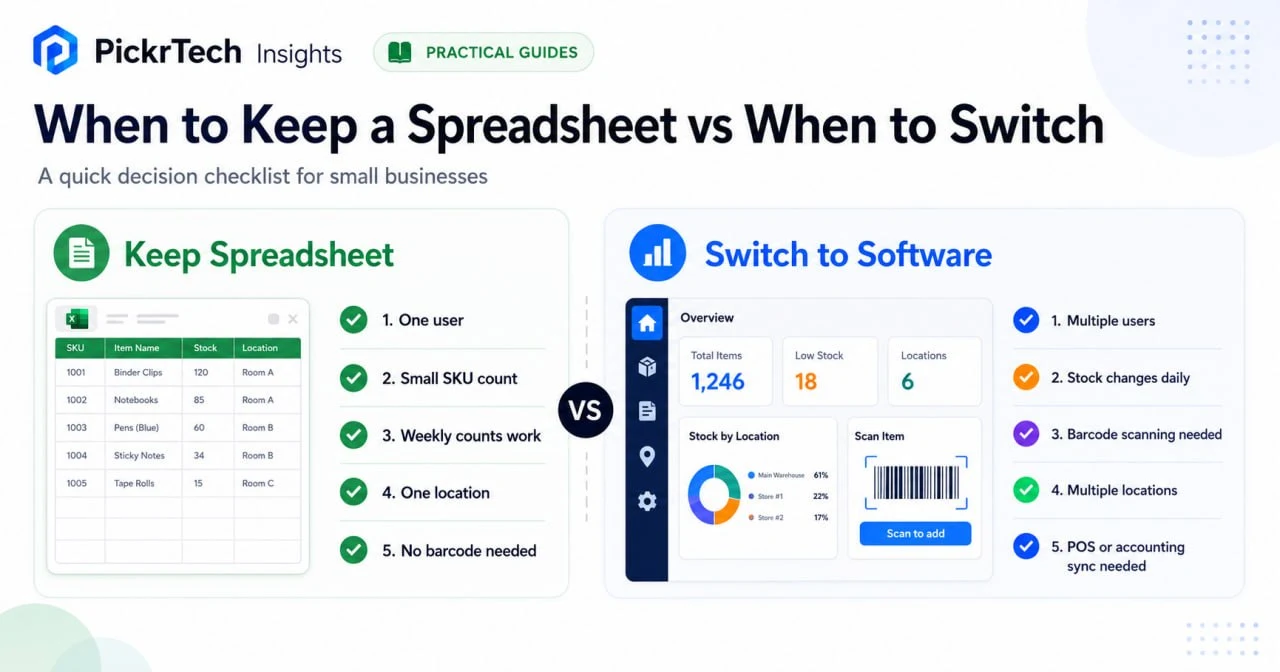
- Stay in the spreadsheet when one person owns it, the catalog is small, and weekly counts still match the shelf.
- Switch when stock changes faster than the file gets updated, or when more than one person needs a reliable answer.
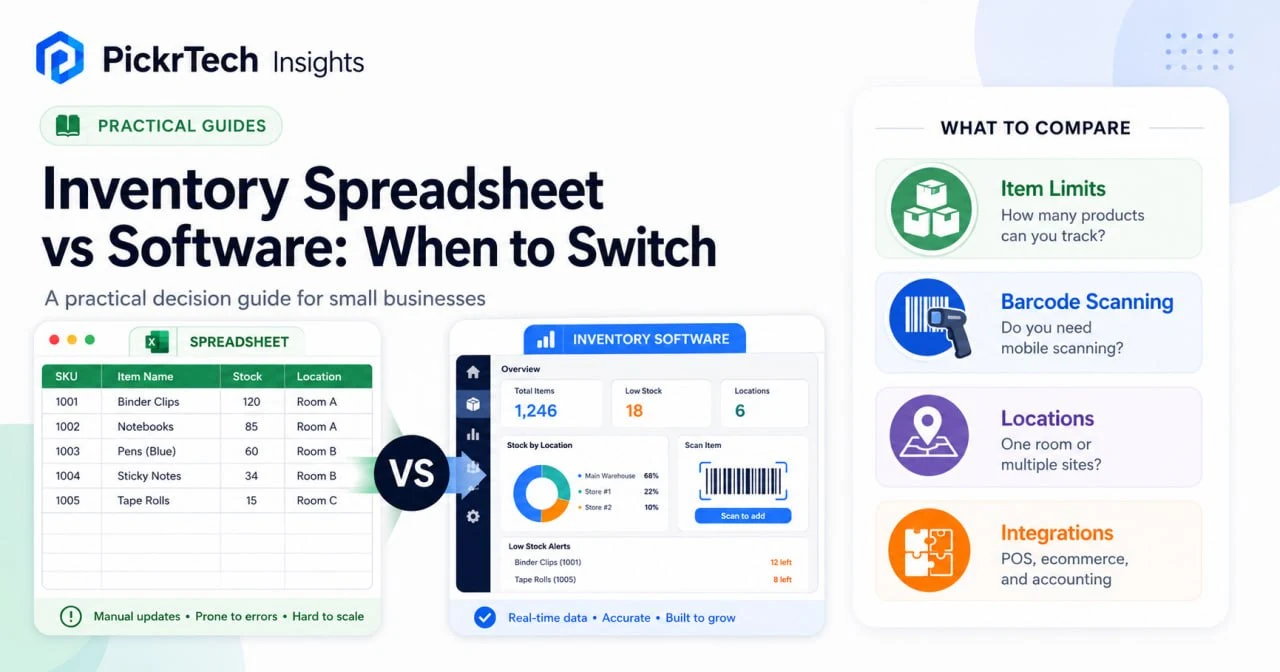
A spreadsheet is usually the first inventory system a small business builds, and for a long time it is the right one. This guide is about the moment that stops being true. It does not rank inventory apps — if you have already decided to switch and want to compare tools, use our inventory management tools guide instead. Stay here if the open question is whether to leave the spreadsheet at all.
What your spreadsheet actually costs each week
Start by separating two kinds of time, because only one of them is recoverable.
Work that happens either way. Counting stock, receiving deliveries, pulling orders, adjusting for damage. Software changes where this work is recorded, not whether it happens. Do not count these minutes.
Work that exists only because the system is a file. Reconciling a count that does not match the shelf. Working out which copy is current. Re-typing numbers someone wrote on paper during receiving. Repairing a formula a teammate overwrote. Rebuilding the same below-reorder-point report every month because the sheet cannot answer it directly. This is the recoverable time, and it is the only number that matters for the decision.
Track it for one ordinary week. Most owners guess low before they measure, because the work arrives in five- and ten-minute pieces rather than in blocks.
The subscription is not the hard part
Once you have a weekly number, the cost comparison resolves quickly — and it resolves in a direction that surprises most people.
Assumptions used below, so you can substitute your own: time valued at $30 per hour; 8 hours of one-time setup for data cleanup, import, field mapping and training; setup spread across the first 12 months; and 4.33 weeks per month. US prices were checked July 20, 2026, excluding local taxes. Zoho figures use annual billing. Sortly Advanced is modeled at the non-promotional $49 monthly price rather than the temporary $24-per-month first-year annual offer ($288 billed for year one) displayed on the check date.
| Entry path | First-year cost per month | Break-even recovered time |
|---|---|---|
| Sortly Free (100 unique items, 1 user; folders count toward the limit) | $20 (setup only) | About 10 minutes a week |
| Zoho Inventory Standard ($29 billed annually) | $49 | About 23 minutes a week |
| Sortly Advanced (non-promotional $49 monthly price) | $69 | About 32 minutes a week |
| Zoho Standard plus one additional location (+$10) | $59 | About 27 minutes a week |
| Zoho Inventory Premium ($79; 5 users and 4 locations) | $99 | About 46 minutes a week |
Every path shown breaks even at under an hour a week. At one recovered hour per week, the modeled value is $129.90 per month, which exceeds the first-year monthly cost of every path in the table. The point is not that software always wins; it is that measured reconciliation and version-control time is more useful than debating small plan-price differences.
Two details worth knowing before you assume the entry tier covers you. On Zoho’s US edition, the Standard plan raises the free plan’s limits from 50 to 500 orders per month, from one to three users, and from one to two locations — which also means the free plan is single-location only. A third location is a $10 monthly add-on, so three locations cost around $39 rather than requiring the $79 Premium tier, and additional users are $7.50 each. Zoho’s cost curve is therefore partly add-on driven rather than a plan staircase, and it is worth pricing your actual location and user count before assuming a tier. Sortly works differently: the Free plan covers 100 unique items and one user, and its help center notes that folders count toward that same limit, so a folder structure consumes capacity you may have expected to spend on items.
Once cost stops being the deciding factor, the decision becomes a question about your workflow — which is what the rest of this guide covers.
When a spreadsheet is still the right answer
Keep the spreadsheet when your recoverable time is genuinely near zero. That is the case more often than the software marketing suggests: a small SKU list, one person who owns the file, a weekly count that matches the shelf, and consequences of delay that are low because orders are reviewed by hand anyway.
The real advantage is control. You design columns around how the business actually works — item name, SKU, quantity on hand, reorder point, supplier, unit cost, location, last counted date — and you change them without waiting for a vendor. Microsoft publishes free Excel inventory templates, and Google Sheets gives a small team cloud access to one file. For a solo seller or micro-business, that can hold for years.
If you land here, spend the effort on the spreadsheet rather than on a subscription: standardize item names, add explicit reorder points, protect formula cells, and use an Excel inventory cycle count template to schedule recurring counts. Our guide to setting up low stock alerts in Google Sheets is the single highest-value addition for most sheets.
Six signs your spreadsheet is falling behind
Each of these is a place recoverable time hides. If more than two describe your week, the break-even math above has almost certainly already tipped.
You promise stock you do not have
Telling a customer an item is available and then finding an empty shelf means the file is lagging reality. This happens when sales, returns, receiving and transfers are recorded after the fact instead of during the work. Every stockout also costs you the time spent apologizing and re-picking.
The file has become slow and fragile
Thousands of rows, nested formulas, image links and a dozen tabs make a workbook slow to open and easy to break. The sharper risk is dependency: if one person understands the formulas, the inventory system is that person, not the file.
The same SKU exists in several places
Tracking one item across a warehouse, a retail shelf, a storage room and a van in a single sheet produces errors that are tedious to unwind. Once location matters, you need counts that state where stock sits and who last touched it. Check plan limits carefully here, since location capacity is the constraint entry tiers are least likely to cover.
Typing SKUs has become the bottleneck
Manual SKU entry is slow and produces transposition errors that surface weeks later as phantom stock. If your team would move meaningfully faster scanning items with a phone camera, that is recoverable time with a clear number attached to it.
People keep asking which file is current
Google Sheets solves live collaboration, but local Excel copies, duplicated tabs, exported CSVs and emailed versions bring the problem back. Every “is this the latest one?” is pure recoverable time, and it is usually the largest single line in the audit.
Simple questions require manual cleanup
Which items are below reorder point? Which location is overstocked? Which SKUs have not moved this quarter? Which were adjusted most often? A spreadsheet can answer these, but usually only after someone reshapes the data first. If that reshaping happens monthly, it belongs in your weekly recoverable figure.
Where each option stops working
| Decision point | Spreadsheet is usually enough | Software is worth testing |
|---|---|---|
| Catalog size | A list one person can review by eye | Frequent changes, variants, or item photos |
| Item limits | No cap, but no guardrails either | Caps apply — confirm the tier covers your real catalog, including folders |
| Update speed | Weekly or occasional updates are acceptable | Sales, receiving, returns or transfers need same-day accuracy |
| Team access | One owner controls the file | Several people need a reliable answer without version confusion |
| Locations | A single shelf, room or storage area | Warehouse, shop floor, bin or vehicle tracking matters |
| Workflow needs | Manual counts and simple reorder points | Barcode scanning, low-stock alerts, POS sync or accounting handoff |
Spreadsheets trade money for discipline. You maintain formulas, protect columns, catch duplicate SKUs, log movements and keep everyone on one file. Software trades that discipline for a subscription and a setup phase — and it is not automatically better, because a tool the team does not use consistently costs you the fee and leaves the spreadsheet running in parallel.
One boundary worth naming early: if your work involves lot tracking, expiration dates, serial numbers, manufacturing stages, advanced warehouse routing or deep accounting rules, a beginner inventory app is not the destination. Compare mid-market inventory systems or ERP-style tools rather than stretching a simple spreadsheet replacement past its design.
How to switch without breaking your counts
If the numbers point to switching, the failure modes are predictable and mostly avoidable.
Do not wait for a visible failure. Most businesses tolerate friction until a stockout or an oversold order forces the issue. The better trigger is the first month your recoverable time crosses the break-even line, because at that point you are paying for the software in wasted hours regardless of whether you buy it.
Do not buy for a workflow you do not have. A small retailer counting stock and setting reorder alerts does not need an enterprise warehouse system. Prioritize clean import, mobile access, scanning and daily usability over advanced features nobody will maintain. If you are weighing several candidates seriously, a weighted software evaluation scorecard keeps the comparison honest.
Do not import a messy file. Duplicate SKUs, inconsistent names, blank rows and vague location labels all survive the import and become someone else’s problem. Clean first, save as CSV, and test a small batch before moving the catalog.
Run a one-week parallel test before committing. Import 20 to 50 items, put receiving, picking, scanning and low-stock alerts through the app, and compare its counts against your spreadsheet at the end of the week. If the app is not clearly easier by day five, the problem is either fit or process, and migrating the full catalog will not fix it. Our Sortly review covers where one common starting point fits and where it does not, and the Sortly setup guide walks through the actual configuration.
Before you migrate the full catalog:
- You know your current entry count and expected growth, including folders if the tool counts them.
- You know how many people need access, and what each tier includes before add-ons.
- You know whether barcode scanning is required or merely convenient.
- You have confirmed the plan covers your actual number of locations.
- You have removed duplicate rows, inconsistent names and stale quantities.
- A small test import has succeeded and the counts reconciled.
- You have set the date the old spreadsheet stops being updated.
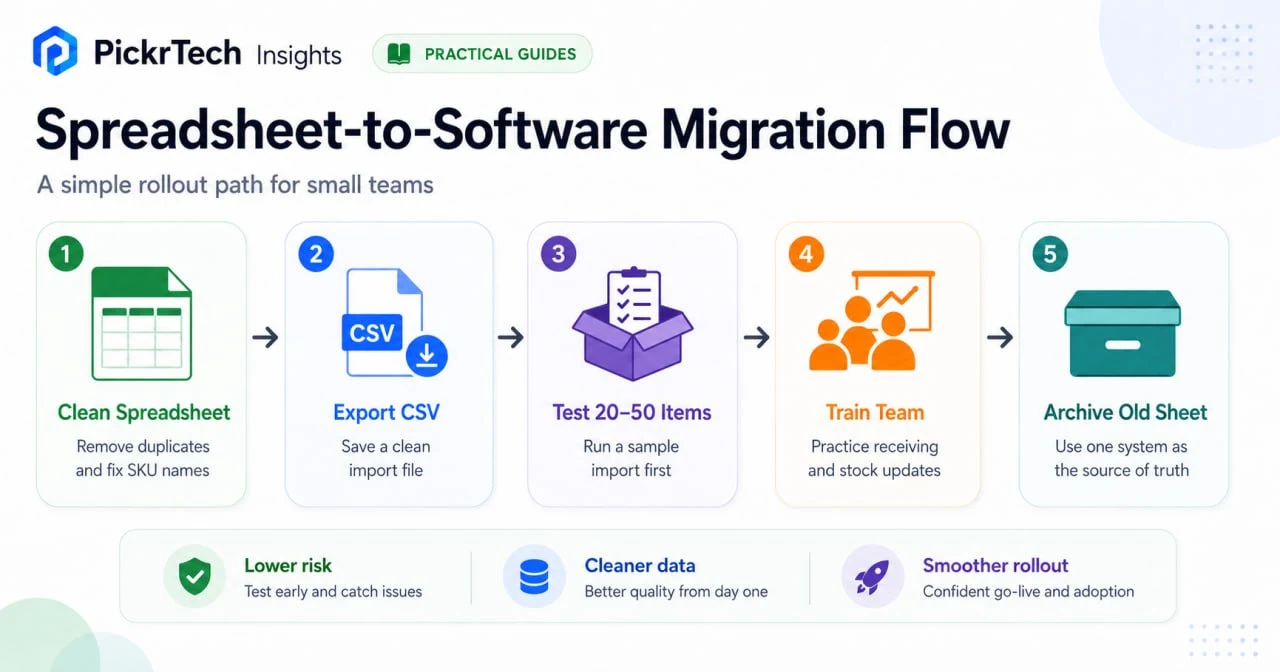
If imports fail, re-save as CSV UTF-8, simplify column headers, strip blank rows and retry with ten items. If counts stay wrong after launch, the usual cause is that the old spreadsheet is still being updated — pick the new system as the single source of truth and stop maintaining both. If adoption is weak, train one receiving process, one picking process and one adjustment process before expanding anything else.
Sources and notes
- Sortly Pricing — free-plan unique-item and user limits, Advanced non-promotional pricing, and the current first-year annual promotion terms.
- Sortly Help Center: Bulk Importing New Items/Folders — CSV and Excel import workflow, and how folders count toward the entry limit.
- Zoho Inventory Pricing Comparison (US edition) — free, Standard and Premium plan limits for orders, users and locations, plus annual pricing. Tier names differ by region: the $79 tier is Premium on the US edition and Professional on the global edition.
- Zoho Inventory Pricing and Add-ons (US edition) — $7.50 additional-user and $10 additional-location rates under annual billing; prices exclude local taxes.
- Microsoft Excel Inventory Templates — spreadsheet inventory template availability.
- Google Docs Editors Help: Split text, remove duplicates, or trim whitespace — spreadsheet cleanup before migration.
Disclaimer
This guide is for general informational purposes only and does not constitute professional accounting, tax, legal, or financial advice. The cost figures above are a model built on stated assumptions, not a quote; substitute your own hourly rate and setup estimate. Pricing, features, and plan details were verified against each product’s official website as of July 2026 and may change without notice. Always consult a qualified professional for advice specific to your business situation.
Last reviewed: July 2026 by the PickrTech editorial team.