This article may contain affiliate links. We may earn a commission when you sign up through our links — at no extra cost to you. Our recommendations are based on independent evaluation and are not influenced by commissions.
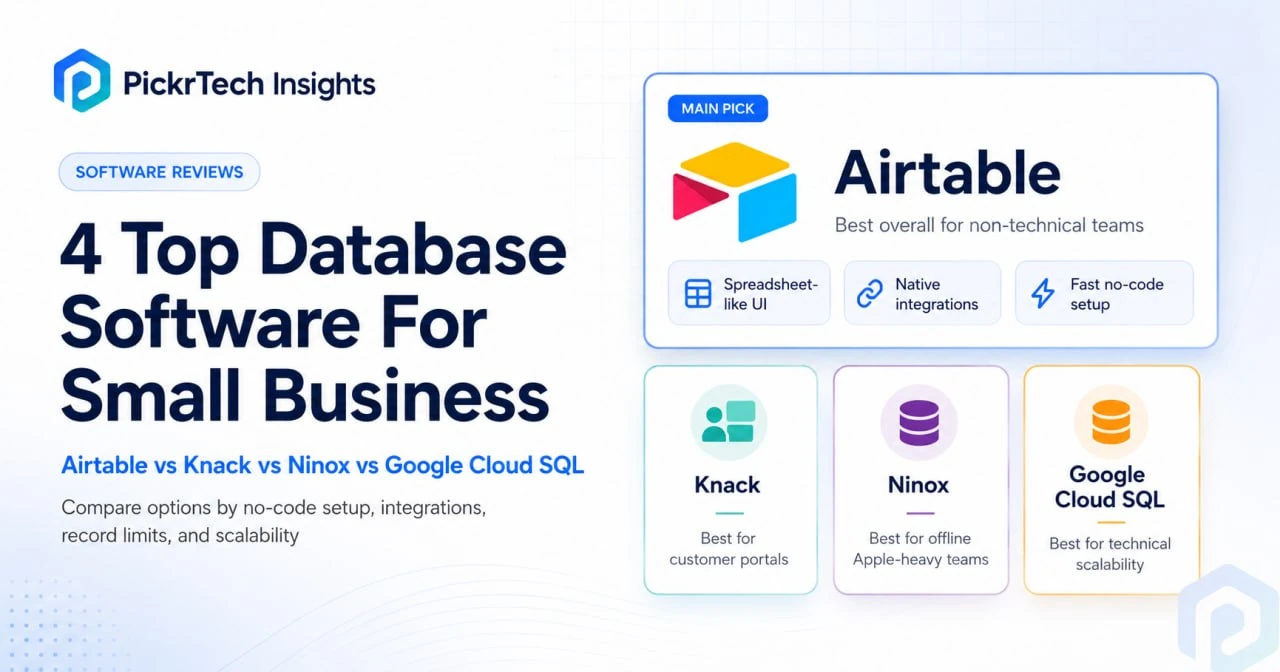
4 Top Database Software For Small Business hero showing Airtable Knack Ninox and Google Cloud SQL
Quick answer: Airtable differentiates itself for small business teams with no technical background. It feels like a spreadsheet but works like a real database—and it comes with built-in connections to Slack, Google Workspace, and Zapier. The catch is the free tier stops at 1,000 records, which a busy retail business could hit in weeks. [1]
How we evaluated these tools
Database choices tend to go wrong when a team evaluates them as if today’s workflow will stay small forever. A tool that feels easy during week one can become restrictive once records grow, permissions become messy, or integrations start to matter. For that reason, I did not look at these options only through the lens of ease of use. I weighted them more heavily on structure, flexibility, sync behavior, and how well they hold up once a small team starts depending on them as an operational system rather than a simple list.
Small business owners hit a real tension: spreadsheets are easy to understand but fall apart as data grows. Real databases are powerful but demand SQL expertise and serious infrastructure.
We looked at four tools designed for teams of 1–10 people, working with tight budgets ($0–$50/month to start) and no database expert on staff.
Our evaluation centered on what actually matters to this group:
No-code form builders for non-technical teams. You can’t afford to hire developers just to build data entry screens. Tools that auto-generate interfaces or provide visual form builders save weeks of setup time.
Price fit for $0–$50/month budgets. The difference between free and $49/month determines whether you can test before committing. Free-tier record caps directly affect when you’ll be forced to upgrade.
Integration depth with Google Workspace, Slack, and Zapier. Most small businesses already live in these tools. Native integrations mean you skip custom coding or workarounds.
Record capacity and scaling limits. Hit a free-tier cap mid-growth and you’re forced into an unplanned migration. Knowing these limits upfront prevents that disruption.
Team collaboration without a DBA. Small teams need to share databases, set permissions, and comment on records without hiring someone to manage access controls.
Templates for common workflows. Pre-built CRM, inventory, and invoicing templates let you launch in days instead of months.
Our analysis draws from official product pages, public pricing tiers, vendor documentation, API references, and structured feature comparisons. Pricing and features change—verify current rates at each vendor’s website before you commit. Last reviewed: 2026-05-07
What matters when choosing database software for small business
Picking the right tool means balancing several competing priorities that directly shape how you work, what you’ll spend, and whether your team actually uses it.
Total cost of ownership from free to paid tiers. The free tier determines whether you can pilot without risk. But how paid upgrades are structured matters just as much. Airtable charges per base. Knack charges per record. Google Cloud SQL charges per query and storage. A business with 50,000 customer records will hit very different costs on each platform. Figure out the threshold where your data volume triggers the jump from free to paid, then estimate year-one cost at your projected record count.
Technical skill required to set up and run it. Airtable and Knack offer visual interfaces so non-technical owners build forms without code. Google Cloud SQL demands SQL knowledge—you need to define schemas and write queries yourself. Ninox sits in the middle with a visual form builder but also powerful scripting for complex logic. If your team can’t write SQL and can’t hire a developer, Google Cloud SQL is off the table.
Scalability and data limits as you grow. Free tiers often restrict record counts, users, collaboration flexibility, or attachment storage. Airtable’s free plan still has a relatively tight record cap, and Ninox’s free and paid tiers should be checked directly on the current pricing page before you assume they will support a growing team indefinitely. Know these ceilings upfront so hitting them mid-quarter doesn’t derail you when you’re busy.
Integration ecosystem and workflow automation. If your database needs to sync with Slack notifications, Google Sheets backups, or Zapier workflows, native integrations save real setup time. Knack lacks native Slack integration and usually requires Zapier as a workaround. Google Cloud SQL integrates deeply with Google Workspace but needs custom scripting for external tools. Airtable has the broadest native integration library.
These four criteria directly determine whether a tool reduces friction or creates bottlenecks. A database that requires coding expertise stalls when your team grows beyond the founder. A tool that hits record caps forces an unplanned migration mid-year. Verify that your platform’s free tier and pricing structure match your 12-month growth plan.
At a glance
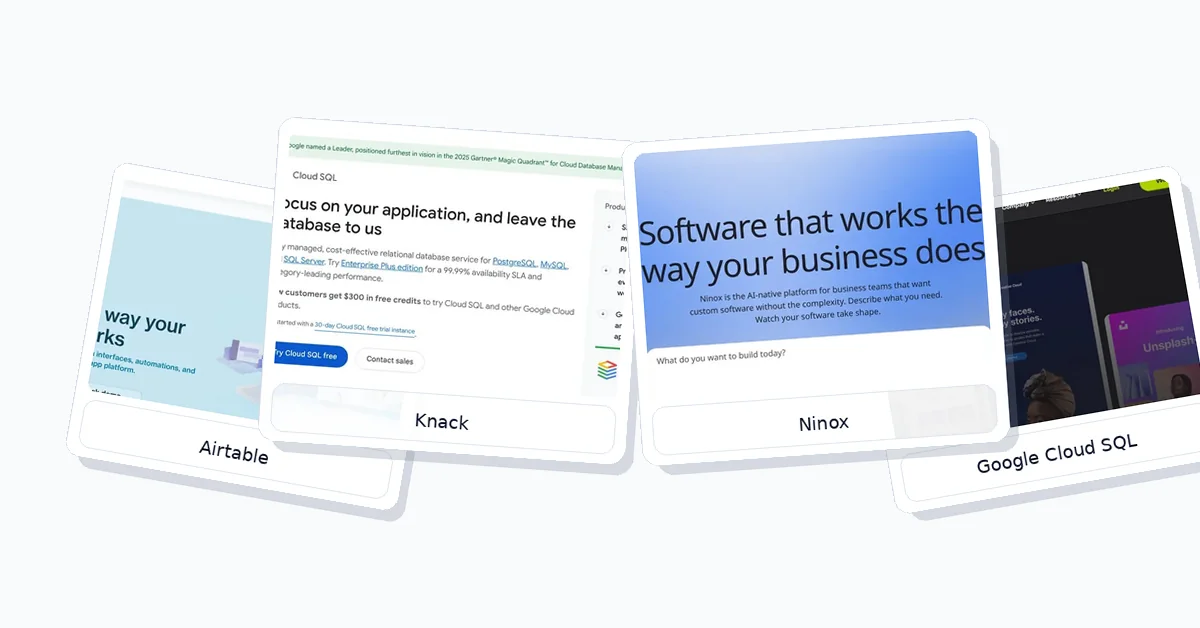
4 Top Database Software For Small Business comparison image showing Airtable Knack Ninox and Google Cloud SQL rankings
The table below compares each product across pricing, automation depth, onboarding speed, and key constraints.
| Product | Pricing Fit | No-Code Form Speed | SaaS Integrations | Record Scaling |
|---|---|---|---|---|
| Airtable | Free tier, up to 1,000 records | Fast—Interface Designer auto-generates | Native: Slack, Google Workspace, Zapier | Strict free cap; scales on paid plans |
| Knack | Free trial; Starter listed from $49/month when billed annually | Very fast—auto-generates from backend | Strong no-code portal builder; integrations and automation depend on plan | Starter currently lists 20k database records |
| Ninox | Free plan available for very small teams; paid Team and Business tiers scale records per user | Fast—drag-and-drop form builder | Limited native; custom API scripting | Free plan currently supports up to 5 users and 5,000 records |
| Google Cloud SQL (MySQL) | New-customer Google Cloud credits may apply; pay-as-you-go after upgrade | Slow—requires schema design and a separate front-end app | Deep Google Cloud integration; external app workflows usually require development | Highly scalable; costs depend on instance, storage, region, and usage |
Each tool trades off ease of setup, cost, and scalability differently. Airtable wins on speed and integration breadth if you’re non-technical. Google Cloud SQL wins on scalability and cost predictability if you have developers on staff. Knack specializes in customer-facing portals. Ninox serves Apple-heavy teams that need offline access.
What each option offers
Airtable
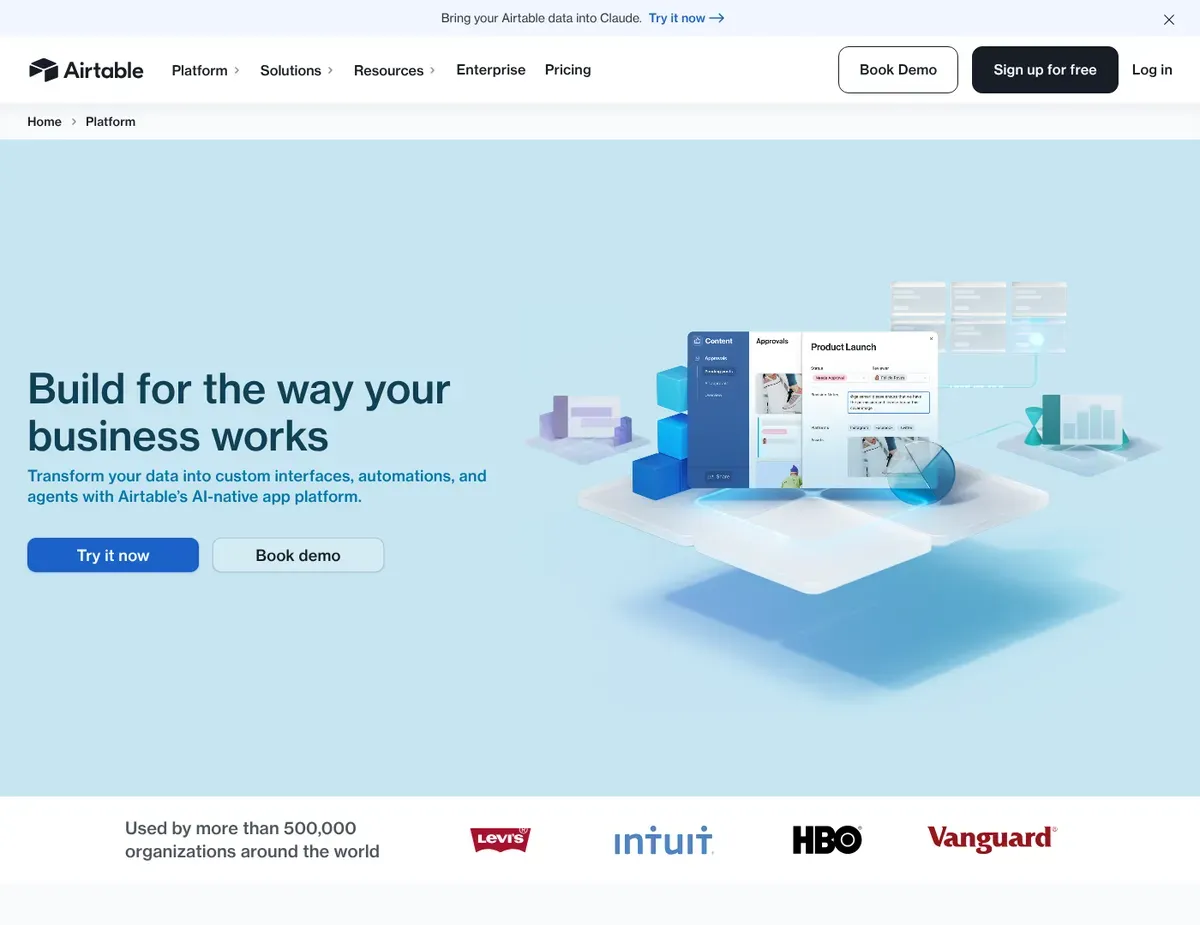
Spreadsheet-like grid interface with relational database capabilities
Airtable is built for non-technical teams who want to move from scattered spreadsheets into a collaborative database without writing a line of code. The Interface Designer auto-generates custom forms and dashboards from your data structure. Team members enter and view records through role-specific views—each person sees only the fields and records relevant to their job. For a small retail business moving from Google Sheets to a real CRM, Airtable bridges the gap between spreadsheet familiarity and relational database power.
Airtable’s real strength is the spreadsheet grid interface combined with genuine relational capabilities underneath. View the same data as a grid, kanban board, calendar, or form—each view filters the same data differently. Automations trigger on record changes: send a Slack notification when an order status shifts, or log a task to Asana when inventory dips below threshold. Native integrations with Google Workspace, Slack, and Zapier let you build workflow automations without touching code. The template library includes pre-built CRM, inventory, and project-tracking templates aimed at small business, so you launch in days rather than weeks. [2]
Airtable shows its limits once you’re storing serious data. The free plan caps each base at 1,000 records—a retail business processing daily transactions will exhaust this in weeks. Complex relational queries beyond linked records require scripting or external tools. The Interface Designer handles simple forms well but doesn’t support SQL-level filtering natively. Attachment storage is strictly limited by plan tier, so product images or customer documents eat through your quota quickly. If you need heavy multimedia storage or complex statistical analysis, you’ll pay for higher tiers or look elsewhere.
Best for: Non-technical small teams moving from spreadsheets into a structured CRM, inventory database, or project tracker without hiring developers.
Not ideal for: Businesses storing heavy multimedia or those needing complex statistical functions natively in the database interface.
Unlike Knack, which auto-generates portals, Airtable requires you to design interfaces in its Interface Designer. This adds initial setup time but gives you highly customized, role-specific views that match your exact workflow.
Airtable’s pricing reflects the public pricing page as of the research date. Verify current rates at https://airtable.com/pricing before publishing, since vendor pricing changes without notice.
Knack
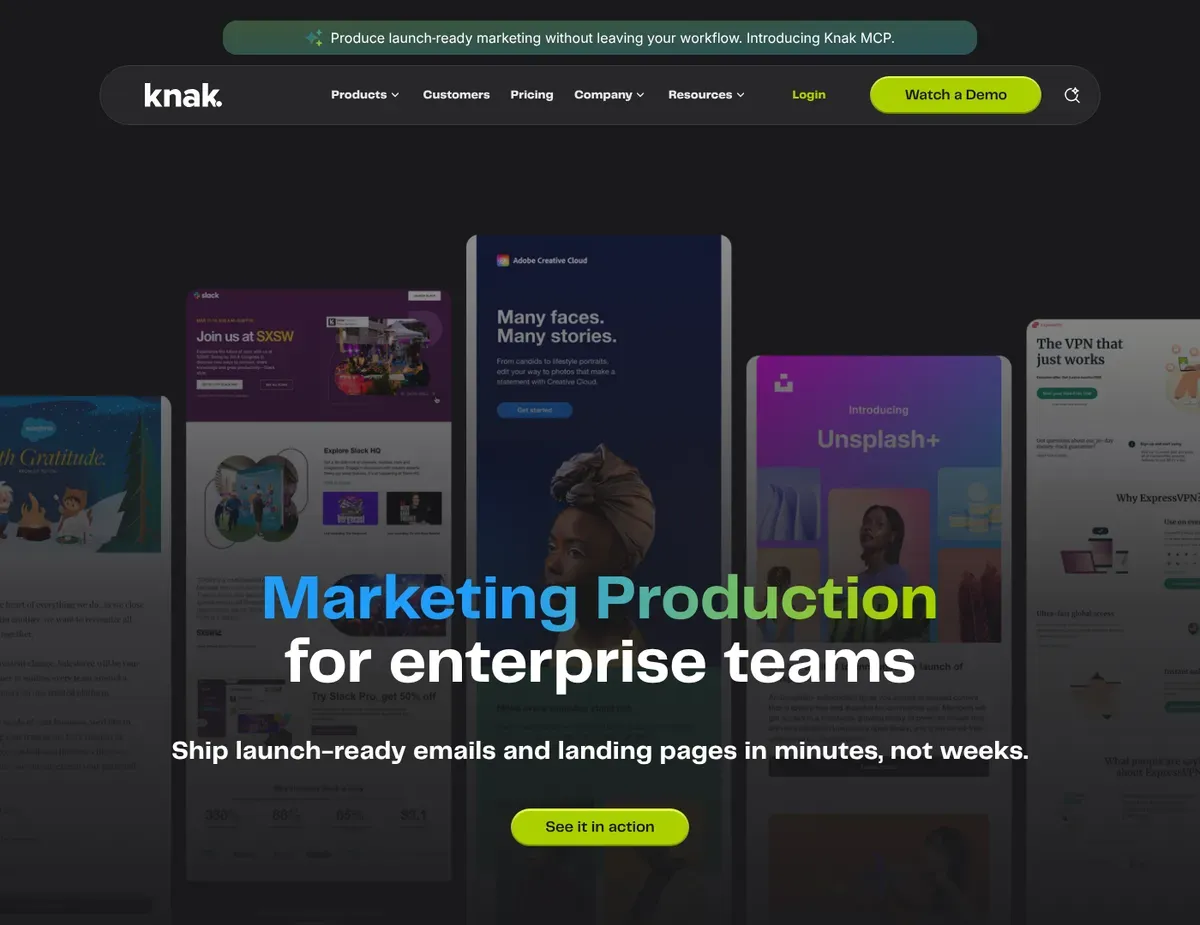
App builder interface showing the connection between a backend data
Knack is purpose-built for small businesses that need to expose their database to customers or partners through an online portal. The platform auto-generates user-facing interfaces—data entry forms, search views, dashboards—directly from your backend data model. No manual UI configuration required.
If you need a job board where applicants submit resumes, or an order-tracking portal where customers check delivery status, Knack builds that portal with minimal setup.
Knack’s standout feature is automatic interface generation. Define your data tables and relationships, and Knack immediately creates forms and dashboards without drag-and-drop builder overhead. The Starter plan includes well-rounded RESTful API and webhook support, so you connect the database to external websites or custom tools. Role-based access control is built in—expose only specific records and fields to external users without showing sensitive internal data. Pricing is straightforward: you pay for records and apps, not per-user seats. That makes it cost-effective as your team grows.
Knack’s limitations center on its rigid architecture and limited integration ecosystem. The Starter plan currently lists 20k database records, and pricing/billing terms should be verified on Knack’s official pricing page before you budget around a specific tier. Knack lacks native integrations for Slack or deep Google Workspace sync. Automating workflows with other SaaS tools usually requires Zapier workarounds, adding complexity. End-user portal design is templated, and CSS-level customizations to match your brand may require moving to a higher tier.
Best for: Small businesses building customer-facing portals like job boards, order tracking, or client directories without needing extensive internal automation.
Not ideal for: Businesses wanting extensive pre-built templates or a rich ecosystem of third-party integrations out of the box.
Unlike Airtable, Knack auto-generates user-facing interfaces from your data model. You trade visual flexibility for faster app deployment and a simpler onboarding experience.
Knack offers only a 14-day free trial. Confirm the exact duration and trial feature limitations at https://www.knack.io/pricing before signing up, as trial terms may vary by promotional channel.
Ninox
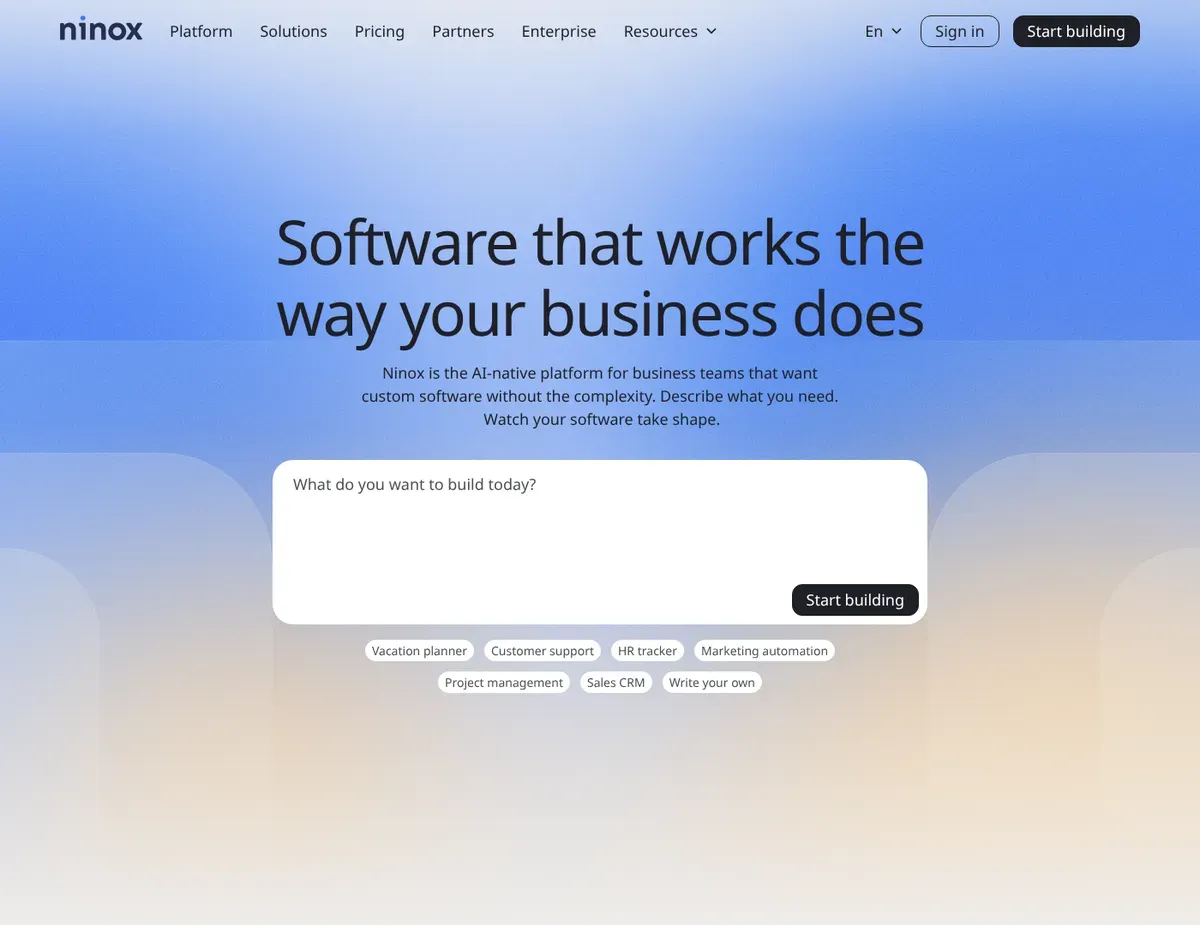
Card-based data entry forms showing linked tables and embedded charts
Ninox delivers powerful offline database access and native apps for macOS and iPad—a clear win for small businesses with field teams, mobile workforces, or Apple-heavy operations. While Airtable and Knack run in the browser, Ninox’s native apps let team members enter and access data offline. Perfect for delivery drivers, fieldwork contractors, or remote offices with spotty internet.
Once connectivity returns, Ninox syncs changes automatically without data loss or duplicate entries.
Ninox’s formula and scripting engine is its core strength. Unlike Airtable’s limited scripting, Ninox lets you write native scripts to automate complex business logic—calculate commissions on order totals, auto-update inventory based on sales, trigger conditional workflows without external tools. The global Ninox community maintains an extensive template library for invoicing, CRM, project tracking, and inventory—all optimized for small business. Real-time team collaboration with commenting and shared databases keeps your team aligned without a separate project-management tool.
Ninox’s limitations stem from its platform focus and integration philosophy. Current Free, Team, Business, and Enterprise tiers should be checked directly on Ninox’s pricing page because user and record allowances can change over time. The desktop and mobile interfaces still differ significantly in layout and available features, requiring team members on different devices to learn two separate interfaces. Connecting Ninox to external tools like Xero, QuickBooks, or HubSpot frequently requires custom API scripting rather than plug-and-play integrations that Airtable and Knack provide. [3] [4]
Best for: Apple-heavy small businesses with mobile or field workforces needing dependable offline database access and complex in-app business logic.
Not ideal for: Businesses requiring deep integration with third-party SaaS tools without custom development, or teams primarily on Windows or Android.
Unlike Knack, Ninox provides a powerful native scripting language for complex business logic. You trade simplicity of drag-and-drop automation for deeper programmatic control over your database behavior.
Ninox pricing changes over time, so verify the current Free, Team, Business, and Enterprise terms directly at https://ninox.com/en/pricing before budgeting or publishing hard limits.
Google Cloud SQL (MySQL)
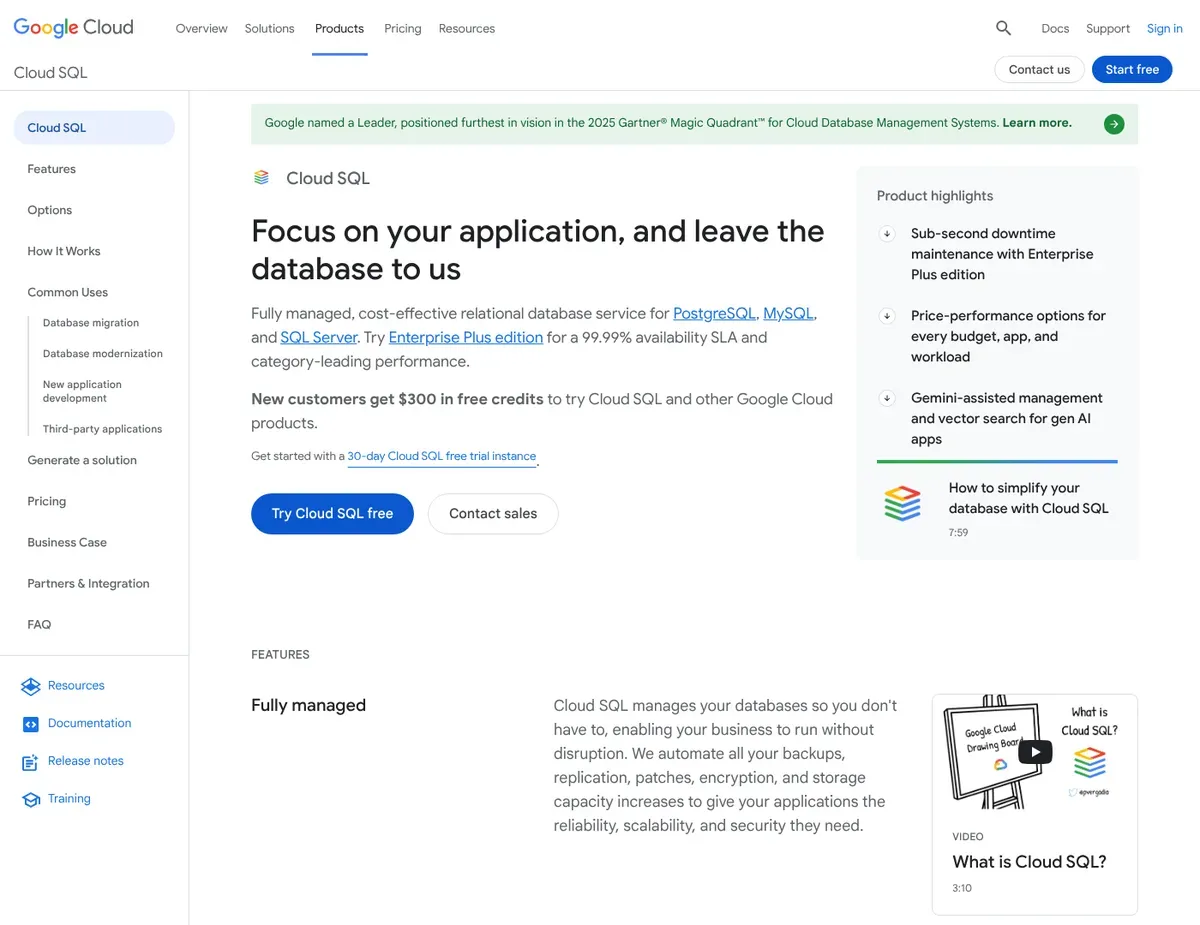
GCP Console dashboard showing database instance metrics
Google Cloud SQL is the go-to for small businesses with in-house technical expertise who need a fully managed relational database that scales without limits or surprise cost jumps. Unlike Airtable or Knack, which abstract the database away entirely, Google Cloud SQL gives you a genuine MySQL backend hosted on Google’s infrastructure. Automated backups, patching, high availability, no DBA required.
If your business is building custom web applications or data pipelines using standard SQL, Google Cloud SQL provides the infrastructure without the overhead of self-hosted MySQL.
Google Cloud SQL’s greatest strength is managed infrastructure rather than no-code simplicity. It gives technical teams a managed relational database layer with automated maintenance options, backups, and scalable infrastructure, but it still requires schema design, database knowledge, and a separate application or interface for most business users. Google Cloud currently offers new-customer credits that can be used to evaluate Cloud SQL, but Cloud SQL should be treated as pay-as-you-go infrastructure after the trial or credit period rather than a permanent free-tier database for small businesses. For a deeper comparison of dedicated solutions, see our offsite backup guide for small business.
A busy app might cost $50/month. Integration with Google Workspace is seamless—Google Apps Script lets you build lightweight internal tooling that reads and writes to your MySQL database without custom authentication. The database scales to handle millions of records and thousands of concurrent users without manual configuration.
Google Cloud SQL’s limitations are steep for non-technical users. You must design database schemas, write SQL queries, understand indexes, relationships, and normalization. There’s no visual form builder or auto-generated interface. Creating an accessible data entry form requires connecting to a separate application like AppSheet, building a custom web app, or hiring a developer. Out of the box, Google Cloud SQL is an admin console and command-line tool. End users see nothing. Connection costs and storage pricing can accumulate unexpectedly if your application queries the database continuously throughout the day.
Best for: Small businesses with in-house technical skills or developer teams building custom web applications or data pipelines using standard SQL.
Not ideal for: Non-technical owners seeking a plug-and-play visual database interface, or businesses wanting an all-in-one solution that handles both storage and front-end user interfaces.
Unlike Airtable, Google Cloud SQL requires a separate front-end application to provide easy to get started with data entry forms. You trade convenience for unlimited customization of your application’s interface and business logic.
Google Cloud SQL’s sustained connection costs and storage pricing can accumulate unexpectedly. Verify cost projections at https://cloud.google.com/products/calculator before committing to a budget.
Recommended for
Scenario 1: The non-technical team with zero coding skills
Go with Airtable when your small team needs to move from scattered spreadsheets into a structured database without hiring developers. The Interface Designer auto-generates forms and dashboards from your data, and native Slack and Google Workspace integrations keep everyone coordinated. The caveat is the free tier caps at 1,000 records. Verify upfront that your first-year transaction volume won’t exceed this limit, or budget for a $20/month paid plan within your first quarter.
Scenario 2: Building a customer-facing portal or directory
Choose Knack when you need to expose your database to external users—customers tracking orders, job applicants submitting resumes, clients searching a vendor directory. Knack auto-generates the portal interface from your data structure, requiring far less setup than building a custom website. The limitation is that moving from Starter ($49/month) to Professional ($149/month) is a $100 jump and happens quickly as your records grow or you add a second workflow. Estimate your 12-month growth before committing to avoid an unexpected tier jump mid-year.
Scenario 3: Mobile or field teams needing offline access
Reach for Ninox if your workforce is primarily on Apple devices and needs to enter data offline—delivery drivers, field inspectors, remote contractors. Ninox’s native iPad and macOS apps sync automatically when connectivity returns, and the built-in scripting engine handles complex invoicing or commission calculations without external tools. The trade-off is that the Standard plan’s 4-user collaboration limit may require an Enterprise quote if your team grows. Integrating with Xero or QuickBooks requires custom API setup.
Scenario 4: The technically skilled team building a scalable backend
If your team includes developers or data engineers, Google Cloud SQL delivers a fully managed MySQL database with no record limits, automatic backups, and pay-as-you-go pricing that won’t surprise you. Scale from 10 records to 10 million without hitting feature walls. Integration with Google Apps Script lets you build lightweight internal tooling. The requirement is that you or your team must understand SQL, database design, and schema relationships. You’ll also need a separate front-end tool or custom application to give non-technical staff a easy to get started with interface for data entry.
Implementation steps
Step 1: Define your core data structure before migrating from spreadsheets.
Open your current spreadsheet or accounting software and map out the main tables you’ll need: customers, orders, products, inventory. For each table, list the fields that matter—customer name, email, phone, order date, order total. Sketch how these tables relate. Does each order belong to one customer? If your immediate need is stock tracking rather than a general-purpose database, a dedicated workflow like our Sortly Inventory Setup guide may get you live faster.
Does each product belong to one category? This 30-minute exercise saves hours of rework. In Airtable, Knack, or Ninox, you’ll create these tables and relationships in their visual editors. In Google Cloud SQL, you’ll translate this into SQL CREATE TABLE statements. If SQL isn’t your thing, a template or documentation example will walk you through it.
Step 2: Assign user permissions and set up team roles.
Determine who needs access to what. A customer-service rep might view all customer records but only edit phone numbers. A warehouse manager might edit inventory but not see order costs. A finance person might view everything but not add new records.
In Airtable, create a shared base and assign view permissions per user. In Knack, use role-based access to control what external portal users see. In Ninox, define user roles in the settings and assign them to team members. In Google Cloud SQL, you’ll create database users and grant specific SQL permissions to each (e.g., SELECT on the customers table). This step prevents data corruption and protects sensitive information like pricing or salary data.
Step 3: Import your existing data from Excel, Google Sheets, or your accounting software.
Export your current data as a CSV file. Most platforms—Airtable, Knack, and Ninox—have CSV import tools that map your spreadsheet columns to your new database tables. Google Cloud SQL requires a MySQL-compatible format or direct SQL INSERT statements.
If SQL isn’t comfortable for you, tools like Adminer or Google Cloud Console’s import wizard simplify the process. Test the import with a small subset first. Do dates import correctly? Are currency values formatted properly? Once the import works, run the full import. This usually takes 15 minutes for a small dataset (under 10,000 rows).
Step 4: Test your forms and interfaces with a pilot group before rolling out to the full team.
In Airtable, create a test view and share it with one or two team members. Ask them to add a record, edit a field, and tell you if the form feels intuitive. In Knack, do the same with the portal interface—have a test user search for a record and submit data. In Ninox, test the form layout on both desktop and iPad if your team uses both. In Google Cloud SQL, test your front-end application (AppSheet, custom web app, or Google Apps Script) to verify data entry works and displays correctly. Collect feedback. Is the form confusing? Are there typos in field labels? Do dropdowns show the right options? This feedback loop takes 1–2 days and prevents confusion when you roll out to 10 team members.
Step 5: Configure automations and integrations to connect your database to tools your team already uses.
In Airtable, set up a Zapier integration to send a Slack message when a new order arrives, or email a receipt automatically. In Knack, connect your portal to your website so applications feed directly into your database. In Ninox, write a script that calculates commissions and posts them to a spreadsheet. In Google Cloud SQL, connect Google Apps Script to your database so team members can pull reports without touching the command line. These automations take 30 minutes per workflow and eliminate manual data entry, preventing errors and saving hours per week.
FAQ
Q: Which database platform provides the safest balance of no-code usability and SaaS integration capabilities for a team with zero technical background?
For a non-technical team, Airtable fits this scenario best. It combines a spreadsheet-like interface that feels familiar with underlying relational database power, and it has the broadest native integration library—Slack, Google Workspace, and Zapier all connect natively. No SQL or coding required. The caveat is that the free tier caps at 1,000 records, so if your business processes more than 1,000 transactions or customer records in year one, budget for a $20/month paid plan starting in month 6 or 7. Test the 1,000-record limit with a pilot dataset to confirm you won’t hit it prematurely.
Q: How do I select the right platform if my primary requirement is building a customer-facing portal rather than internal data management?
Knack is the answer when your main goal is a portal—a job board, order tracker, or client directory—because it auto-generates the portal interface from your data structure. You define the backend tables and relationships, and Knack instantly creates forms, search pages, and record views for external users without requiring UI design time. The limitation is pricing: moving from Starter ($49/month, 1 app) to Professional ($149/month, multiple apps) is a $100 jump. Plan your first year carefully. If you expect to need more than one portal or database app within 12 months, budget for the Professional tier from the start.
Q: What are the first steps for rolling out a new cloud database to ensure my small team adopts the system without disrupting existing workflows?
Stick with a two-phase rollout. Phase 1 is a pilot with 2–3 team members using the new database in parallel with your spreadsheet for 1–2 weeks. They enter new records in both systems and verify the database feels intuitive and doesn’t slow them down. Phase 2 is the full cutover—migrate all historical data, train the full team in a 30-minute meeting, and turn off access to the old spreadsheet. This two-phase approach reduces disruption and gives you time to fix confusion before it affects the entire team. Expect adoption friction for the first week. The second week is usually smooth.
Q: What is the most reliable method for migrating scattered Excel spreadsheets into a structured relational database without losing data integrity?
For most small teams, Airtable or Knack’s CSV import tool is the safest path. Export each spreadsheet as CSV, map columns to your new database fields, and import one table at a time. Test the import with a small subset (100–500 rows) first to confirm that dates, currencies, and text fields import correctly. Check for data cleanup needs: do customer names have leading spaces? Are phone numbers in different formats? Clean these in Excel before importing to avoid messy data in your new database. Once the pilot import looks clean, run the full import and verify row counts match your source. Google Cloud SQL requires SQL INSERT statements or a helper tool, so it’s better suited for technical teams. Non-technical teams should stick with Airtable or Knack’s visual import tools.
Q: How do we verify that our chosen database’s integration with Zapier or Slack is functioning correctly before fully committing to the platform?
For Airtable, create a test automation: set up a Zap that sends a Slack message when you add a new record. Add a test record and verify the message appears in Slack within 30 seconds. For Knack, test the API by submitting a test form and checking that the data appears in the database. For Ninox, if you’re using Zapier, create a similar test automation and verify it works. For Google Cloud SQL, connect a test script (Google Apps Script or a simple Python script) and verify it can read and write data. These tests take 15 minutes per integration and confirm that automations will work once you roll out to the full team. Document the step-by-step process for each integration so future team members can replicate it if troubleshooting is needed.
Final verdict
Airtable earns our pick for non-technical small teams moving from spreadsheets into a collaborative database. Its Interface Designer auto-generates forms, it has the broadest native integration ecosystem (Slack, Google Workspace, Zapier), and the free tier lets you pilot at zero cost. The trade-off is the 1,000-record free cap. If your transaction volume exceeds this within the first year, budget $20/month for a paid plan. If Airtable is your likely winner, our Move from Spreadsheets to Airtable: 7 Simple Steps guide walks through the first migration.
Knack is the recommendation for small businesses building customer-facing portals—job boards, order trackers, or client directories—because it auto-generates the portal interface from your data structure. Setup time drops from weeks to days.
Ninox catches attention as the choice for Apple-heavy teams with mobile workforces, thanks to native iPad and macOS apps that work offline.
Google Cloud SQL is the best fit for technically skilled teams building custom applications or data pipelines that demand SQL-level control and limitless scalability.
Before committing, verify the current Airtable free-plan record limit, Knack Starter record limit and annual/monthly pricing, Ninox Free/Team/Business record limits, and Google Cloud SQL cost projections on each official pricing page. These limits change often, and a small team’s total cost can shift quickly once records, users, storage, or API usage increase. The right platform depends on your team’s technical skill and your primary use case. Align your choice with where you spend the most time in your database daily.
Sources
- ↑ Airtable — Integrations page — https://airtable.com/integrations
- ↑ Airtable — Templates library — https://airtable.com/templates
- ↑ Ninox — Pricing page — https://ninox.com/en/pricing
- ↑ Ninox — Integrations page — https://ninox.com/en/integrations
- Airtable — official pricing page — https://airtable.com/pricing
- Knack — official pricing page — https://www.knack.com/pricing/
- Ninox — official pricing page — https://ninox.com/en/pricing
- Google Cloud SQL — official pricing page — https://cloud.google.com/sql/pricing
- Google Cloud — free programs and credits — https://cloud.google.com/free
Disclaimer
This guide is for general informational purposes only and does not constitute professional accounting, tax, legal, or financial advice. Pricing, features, and plan details were verified against each product’s official website as of May 2026 and may change without notice. Always consult a qualified professional for advice specific to your business situation. PickrTech may earn a commission when you sign up through our links at no extra cost to you. Our recommendations are based on independent evaluation and are not influenced by compensation.
Last reviewed: June 2026 by the PickrTech editorial team.