Payment processing software for small business Square POS app
This article may contain affiliate links. We may earn a commission when you sign up through our links — at no extra cost to you. Our recommendations are based on independent evaluation and are not influenced by commissions.
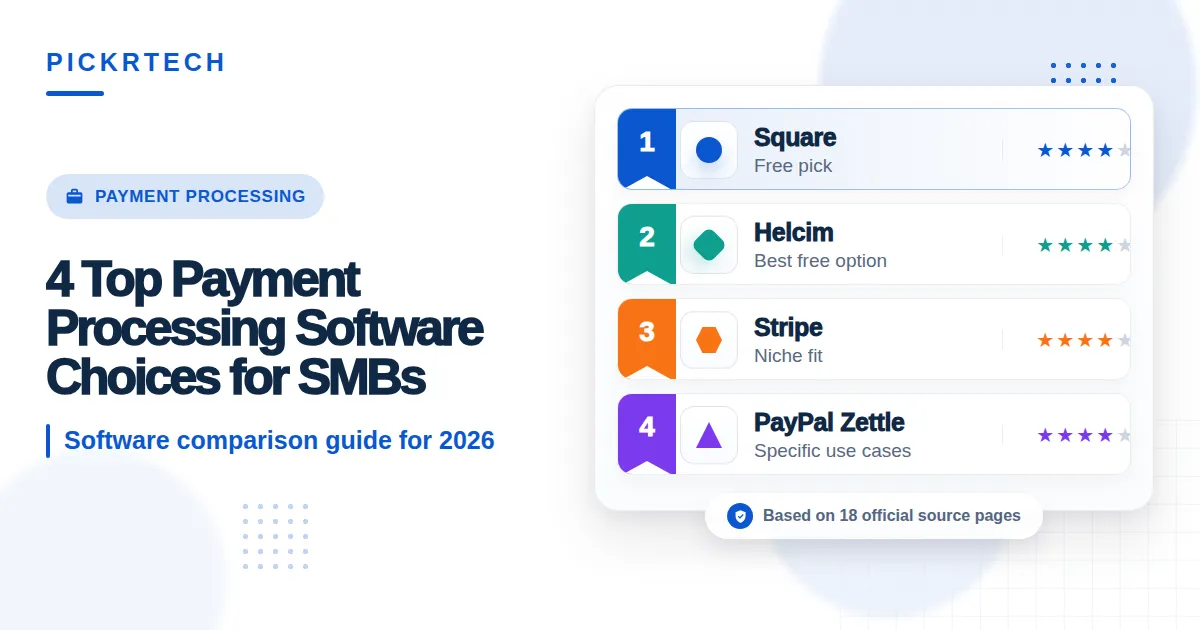
TL;DR: Square wins for brick-and-mortar retailers on tight budgets—it offers a genuine free tier, includes a free card reader, and charges predictable flat-rate pricing. But once you’re processing over $10,000 monthly, Helcim’s interchange-plus model with automatic volume discounts becomes significantly cheaper. For developers needing custom checkout flows, Stripe delivers complete API control. PayPal Zettle works best if you’re already in the PayPal ecosystem.
How we evaluated these tools
This comparison is built for small business owners who need to accept both in-person and online payments without hiring a dedicated finance team or writing custom code. Your deployment environment spans POS systems with card readers, eCommerce platforms like Shopify or WooCommerce, invoicing tools, and mobile payment apps. The core workflow is straightforward: accept customer payments, get deposits into your business bank account quickly, and reconcile transactions with accounting software like QuickBooks or Xero. The critical constraint is your budget—payment processing fees and monthly SaaS charges directly erode profit margins, and your small team means the owner or a single employee handles onboarding and daily management without IT support.
We evaluated each platform across five key dimensions:
Fee predictability under tight small-business budgets — When you’re managing cash flow week to week, a sudden spike in processing costs can derail planning. Flat-rate versus interchange-plus pricing structures have dramatically different implications as your volume grows.
Setup speed for owner-operated teams without IT staff — Days of setup delay mean lost revenue. Platforms that let you process your first transaction within hours—without writing code or waiting for technical approval—directly impact time-to-revenue.
Payout speed for daily bank reconciliation — Holding funds in an intermediary account or delaying deposits by multiple days creates cash-flow friction and makes monthly reconciliation harder. Next-day deposits are table stakes for small businesses.
Native integration depth for eCommerce and POS workflows — Third-party connectors and manual syncing add overhead. Pre-built integrations with QuickBooks, Shopify, and WooCommerce eliminate technical friction that owner-operators don’t have time to troubleshoot.
Checkout customization capability for branded experiences — Some small businesses need control over how customers see the payment form; others are happy with a standard template. The trade-off between flexibility and simplicity matters depending on your sales channel. [1]
Card reader and hardware accessibility — Free readers lower the barrier to entry. Compatibility with existing tablets or phones saves money; proprietary hardware locks you in.
Our analysis draws from official product pages, public pricing documentation, vendor support resources, and structured product comparison data. Pricing, features, and contract terms change frequently—verify current rates and availability at each vendor’s pricing page before making a final decision. Last reviewed: 2026-01-15
What matters when choosing payment processing software for small business
Payment processing software for small business succeeds or fails on a handful of practical constraints that directly touch your bottom line and operational rhythm.
Pricing structure alignment with your monthly volume. Flat-rate pricing (2.29% to 2.9% per transaction) locks in predictability but becomes significantly more expensive as transaction volume climbs. By the time you’re processing $10,000 a month, you’re paying $230–$290 just in processing costs on flat-rate plans. Interchange-plus pricing (base + per-transaction fee) looks more complex on the surface but rewards volume with automatic discounts. A business processing $15,000 monthly might save $50–$100 per month by switching to interchange-plus—real money on a tight margin.
Integration depth with your existing accounting and eCommerce stack. Manual reconciliation—downloading transaction reports and keying them into QuickBooks—wastes 2–3 hours per month for an active merchant. Native integrations that automatically sync daily deposits, fees, and refunds eliminate that friction. This matters even more if you’re running multiple sales channels (in-person and online)—fragmenting data across apps creates compliance and audit risk.
Onboarding friction and time-to-first-transaction. If the setup process requires technical expertise, custom code, or approval delays, your revenue clock is ticking while you’re still configuring. Platforms that let you process a payment within 15 minutes of signup—without a developer—are worth a premium for solo founders and small teams.
Hardware costs and reader flexibility. Proprietary card readers or mandatory hardware purchases add hidden costs. Free readers and compatibility with existing tablets you may already own reduce your upfront investment and lock-in risk. This is especially important if you’re testing a new sales model (like pop-up shops) before committing to permanent POS infrastructure.
Support accessibility and fund availability. Free-tier merchants often get email-only support—which is fine for routine questions but painful during a critical checkout failure on a weekend. Similarly, platforms that hold funds in an intermediary account or require manual initiation of bank transfers create cash-flow drag that adds up fast.
Comparison table
The table below compares the four platforms across pricing, setup speed, hardware options, and integration compatibility.
| Product | Pricing & Fees | Setup Speed & Ease | Hardware & Reader | Best Integration Fit |
|---|---|---|---|---|
| Square | 2.6% + $0.10 flat-rate, no monthly fees | 15 minutes, native POS interface | Free magstripe reader included | QuickBooks Online, Xero, Shopify |
| Stripe | 2.9% + $0.30 online, no monthly fees | 1–3 hours for basic, requires code for custom | Terminal $59+, no free option | Custom eCommerce, Zapier, Xero |
| PayPal Zettle | 2.29% + $0.09 in-person, flat-rate | 10 minutes, instant keying mode | Zettle reader $99, supports Venmo | PayPal ecosystem, fragmented reporting |
| Helcim | Interchange-plus + automatic volume discounts, no monthly fees | 30 minutes, requires account review | Helcim-only terminals, no third-party tablets | Custom APIs, B2B CRM, Zapier |
Product reviews
Square
Square credit card reader product page screenshot
When you’re opening your first brick-and-mortar store on a shoestring budget, Square removes the two biggest obstacles: hardware costs and technical setup. You get a free magstripe card reader and a native POS app that runs on any tablet or phone. No developer required.
No $500 hardware purchase. Just sign up, connect your bank account, and start accepting payments within 15 minutes.
Square’s real strengths are the genuine free tier and frictionless onboarding. Process your first transaction within 15 minutes of signing up, with next-business-day automatic deposits that simplify daily reconciliation. The native QuickBooks Online integration automatically imports sales, refunds, and fees, eliminating manual daily reconciliation work. Inventory management is built into the free tier—track stock across multiple locations, set up product variants, and sync to your online store via Shopify without extra monthly fees. For service businesses and retail, this all-in-one model beats point-by-point tool stacking. [2]
As your business scales, limitations emerge. Square offers no chargeback protection on standard transactions, meaning a single $100 disputed order results in an automatic $100 deduction plus a $15 dispute fee—a serious problem if chargebacks spike seasonally or if you work with high-risk customer segments. The flat 2.6% + $0.10 rate becomes expensive once you exceed $10,000 in monthly transactions; at $15,000 per month, you’re paying $390 in processing costs alone, whereas an interchange-plus provider like Helcim might charge $300 after volume discounts. Square Online store templates also lack deep HTML/CSS customization, restricting brand control compared to WooCommerce or custom Shopify themes.
Unlike Stripe, Square handles PCI compliance entirely behind the scenes, but it prevents merchants from building custom checkout APIs or bypassing the standard Square Online templates. Unlike Helcim, Square charges a flat processing rate regardless of monthly volume, which becomes significantly more expensive once you consistently exceed $10,000 in monthly card transactions. [3]
Best for: Brick-and-mortar startups on tight budgets needing an all-in-one POS and inventory system without upfront hardware costs.
Not ideal for: High-volume restaurants needing complex kitchen display system routing, or eCommerce merchants processing over $10,000 monthly who would benefit from interchange-plus pricing.
⚠ Caution: Square’s pricing reflects the published tier as of publication date (2026-01-15) — verify: Squareup — pricing before committing, as vendor pricing changes without notice.
Stripe
Stripe overview page screenshot
If your business runs on code—custom subscription models, tokenized payments, dynamic pricing, white-label checkout flows—Stripe is where developers spend their budget. You have complete control over the checkout UI, the ability to build entirely branded payment experiences, and deep hooks into billing cycles, invoicing, and fraud detection. For a tech-forward founder or a business with dedicated engineering resources, Stripe removes the constraints that all-in-one platforms impose.
Stripe’s core strengths are its developer experience and flexibility. The API documentation is the most comprehensive in the industry, with code examples in six languages and a sandbox environment for safe testing. Payout scheduling can be micro-managed—you can trigger instant payouts instead of waiting for 2-day rolling deposits, critical for cash-flow-sensitive operations like subscription management or high-volume daily sales. Integration with Shopify, Zapier, and Xero via native connectors covers the most common use cases; advanced teams can build custom webhooks for automated workflows. Fraud detection via Stripe Radar flags suspicious patterns in real time, reducing your chargeback risk if configured correctly.
The limitations are steep for non-technical merchants. Building a Stripe Payments integration requires working knowledge of server-side programming languages, API authentication, and webhook handling—this is not a plug-and-play setup like Square. In some cases, new accounts may face holding periods up to 14 days if unusual sales patterns are detected, though most businesses avoid this by gradually increasing transaction volume. Advanced features like custom Radar rules incur additional per-transaction fees (5¢ per rule). Hardware readers (Stripe Terminal) require an upfront purchase starting at $59, unlike Square’s free reader. For a bootstrapped founder without engineering help, Stripe often becomes a multi-week undertaking. [4]
Best for: Developer-heavy eCommerce businesses and tech-savvy founders needing deep API customization and granular control over payment workflows.
Not ideal for: Non-technical brick-and-mortar owners needing a quick plug-and-play setup, or solopreneurs lacking the budget to hire a developer.
Unlike Square, Stripe provides complete design control over the checkout experience but requires writing and maintaining custom code, increasing setup time from hours to days or weeks. Unlike PayPal Zettle, Stripe offers true integrated in-person payments via Terminal but lacks a bundled, free mobile reader.
⚠ Caution: Stripe’s pricing reflects the published tier as of publication date (2026-01-15) — verify: Stripe — pricing before committing, as vendor pricing changes without notice.
PayPal Zettle
Business dashboard highlighting a clean account balance summary
If you’re already using PayPal.Me invoices, accepting Venmo transfers, or maintaining a PayPal Business account, Zettle consolidates in-person and online payments into a single merchant account. Accept PayPal, Venmo, QR code payments, and physical cards from one place, with inventory syncing and reporting consolidated in the PayPal Business dashboard. Onboarding is remarkably fast: link your bank account and start keying in transactions immediately while the physical Zettle card reader ships (typically 3–5 business days).
PayPal Zettle’s strengths lie in ecosystem unification and mobile-first design. Existing PayPal users see immediate value—no new merchant account setup, no separate login, and the ability to accept Venmo payments directly. The Zettle card reader is durable and lightweight, ideal for mobile vendors and pop-up shops. Fast onboarding means you can start accepting payments before the hardware arrives, critical for time-constrained launches. The flat rate of 2.29% + $0.09 for in-person card-present transactions is competitive against Square (2.6% + $0.10), saving roughly $5–$10 per $1,000 in monthly volume.
As you scale, limitations become apparent. Funds are held in the merchant’s PayPal balance by default, requiring manual initiation for bank transfers—unlike Square’s automatic next-business-day deposits. Switching between the standard PayPal app and the dedicated Zettle Go app to view online versus in-person reporting is cumbersome for merchants managing both channels. Manually keying in card numbers (card-not-present mode) raises the fee to 3.49%, a painful jump that penalizes situations where the Zettle reader is unavailable. Like Square, flat-rate pricing becomes expensive once volume exceeds $15,000 monthly; merchants seeking volume discounts need to switch providers entirely.
Best for: Existing PayPal users wanting a unified system for online and offline sales, or mobile vendors and pop-up shops needing lightweight, durable readers.
Not ideal for: High-volume merchants processing over $20,000 monthly who would benefit from interchange-plus pricing, or retailers needing deep QuickBooks integration without third-party sync tools.
Unlike Stripe, PayPal Zettle requires no coding or webhook configuration to start accepting payments, but it heavily restricts customization of the checkout UI and limits you to PayPal-branded templates. Unlike Helcim, PayPal Zettle lacks automatic volume-based discounts, so growing businesses pay the same flat-rate percentage whether processing $500 or $50,000 monthly.
⚠ Caution: PayPal’s pricing reflects the published tier as of publication date (2026-01-15) — verify: Paypal — merchantapps before committing, as vendor pricing changes without notice.
Helcim
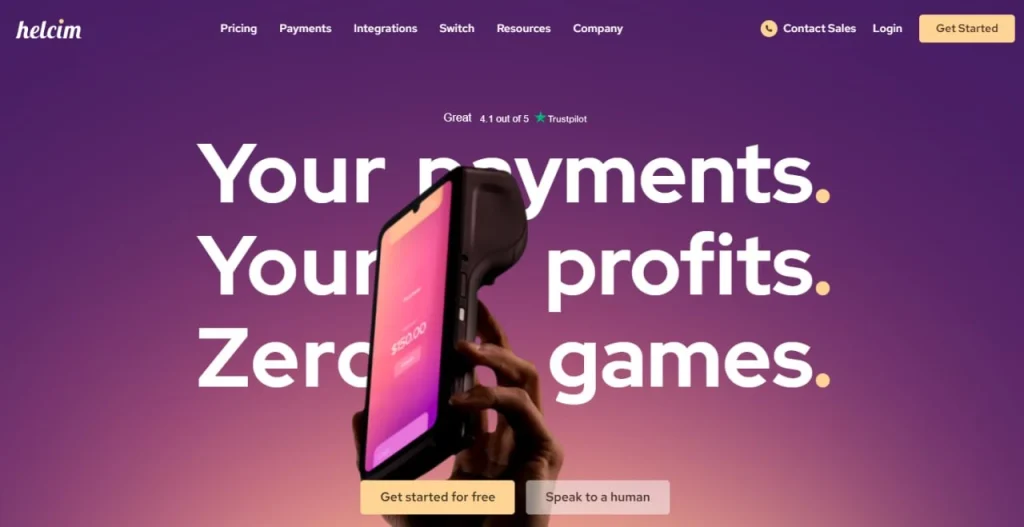
Merchant dashboard showing an ‘Interchange-Plus’ pricing breakdown
Once your business has moved past the startup phase and you’re consistently processing over $5,000 monthly, Helcim becomes worth your attention. The platform uses interchange-plus pricing—a model similar to what banks and processors use internally—showing you the base interchange fee set by Visa/Mastercard plus Helcim’s markup, with automatic volume discounts as your monthly sales increase. For a business processing $20,000 monthly, this transparency and volume optimization can save $50–$150 compared to flat-rate providers, money that flows directly to profit. [5]
Helcim’s core strengths are its pricing model and built-in business tools. Interchange-plus pricing with automatic volume discounts rewards growing businesses—there is no cliff where you suddenly need to switch providers to save money. The surcharging feature (adding a convenience fee to credit card transactions while processing debit cards at a lower rate) is legally compliant and lets you offset some costs directly to customers without raising prices. Inventory management and customer CRM are built into the base platform—no third-party add-ons needed—making it a genuine alternative to Square for B2B service providers managing customer relationships alongside payments. Next-day bank deposits and no monthly fees keep cash flowing and budgeting straightforward.
The limitations reflect the trade-offs of transparency and specialization. Interchange-plus pricing requires merchants to manually review monthly statements to understand fluctuating per-transaction costs—there is no single “2.6%” number you can memorize. The statement details card type, interchange category, and fee, which is useful for optimization but adds cognitive load for merchants who prefer simplicity. Hardware is restricted to Helcim-branded smart terminals, preventing reuse of existing tablets or point-of-sale devices you might already own. Customer support operates on Eastern Standard Time without 24/7 phone availability, a critical gap for late-night retail or weekend event vendors managing time-sensitive issues.
Best for: Growing small businesses processing over $5,000 monthly seeking to lower costs via volume discounts, or B2B service providers needing safe surcharging and built-in customer CRM.
Not ideal for: Micro-merchants processing under $1,000 monthly preferring flat-rate simplicity, or developers requiring robust APIs and webhook documentation for custom integrations.
Unlike Square, Helcim requires merchants to manually review interchange categories to optimize costs, whereas Square provides a single, flat, predictable rate regardless of customer card type. Unlike Stripe, Helcim provides an excellent out-of-the-box UI and built-in CRM but lacks deep API documentation and developer tools for creating highly customized checkout workflows.
⚠ Caution: Helcim’s interchange-plus pricing requires merchants to manually review monthly statements to understand fluctuating processing costs—verify: Helcim — pricing for current volume-discount thresholds before committing.
Recommended payment solutions by business scenario
The following scenarios map specific business needs to the most suitable payment processor.
Scenario 1 – The new brick-and-mortar retail store on a tight budget: Choose Square if you’re opening your first store with minimal upfront capital and want to be processing transactions within hours. The free magstripe reader and native POS interface eliminate hardware costs and setup complexity. However, commit to revisiting your processor annually—if you grow beyond $10,000 in monthly card volume, Square’s flat rate will cost $100+ more per month than Helcim’s volume-discounted interchange-plus model. Set a calendar reminder to model your costs when you hit $8,000 monthly transactions.
Scenario 2 – The high-growth online startup with an in-house dev team: Go with Stripe when your business is built on custom billing, subscription management, or dynamic pricing. The API flexibility and mature fraud detection are worth the setup investment and upfront hardware cost. Assign one engineer the task of building out your checkout flow and webhook handlers; the payoff is a payment infrastructure that grows with your product without vendor lock-in or workarounds. Avoid the common mistake of treating Stripe Terminal as a replacement for a true POS—it’s a card reader, not a full point-of-sale system.
Scenario 3 – The established merchant looking to reduce high monthly processing costs: Make the switch to Helcim if you’re consistently processing over $5,000 monthly and your current flat-rate provider is eating 2.5%+ of revenue. The automatic volume discounts start paying off immediately, and the transparent interchange-plus statement shows exactly where your money goes. Prepare your team for a one-month reconciliation where you’ll learn new terminology (interchange categories, qualified vs. non-qualified transactions); this education is the price of optimization. Helcim’s lack of 24/7 support is a legitimate concern—schedule your migration during a slower season when after-hours issues are less likely.
Scenario 4 – The solopreneur selling at pop-ups and online via PayPal: Stick with PayPal Zettle if you’re already using PayPal.Me invoices and want to add in-person card acceptance without a new merchant account or login. The Zettle reader is durable enough for frequent travel between venues, and the ability to start accepting payments immediately (keying mode) while the reader ships is ideal for time-constrained launches. The major caveat is that as your in-person sales grow, manually keying cards (card-not-present mode) will become expensive—plan to use the physical reader consistently to maintain the 2.29% rate.
Setup guide
Follow these steps to select, migrate to, and configure your new payment processing solution.
Step 1: Choose your processor based on current monthly volume and growth expectations. Determine whether you’re processing under $5,000 monthly (Square or PayPal Zettle are cost-effective), $5,000–$15,000 (consider switching timeline to Helcim), or building a custom checkout for developers (Stripe). Map your current card volume from your legacy processor’s statements. If you’re processing under $3,000 monthly, flat-rate simplicity wins; above $10,000 monthly, interchange-plus wins. This choice directly affects your setup timeline, hardware requirements, and long-term cost structure.
Step 2: Migrate transaction history and close your old processor carefully. Verify that your new processor supports data import or API access for historical transaction logs—this is critical for tax reconciliation and dispute resolution. Export 12 months of transaction history from your legacy processor (CSV format), including transaction ID, date, amount, customer, and fee structure. Notify your legacy processor of your departure date (typically 30 days notice), and do NOT close the account until your bank confirms receipt of your final settlement deposit. Running both processors for 5–7 days overlapping ensures unbroken payment acceptance during the migration.
Step 3: Test your new processor with a small batch of live transactions before going fully live. Process 10–20 test transactions with different card types (Visa, Mastercard, Amex if supported) and payment modes (tap, dip, online). Verify that transactions appear in your new processor’s dashboard within 15 minutes and that daily deposits hit your bank account on the expected schedule (next business day for Square and Helcim, 2 days for Stripe). Do NOT route all customer traffic to the new processor until you’ve confirmed deposit timing and reconciliation.
Step 4: Connect your payment processor to QuickBooks Online or Xero for automatic reconciliation. Navigate to your accounting software’s app marketplace and search for your processor name (Square, Stripe, Helcim, or PayPal). Authorize the integration by clicking “Connect,” which will prompt you to log into your payment processor account and grant read-only access to transactions and deposits. Test the sync by processing one transaction and confirming it appears in your Accounts Receivable or bank reconciliation view within 4 hours. Set your reconciliation frequency to daily, not weekly, so discrepancies are caught early.
Step 5: Set up automatic daily bank deposits and document your fee structure for monthly reviews. In your payment processor dashboard, confirm that automatic deposits are enabled (Square and Helcim default to automatic; PayPal Zettle and Stripe require manual election for daily transfers). For interchange-plus processors like Helcim, export your monthly statement (CSV format) and create a simple spreadsheet tracking your average processing rate month-over-month—this documents your volume-discount progress and alerts you if rates increase unexpectedly. Set a quarterly reminder to review your processor’s fee breakdown against your revenue growth; most small businesses find opportunities to optimize every 12 months as volume changes.
FAQ
These answers address common questions regarding fees, onboarding, migration, and integrations.
Q: Which platform offers the most predictable fee structure for a tight small-business budget processing under $5,000 a month?
Square often provides a cost-effective solution for budgets under $5,000 monthly due to its straightforward flat-rate structure (2.6% + $0.10)—multiply your expected volume by 2.6% and add $0.10 per transaction, and your processing costs are locked in. You avoid the complexity of interchange categories and monthly statement reconciliation that interchange-plus platforms require. The genuine free tier and free card reader mean zero upfront capital. However, confirm that the 2.6% rate applies to your specific card types—some premium cards (American Express, certain business cards) may carry higher interchange rates that Stripe, Helcim, and PayPal Zettle would pass through; Square absorbs this cost and may decline high-risk transactions as a result.
Q: How do we onboard a new payment processing system quickly without hiring dedicated IT staff or writing custom code?
Go with Square or PayPal Zettle if you need to process your first transaction within 1–2 hours. Both platforms offer native POS interfaces (Square’s app, PayPal’s keying mode) that require no developer involvement—fill in your business details, link your bank account, and you’re live. Avoid Stripe if you lack engineering resources; its API requires coding to build a custom checkout, adding days to your timeline. Helcim falls in the middle: setup takes 30 minutes, but account review can add 1–2 business days if your industry or sales velocity triggers fraud screening. For fastest onboarding, prioritize platforms where you can start processing manually (keyed transactions) before card readers arrive.
Q: What is the safest way to migrate from our current flat-rate processor to an interchange-plus model without losing transaction history?
Migrate to Helcim when your monthly volume consistently exceeds $10,000, because the savings (typically $50–$150 monthly after volume discounts) justify the operational friction of learning a new pricing model. Export your last 12 months of transaction history from your current processor (most processors provide a CSV export in their dashboard). Before closing your old account, verify that Helcim can import or match your historical data for dispute resolution and tax records. Run both processors in parallel for 5–7 days to catch any payment acceptance gaps. Document your old processor’s average processing rate (divide total fees by total volume) and calculate your expected savings on Helcim based on your volume—if the monthly saving is under $30, the friction may not justify the switch.
Q: How do we validate that our payment gateway is correctly syncing daily deposits and fees with QuickBooks before month-end reconciliation?
Test the QuickBooks integration immediately after connecting it by processing one transaction and confirming it appears in your QB Accounts Receivable within 4 hours, and that the deposit transaction appears on your QB bank register within 24 hours. Check that the QB deposit entry shows your exact bank deposit amount and that fees are categorized correctly (typically in an Operating Expenses or Merchant Processing Fees account). Run a test reconciliation: pull your payment processor’s daily statement, QuickBooks’s bank register, and your actual bank statement for the same day, and verify all three match to the penny. If any mismatch appears, investigate immediately—the most common issue is duplicate transactions or timing misalignment between processor settlement and bank posting.
Q: Which option provides the best native integration with our existing eCommerce platform and POS hardware to avoid technical overhead?
Square is the safest pick if you’re using Shopify and QuickBooks Online, because the native integrations auto-sync inventory, orders, and sales without third-party middleware. Stripe is stronger if you’ve built a custom eCommerce platform and need API-level integration, but this requires engineering time. PayPal Zettle integrates with its parent ecosystem seamlessly (PayPal Business account, Venmo), but reporting is fragmented across apps. Helcim offers a REST API for custom integrations and Zapier support for no-code workflows, making it flexible for growing teams that want to avoid vendor lock-in. Before committing, verify that your eCommerce platform (Shopify, WooCommerce, BigCommerce, custom) has a native app or documented integration for your chosen processor—if not, budget 40–80 hours for a freelance developer to build custom middleware.
Final verdict
Square takes the top slot for most brick-and-mortar small business owners seeking immediate payment capabilities without upfront investment. It eliminates the two biggest barriers to entry: upfront hardware costs (free reader) and technical complexity (native POS app). The all-in-one inventory, QuickBooks integration, and next-business-day automatic deposits make it the fastest path from account creation to operational payments. For brick-and-mortar retailers on tight budgets and solopreneurs testing new sales channels, Square delivers genuine free-tier value and plug-and-play simplicity that other platforms cannot match.
For developers and custom-checkout-focused eCommerce businesses, Stripe earns the recommendation when API control and custom billing workflows are non-negotiable. The trade-off is upfront setup time and the need for engineering resources—when those are available, Stripe’s flexibility and fraud detection justify the investment.
For established merchants consistently processing over $10,000 monthly, Helcim is the right call for cost optimization. The interchange-plus model with automatic volume discounts will save $50–$150 monthly compared to flat-rate providers, directly improving net profit. The learning curve on statements and the lack of 24/7 phone support are real constraints, but for financially savvy business owners seeking long-term margin improvement, Helcim is unmatched.
PayPal Zettle serves existing PayPal ecosystem users and mobile vendors where ecosystem unification and reader durability matter more than cost optimization. It is a credible choice for those already committed to the PayPal platform, but it is not the top pick for new businesses choosing a processor from scratch.
Sources
- ↑ Stripe — Payments Documentation — https://stripe.com/docs/payments
- ↑ Square — Integrations — https://squareup.com/us/en/integrations
- ↑ Stripe — Pricing — https://stripe.com/us/pricing
- ↑ Stripe — Developer Quickstart — https://stripe.com/docs/quickstart
- ↑ Helcim — Pricing and Fee Structure — https://helcim.com/pricing
- Squareup — pricing — https://squareup.com/us/en/pricing
- Paypal — merchantapps — https://paypal.com/merchantapps

Leave a Reply