Medical invoicing software Billing dashboard displaying claim status
This article may contain affiliate links. We may earn a commission when you sign up through our links — at no extra cost to you. Our recommendations are based on independent evaluation and are not influenced by commissions.
TL;DR: KareoBilling is particularly well-suited for independent clinics because it connects directly to major clearinghouses while preserving your existing EHR. The trade-off: you’ll manage clinical and billing data separately, requiring basic IT support for synchronization if you’re using Epic or Cerner.
How we evaluated these tools
Medical practices face a straightforward but critical problem: pick billing software that handles HIPAA-compliant claims, plays nicely with existing EHR systems like Epic or Cerner, and scales with claim volume without forcing you to rip out your entire practice management infrastructure. We focused on cloud-based platforms that connect to major clearinghouses, support multi-payer claim submission, and automate the revenue cycle without requiring you to replace your clinical documentation system. [1] [2]
We assessed each platform across five dimensions that actually matter:
EHR integration depth with Epic and Cerner systems — Most practices already have clinical workflows locked in. Tight integration or standalone flexibility determines whether you’re adding a tool or replacing your entire stack.
Automated claim scrubbing and denial prevention before submission — Flagging ICD-10 and CPT coding mismatches before insurance submission cuts rework and speeds cash flow. [1]
Pricing model impact as claims volume scales — Flat-rate per-provider pricing keeps costs predictable. Percentage-based fees align incentives with revenue but can exceed $500/month for high-volume specialties.
HIPAA-compliant patient statement generation and delivery — Automating out-of-pocket cost collection after insurance adjudication reduces manual work and improves patient payment rates.
Implementation timeline and go-live speed for practice transitions — Moving to a new billing system risks revenue disruption. Implementation timelines vary from 2–4 weeks to 8–12 weeks depending on vendor and practice complexity.
Revenue cycle reporting depth for multi-provider financial analysis — Solo practitioners need basic claim tracking. Large clinics need provider-level productivity, payer mix, and accounts receivable aging reports. [3]
Our analysis draws from official product pages, public pricing documentation, vendor support resources, and structured editorial review of core capabilities. Pricing and feature sets change frequently—verify current details at vendor websites before purchase. Last reviewed: 2026-05-04.
What matters when choosing medical invoicing software
The right platform depends on your practice’s claim volume, existing EHR infrastructure, and financial reporting complexity. A solution that works for a solo practitioner using paper charts will collapse under the weight of a 15-provider clinic managing multi-location revenue cycles.
HIPAA compliance and data security. Medical billing systems handle protected health information (PHI), making compliance non-negotiable. All four platforms in this comparison provide HIPAA-compliant patient statements, encrypted data transmission, and audit trails, but the depth of security features and regulatory update cadence varies. Athenahealth includes a compliance engine that continuously updates to reflect current CMS regulations and HIPAA requirements without manual configuration. Smaller platforms may require you to track regulatory changes on your own.
Clearinghouse integration and claim submission speed. Claims must reach insurance payers within strict timelines to avoid denial windows. Some platforms offer integrated clearinghouse access—you submit directly from the billing interface. Others require external clearinghouse middleware, adding a processing step and potential delay. KareoBilling and Athenahealth both include direct clearinghouse connectivity. DrChrono restricts it to higher-tier plans. AdvancedMD requires your clearinghouse provider to support its API.
Pricing model fit for your claims volume. Two models dominate the market. Flat-rate per-provider monthly fees are predictable and favor small practices and high-volume clinics. Percentage-based fees on collected revenue scale with success but become expensive fast for high-reimbursement specialties. A cardiology clinic collecting $50,000/month pays $500–800/month on 1% revenue share versus $300–500/month flat-rate. A solo practice with $8,000/month revenue pays only $80/month on percentage-based pricing versus $300/month flat-rate. Choose the model that matches your economics.
Reporting and financial visibility. Solo practitioners need a claims dashboard showing submitted, accepted, and denied claim counts. Multi-provider clinics need provider-level productivity analysis, payer-mix reports showing which insurers are your largest revenue sources, and accounts receivable aging to track outstanding balances by day-of-service. Simple tools like KareoBilling offer dashboard reporting with limited customization. Advanced platforms like AdvancedMD bundle comprehensive reporting suites.
Comparison table
The table below compares each platform across pricing, automation depth, implementation speed, and key constraints.

Medical invoicing software comparison — KareoBilling, DrChrono
| Platform | EHR Integration | Claim Scrubbing | Pricing Model | Patient Statements | Implementation Speed |
|---|---|---|---|---|---|
| KareoBilling | HL7 interfaces with Epic/Cerner | Flags ICD-10/CPT mismatches before submission | Flat-rate per-provider | HIPAA-compliant templates + automated mailing | 2–4 weeks |
| DrChrono | Native EHR included; no add-on option | Real-time eligibility verification | Athena plan required for clearinghouse | Online bill pay + digital access | 4–8 weeks (EHR migration) |
| AdvancedMD | Deep practice management integration | Denial management with appeal tracking | Flat-rate monthly subscription | Online intake + digital delivery | 8–12 weeks (full system) |
| Athenahealth | athenaOne platform + athenaCollector module | Network-based payer intelligence | Percentage of collected revenue | Automated trigger post-adjudication | 4–6 weeks (billing module) |
Each platform takes a different approach. KareoBilling and AdvancedMD use flat-rate pricing, keeping costs consistent regardless of claim volume. Athenahealth’s percentage-based model scales with revenue—a significant advantage if you’re growing, but a cost risk if your payer mix includes high-reimbursement specialties. DrChrono forces adoption of its full EHR to unlock billing features, which benefits practices starting fresh but burdens those with existing clinical systems. [4]
Product reviews
KareoBilling
Billing dashboard displaying claim status tracking with color-coded
KareoBilling is built for independent medical practices and small clinics that need a dedicated billing platform without replacing their existing clinical system. If you’re running patient charts in Epic or Cerner and only need invoicing capabilities, KareoBilling handles the revenue cycle in parallel, keeping clinical and billing workflows separate but synchronized.
The real strength is how KareoBilling handles claim submission and clearinghouse integration. The platform includes a built-in clearinghouse connection, so you submit claims directly from the billing dashboard without third-party middleware.
The claim scrubbing engine flags common ICD-10 and CPT coding mismatches before electronic submission, reducing denial rates for practices with spotty coding discipline. Automated ERA (Electronic Remittance Advice) posting means insurance payments get posted to patient accounts without manual reconciliation. HIPAA-compliant patient statement generation with customizable templates and automated mailing options lets you trigger statements after insurance adjudication, dramatically reducing the manual statement printing and mailing burden.
The trade-offs come from KareoBilling’s focused design. The reporting module lacks customizable SQL-level access, so if you need multi-dimensional revenue cycle analysis or custom financial dashboards, you’ll export data to external business intelligence tools. EHR integration options are limited compared to native EHR-billing platforms. Clinics using non-partner EHRs like Epic or Cerner must rely on HL7 interfaces that require IT configuration for data synchronization—this adds complexity if your IT department is minimal or outsourced.
Best for: Independent medical practices and small clinics wanting a dedicated billing platform without full EHR replacement.
Not ideal for: Large multi-specialty health systems requiring deep bidirectional EHR integration and consolidated multi-location financial dashboards.
Unlike DrChrono, KareoBilling does not include a native EHR, so practices must manage separate clinical and billing systems and ensure data synchronization through HL7 interfaces or manual uploads.
KareoBilling pricing reflects publicly listed rates—verify current per-provider monthly fees at kareo.com/pricing before purchase, as vendor pricing changes without notice.
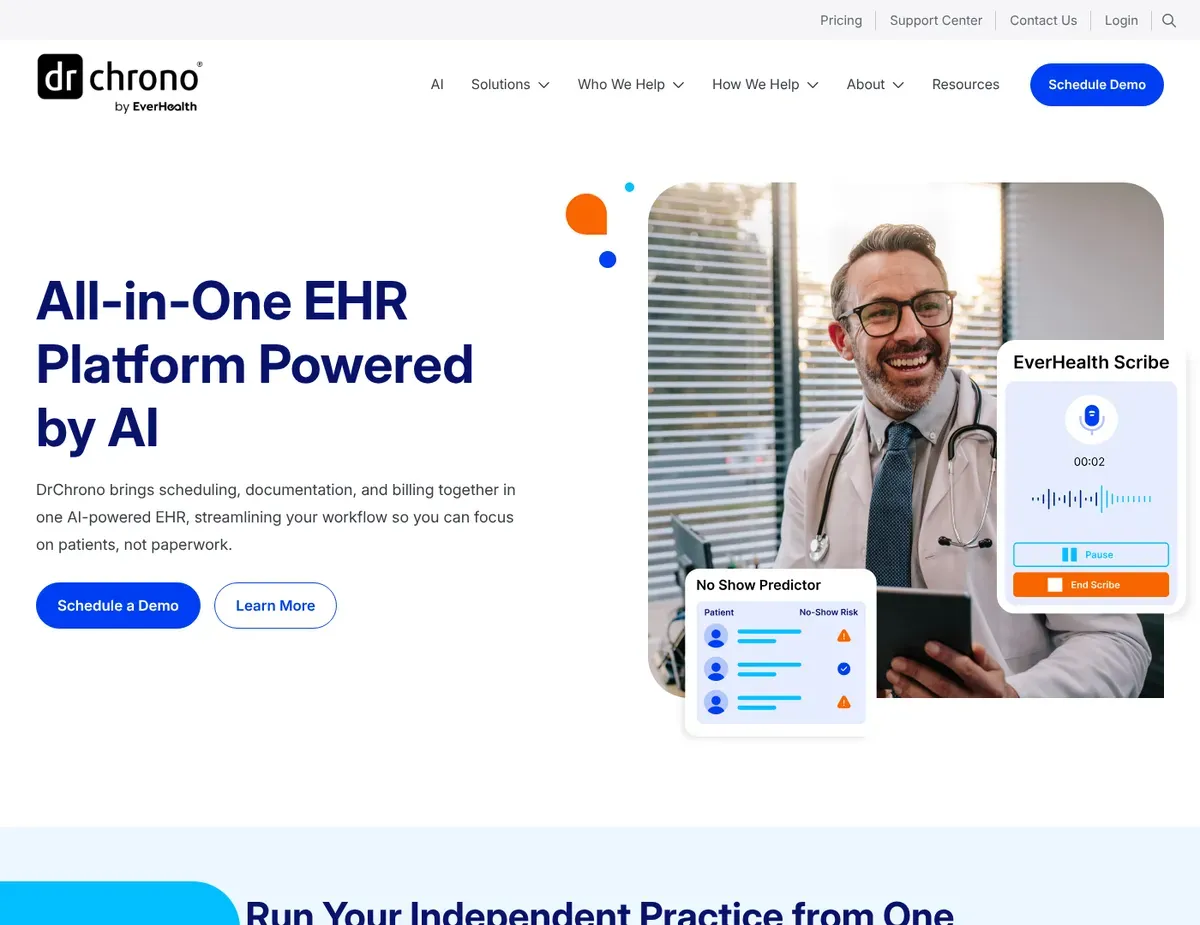
DrChrono
IPad-native clinical interface showing patient chart alongside
For providers who want a single unified system for clinical documentation and billing, DrChrono eliminates the data synchronization headache by bundling both into one platform. If your team documents on iPads and wants immediate charge capture during patient visits, DrChrono’s native iOS application allows providers to complete encounter documentation and submit charges directly from the patient chart—eliminating the lag between visit completion and billing submission. [2]
One key benefit of DrChrono is real-time patient insurance eligibility verification (available on Athena plan) that runs automatically before appointments, reducing surprise claim denials from coverage gaps. The unified EHR and billing platform means charge entry happens inside the clinical note, not in a separate billing interface, eliminating data sync issues and workflow friction.
HIPAA-compliant patient portal features include online bill pay and statement access, reducing manual statement printing costs and enabling patient self-service payment collection. [2]
The trade-offs are significant and worth understanding upfront. Billing and insurance features are limited on lower-tier plans. The Athena plan is required for integrated clearinghouse access, leaving Plus plan users to use external claim submission workflows—a cost and efficiency trade-off. More critically, practice management and medical billing features are not available as a standalone product. You’re forced to adopt DrChrono’s EHR as well. This makes DrChrono an all-or-nothing commitment: you adopt the whole platform or you can’t use the billing component.
Best for: Small to mid-size practices wanting a single unified system for clinical documentation and billing, especially those prioritizing mobile-first workflows.
Not ideal for: Practices satisfied with their current EHR that only need a billing solution, or large clinics needing cross-platform desktop workflows.
Unlike Athenahealth, DrChrono lacks network-based payer intelligence, so billing teams must manually track and respond to payer-specific rule changes without the benefit of aggregated claim data across thousands of other practices.
DrChrono implementation timeline for practices migrating from another EHR system varies based on data migration complexity and staff training requirements—verify current onboarding timelines and support availability at drchrono.com/features before committing.
AdvancedMD

Practice management dashboard with multi-provider claim tracking
If you run multiple providers and need consolidated revenue visibility, AdvancedMD is worth serious consideration. The platform links appointment scheduling directly to charge capture and pulls comprehensive reporting across provider productivity, payer mix, and accounts receivable aging—exactly what multi-provider clinics need to manage financial performance. [5]
AdvancedMD’s reporting strength is genuinely its defining advantage. The comprehensive reporting suite includes provider productivity analysis (visits, procedures, revenue per provider), payer-mix reports showing which insurers generate your largest revenue, and accounts receivable aging to track outstanding balances by day-of-service.
This granular visibility lets billing managers spot underperforming providers or problematic payers. The claim denial management workflow tracks appeal deadlines and documents submission history, ensuring compliance with payer-specific appeal windows and reducing lost revenue from stale denials. Integration of appointment scheduling with charge capture means no-shows and cancellations are automatically reflected in billing workflows, preventing phantom revenue from sessions that never occurred. [5]
The limitations hit practices during implementation and those already invested in other systems. Implementation typically requires 60 to 90 days including data migration and staff training, creating a longer go-live period than standalone billing tools. This means revenue risk during transition. AdvancedMD does not offer standalone medical billing without its practice management module. Clinics with existing scheduling systems face a hard choice: replace your current workflow or manage duplicate scheduling processes. [6]
Best for: Mid-size to large clinics needing consolidated practice management and billing with advanced financial reporting and multi-provider productivity analysis.
Not ideal for: Solo practitioners or small practices that only need basic claim submission without full practice management replacement.
Unlike Athenahealth, AdvancedMD is a deployable cloud system without network-based payer analytics, giving practices more configuration control but requiring manual maintenance of payer-specific claim submission rules.
AdvancedMD pricing reflects publicly listed subscription rates as of the research date—verify current monthly fees at advancedmd.com/pricing before publishing, as vendor pricing changes without notice.
Athenahealth

Network-based dashboard showing payer rule updates and claim
Athenahealth stands out as a choice for large practices and healthcare organizations willing to pay premium pricing for network intelligence and automated compliance. If you operate a multi-location health system and want claim submission rules to automatically update across your entire network without manual intervention, Athenahealth’s network-based approach pulls payer intelligence from thousands of other health systems, automatically reflecting coding changes, billing policy updates, and payer rule shifts.
Network-based payer intelligence is where Athenahealth earns its reputation. The platform aggregates claim data across all athenahealth clients to automatically update payer-specific rules, reducing denials from coding changes that would otherwise surprise your billing team.
The built-in compliance engine continuously updates to reflect current CMS regulations and HIPAA requirements without manual configuration—no need to track regulatory changes quarterly. Automated patient statement workflow triggers based on insurance adjudication status, ensuring timely patient billing after payer response without manual statement generation. Population health analytics layer provides insights into patient demographics and payer trends relevant to billing strategies, giving large practices visibility into their payer mix and revenue trends.
The pricing becomes significantly more expensive than flat-rate alternatives for high-revenue specialties. For practices with annual collections under $300,000, the percentage-based fees typically exceed $6,000/year, making it less cost-effective than flat-rate options. Data export and reporting customization is restricted. Practices wanting to run proprietary analytics or migrate data to external BI platforms face API rate limits and data access constraints that require vendor coordination. This data lock-in risk applies mainly to large health systems with advanced analytics teams.
Best for: Large practices and healthcare organizations that value payer intelligence and automated compliance, operating multi-location clinics needing centralized revenue cycle management.
Not ideal for: Small practices with limited claim volumes where percentage-based pricing is less cost-effective than flat-rate billing software.
Unlike KareoBilling, Athenahealth charges a percentage of collections rather than a flat monthly fee, aligning vendor incentives with practice revenue but increasing costs as your practice grows.
Athenahealth percentage-based pricing on collected revenue becomes significantly more expensive than flat-rate alternatives for high-revenue specialties, though exact percentage rates are not publicly listed—verify current rate structures at athenahealth.com/pricing before publishing.
Scenario recommendations
Use these scenarios to identify the best platform for your practice structure and workflow needs.
Scenario 1 – Solo practitioner or two-provider clinic. Start with KareoBilling when you’re running a small independent practice and need billing capabilities without disrupting your existing EHR. KareoBilling’s flat-rate per-provider pricing ($300–500/month) stays predictable regardless of claim volume, and you can implement it in 2–4 weeks without a lengthy data migration. The trade-off: you’re managing two separate systems (clinical and billing), so you’ll need basic IT support to set up HL7 data synchronization if you’re using Epic or Cerner. For solo practitioners, this is worth it because you avoid the cost and complexity of a full EHR replacement.
Scenario 2 – Mobile-first practice using iPads for charting. Consider DrChrono if your team documents on iPads during patient visits and wants immediate charge capture integrated into the clinical note. DrChrono’s native iOS application eliminates the gap between encounter completion and billing submission, and real-time eligibility verification prevents surprise denials. The caveat is real: you must adopt DrChrono’s EHR as well—you can’t buy just the billing module if you have another clinical system. For practices starting fresh or willing to migrate, this unified workflow delivers measurable speed and accuracy improvements.
Scenario 3 – Multi-provider clinic needing consolidated financial reporting. Reach for AdvancedMD when you operate 3+ providers and need visibility into provider productivity, payer mix, and accounts receivable aging. AdvancedMD’s comprehensive reporting suite and denial management workflow are built for clinics managing complex revenue cycles. Implementation takes 8–12 weeks, which is longer than standalone billing tools, but the financial visibility justifies the timeline for clinics with significant revenue at stake. The trade-off is that AdvancedMD bundles practice management with billing, so if you have a scheduling system you love, you’ll either replace it or manage duplicate data entry.
Scenario 4 – Large health system with multiple locations and specialties. Turn to Athenahealth when you operate a health system across multiple locations and want network-based payer intelligence automatically updating your claim submission rules. Athenahealth’s aggregated payer data from thousands of other health systems means your billing team doesn’t manually track coding changes or payer policy shifts. The built-in compliance engine automatically reflects CMS regulatory updates. The cost is higher on percentage-based pricing, but for large practices, the operational automation saves more in billing labor than the higher fees cost.
Setup guide
Follow these steps to configure your new billing system and transition your revenue cycle.
Step 1: Assess your current EHR and clearinghouse integration requirements. Document your current EHR system (Epic, Cerner, Athena, or custom), your current clearinghouse provider, and which staff members currently submit claims. If you’re using KareoBilling or AdvancedMD, you’ll keep your EHR and add a new billing system. If you choose DrChrono, you’re replacing your EHR entirely. Contact your IT department or EHR vendor to understand data export capabilities (HL7 interfaces, direct database exports, or API access). This assessment determines which migration path is realistic for your practice and avoids discovering incompatibility halfway through implementation.
Step 2: Plan your parallel billing cycle and shadow period. Schedule a 4–8 week period where you’ll submit claims through BOTH your current system and the new platform simultaneously. This parallel cycle validates that claim scrubbing, eligibility verification, and payment posting work correctly before you decommission the old system. Assign one billing staff member to shadow the parallel process, documenting any discrepancies in claim acceptance rates, denial reasons, or payment posting timing. This parallel testing period is critical—it specifically catches configuration errors in claim submission rules and payment posting that could delay insurance payments by 30–60 days if discovered post-go-live. Without parallel testing, you risk switching to a system that has silent failures: claims that appear to submit but don’t actually reach the payer, or eligibility checks that return false negatives.
Step 3: Extract and validate your historical claim and payer data. Request a complete export of your last 12 months of claim submissions and payment history from your current system. Most platforms require you to manually enter payer-specific claim submission rules (prior authorization requirements, electronic submission format, denial appeal windows) or import them from a template. Validate that your top 10 payers by revenue are correctly configured in the new system—incorrect payer rules are the most common cause of claim denials. For each major payer, check that the system has the correct NPI, tax ID, claim submission method (SFTP, direct, clearinghouse API), and appeal deadlines. Most vendors offer data migration services at additional cost; budget for this if your practice has complex multi-payer workflows.
Step 4: Configure claim templates, fee schedules, and modifiers specific to your specialty. Medical billing systems require configuration of your fee schedule (procedure codes, allowable amounts by payer, provider modifiers). Work with your implementation specialist to import or manually enter your top 50 CPT codes and their payer-specific fees. Configure provider and location modifiers (especially for telehealth, after-hours, or facility-based modifiers). This configuration is tedious but essential—incorrect fee schedules or modifiers cause claim rejections or revenue loss. For practices with multiple locations or specialties, budget 40–60 hours of staff time to configure fee schedules and claim rules correctly. Once configured, this foundation makes claim scrubbing and denial management significantly more accurate.
Step 5: Train staff and conduct go-live in phases. Schedule 4–6 hours of hands-on training for each billing staff member, covering claim submission, eligibility verification, payment posting, and patient statement generation. Start with one provider or location as your pilot, running their claims live for 2–3 weeks while other providers continue on the old system. Monitor denial rates, payment posting time, and patient statement accuracy during the pilot. Once pilot metrics match your historical baseline, migrate the remaining providers. Go-live in phases reduces risk—a single-day cutover across all providers is a recipe for missed claims and billing delays. Plan for 20–30% more staff time during the first 4 weeks post-go-live, as staff will work slower while learning the new interface and troubleshooting edge cases.
FAQ
These answers address common questions about compliance, integration, and pricing models.
Q: Which medical invoicing software can I use without replacing my current EHR?
KareoBilling is the strongest choice if you want to keep your existing EHR and add a dedicated billing platform. KareoBilling integrates with non-partner EHR systems including Epic and Cerner through HL7 interfaces that require IT configuration for data synchronization, but you’re not forced to rip out your clinical system.
AdvancedMD also works alongside your existing EHR if you only adopt its billing module (though it’s often sold with practice management bundled). DrChrono requires adoption of its full EHR to access billing features—no standalone billing option exists. Athenahealth offers a standalone athenaCollector billing module that can integrate with external EHRs, making it flexible for practices with clinical systems already in place. If EHR continuity is your priority, KareoBilling is the safest default because it’s explicitly designed as a billing add-on, not a replacement.
Q: How do percentage-based pricing models affect my total cost as my practice grows?
Flat-rate models like KareoBilling or AdvancedMD protect your costs if you’re in a high-revenue specialty. Athenahealth’s percentage-based fee on collected revenue scales directly with your revenue—so a pediatrics clinic collecting $200,000/year pays $2,000–4,000/year, while a cardiology clinic collecting $800,000/year pays $8,000–16,000/year on the same percentage.
Flat-rate per-provider pricing ($300–600/month per provider) costs $3,600–7,200/year per provider regardless of claim volume or revenue. For high-volume or high-reimbursement practices, flat-rate pricing stays predictable and capped. Percentage-based pricing becomes increasingly expensive as you grow. Calculate your likely cost under both models using your recent revenue data—if percentage-based fees would exceed flat-rate by $5,000+/year, the flat-rate model saves money as you scale. Verify current pricing at vendor websites because both models change quarterly.
Q: Which platform offers the fastest insurance claim turnaround times?
KareoBilling and Athenahealth both offer integrated clearinghouse access with near-real-time submission, typically reaching insurers within minutes. DrChrono only provides integrated clearinghouse on its Athena plan; lower tiers require external clearinghouse submission, adding processing delays.
AdvancedMD requires your clearinghouse to support its API, which depends on your clearinghouse provider’s speed. The limiting factor isn’t the billing platform—it’s your clearinghouse and the payer’s processing queue. All platforms can submit claims electronically, but payers vary in processing speed from same-day eligibility verification (large commercial carriers like Aetna and United) to 5–10 business day processing (small regional Medicaid plans). The real impact on turnaround comes from claim scrubbing and denial prevention. KareoBilling’s claim scrubbing engine flags coding errors before submission, reducing denials that delay payment. Athenahealth’s network-based payer intelligence automatically updates claim rules based on payer policy changes, reducing denials from outdated coding. Choose based on your payer mix: if you’re mostly commercial insurance, any platform with direct clearinghouse access is fine. If you have significant Medicaid or managed Medicaid, Athenahealth’s payer intelligence provides a meaningful advantage.
Q: Do I need to validate HIPAA compliance separately, or does the vendor handle this?
All four platforms provide HIPAA-compliant infrastructure, but the depth of compliance features and automatic regulatory updates vary across platforms. Athenahealth’s built-in compliance engine continuously updates to reflect current CMS regulations and HIPAA requirements without manual configuration, reducing your compliance burden.
KareoBilling, DrChrono, and AdvancedMD are HIPAA-compliant at the platform level, but you must ensure that your specific configuration meets compliance requirements. Before go-live, conduct a HIPAA risk assessment or work with a compliance consultant to validate that your configuration (who can access patient data, how claims are stored, how patient statements are transmitted) meets the Security Rule requirements. Your Business Associate Agreement (BAA) with each vendor should be in place before handling any patient data. Don’t assume compliance; verify your vendor’s latest BAA and security audit report (SOC 2 Type II) at their legal or trust center page.
Q: Can I switch between platforms later if the first choice doesn’t work out?
If you choose KareoBilling or AdvancedMD, switching is feasible because both are modular billing systems—you can export your claim history and payer rules and migrate to another vendor without replacing your EHR. If you choose DrChrono, switching is more disruptive because DrChrono is your EHR.
Migrating means exporting all clinical records and reconfiguring them in another system, which is time-consuming and risky. Athenahealth sits in between—migrating off Athenahealth means exporting claim history and payer rules but keeping your current EHR (if you used it in parallel). Plan for 4–8 weeks and 40–60 staff hours to migrate platforms. The cost of switching motivates choosing correctly the first time—run a thorough pilot and parallel billing cycle before committing to avoid costly mid-course corrections.
Final verdict
KareoBilling is particularly well-suited for independent medical practices and small clinics that want a dedicated billing platform without replacing their EHR, because it delivers integrated clearinghouse access, claim scrubbing, and automated patient statements in 2–4 weeks—faster than competing platforms and without forcing clinical system changes.
For practices building a mobile-first workflow on iPads, DrChrono is recommended when you’re willing to adopt its unified EHR-plus-billing platform, since real-time eligibility verification and integrated charge capture during visits eliminate claim submission delays and data sync friction that plague separate systems.
AdvancedMD is recommended for multi-provider clinics needing consolidated financial reporting, thanks to its comprehensive provider productivity analysis, payer-mix dashboards, and denial management workflow—these reporting tools justify the 8–12 week implementation timeline for practices managing significant revenue and multiple billing complexities.
For large health systems and multi-location clinics, Athenahealth stands out as a strong choice because network-based payer intelligence automatically updates claim submission rules across all locations without manual intervention, and the built-in compliance engine eliminates regulatory tracking overhead. The percentage-based pricing is higher, but the operational automation and payer intelligence savings outweigh cost for large practices.
Your final decision hinges on three factors: (1) Do you keep your existing EHR (favor KareoBilling) or replace it (favor DrChrono)? (2) How many providers and locations do you operate (solo/two = KareoBilling; 3–10 = AdvancedMD; 10+ = Athenahealth)? (3) How much financial reporting depth do you need (basic dashboard = KareoBilling; comprehensive multi-provider analytics = AdvancedMD or Athenahealth)? Run a parallel billing cycle for at least one month before decommissioning your current system to validate denial rates, clearinghouse connectivity, and actual cost under the new pricing model.
This safety step prevents costly mid-implementation surprises and ensures your team is confident before going fully live.
Sources
- ↑ KareoBilling — medical billing software platform page — https://www.kareo.com/platform/medical-billing-software
- ↑ DrChrono — features page — https://www.drchrono.com/features
- ↑ AdvancedMD — reporting solutions page — https://www.advancedmd.com/solutions/reporting
- ↑ DrChrono — pricing page — https://www.drchrono.com/pricing
- ↑ AdvancedMD — platform overview page — https://www.advancedmd.com/platform
- ↑ Athenahealth — solutions overview page — https://www.athenahealth.com/solutions

Leave a Reply