4 Free QuickBooks Alternatives Fully Compared for 2026
QuickBooks alternatives free Cloud dashboard displaying a primary cash flow graph
This article may contain affiliate links. We may earn a commission when you sign up through our links — at no extra cost to you. Our recommendations are based on independent evaluation and are not influenced by commissions.
TL;DR: Wave is the safest free QuickBooks alternative for solo freelancers and solopreneurs who need zero-cost double-entry bookkeeping, unlimited invoicing, and built-in payment processing—but it lacks native inventory tracking, making it unsuitable for product-based businesses. For businesses expecting rapid growth into a broader suite, Zoho Books offers a generous free tier up to $50k revenue with seamless ecosystem integration, though you’ll face a mandatory paid upgrade once revenue exceeds that cap. If absolute data ownership and offline access matter more than convenience, Akaunting and Manager.io provide genuinely unlimited free tiers, but they demand either technical self-hosting skills or acceptance of a dated desktop interface.
What matters when choosing QuickBooks alternatives free
QuickBooks alternatives free tier offerings have matured dramatically since 2020, making the switch far less risky than in previous years. The real decision tension isn’t whether free alternatives exist—it’s whether you’re choosing based on genuine zero-cost operation, revenue-cap toleration, or willingness to self-host. Understanding your constraints in five specific areas will help you avoid the most common migration pitfall: picking a “free” tool that forces a costly upgrade within six months.
True total cost vs. hidden upgrade triggers. QuickBooks climbs to $25–50+ per month per user, and many small businesses get locked into add-on fees for features they thought came standard. Free alternatives fall into three tiers: genuinely unlimited free (Wave, Manager.io desktop, Akaunting self-hosted), free with revenue or user caps (Zoho Books), and free with feature gates that require paid apps (Akaunting bank feeds). You must identify which tier matches your growth trajectory before committing; a tool that’s free at $10k revenue may mandate a $60/month upgrade at $51k revenue, creating false savings. [1]
Double-entry bookkeeping and bank reconciliation capability. QuickBooks users expect automated bank feeds and real-time reconciliation. All four alternatives provide double-entry bookkeeping on their free tiers, but bank feed automation varies sharply: Wave includes it at zero cost, Zoho Books includes it free, Akaunting requires a paid bank-feed app, and Manager.io desktop requires manual CSV imports. For accountants or businesses doing their own reconciliation, this difference translates directly into hours per month of manual data entry—a hidden cost that undermines “free.”
Invoicing and payment processing integration. Freelancers and service businesses live on invoicing. Wave bundles free invoicing and payment processing (Wave Payments) at zero cost—you only pay transaction fees. Zoho Books includes free invoicing but lacks built-in payment gateways on the free tier. Akaunting and Manager.io require third-party connections or manual payment recording. If you’re sending dozens of invoices monthly and accepting online payments, this feature axis alone determines productivity.
Reporting depth and tax preparation compatibility. You’ll need financial reports for tax filing. Manager.io wins here with 50+ built-in reports designed for formal accounting use. Wave and Zoho Books both export standard P&L and balance sheet reports. Akaunting provides API access and exports but requires more manual report generation. Before you switch, confirm your chosen tool can export data in a format your accountant or tax software accepts—mismatched export formats are the #2 reason migrations fail after go-live.
Data ownership, portability, and offline access. This is where the four tools diverge most sharply. Wave and Zoho Books are cloud-only SaaS; your data lives on their servers with no offline access or self-hosting option. Akaunting lets you self-host for complete data control but requires web hosting expertise. Manager.io desktop runs entirely offline on your computer, with no internet dependency—a massive advantage if you work in low-connectivity environments or prioritize air-gapped security. Choose this axis based on your risk tolerance: convenience vs. control.
Comparison table
The table below compares each product’s free tier limits, key features, hosting options, and ideal use cases.
| Product | Free Tier Type & Limits | Invoicing & Bank Feeds | Data Hosting & Offline | Best For |
|---|---|---|---|---|
| Wave | Genuine free, no caps | Unlimited invoicing, automated bank feeds, Wave Payments built-in | Cloud-only SaaS, no offline access | Freelancers, solopreneurs, zero-budget mandate |
| Zoho Books | Free up to $50k revenue, 1 user | Full invoicing, automated bank feeds free tier | Cloud-only SaaS, no offline access | Early-stage startups, ecosystem integration |
| Akaunting | Genuine free, self-hosted, no caps | Full invoicing, bank feeds require paid app, multi-currency | Self-hosted, full data control, no cloud dependency | Tech-savvy owners, absolute data ownership |
| Manager.io | Genuine free desktop, no limits | Full invoicing, manual/CSV bank import only | Free desktop edition offline, cloud edition paid | Offline/remote work, feature-rich reports |
Key takeaways from the comparison: Wave and Zoho Books are the lowest-friction cloud solutions; Wave costs zero forever (for invoicing and accounting), while Zoho Books forces a paid upgrade at $50k revenue. Akaunting and Manager.io eliminate revenue caps but introduce operational friction—Akaunting through required server management, Manager.io through its dated interface and lack of automated bank feeds. The right choice depends entirely on whether you prioritize convenience (Wave/Zoho) or control (Akaunting/Manager.io).
Product reviews
The following reviews detail the strengths, weaknesses, and specific use cases for each alternative.
Wave
Wave Cloud dashboard displaying a primary cash flow graph
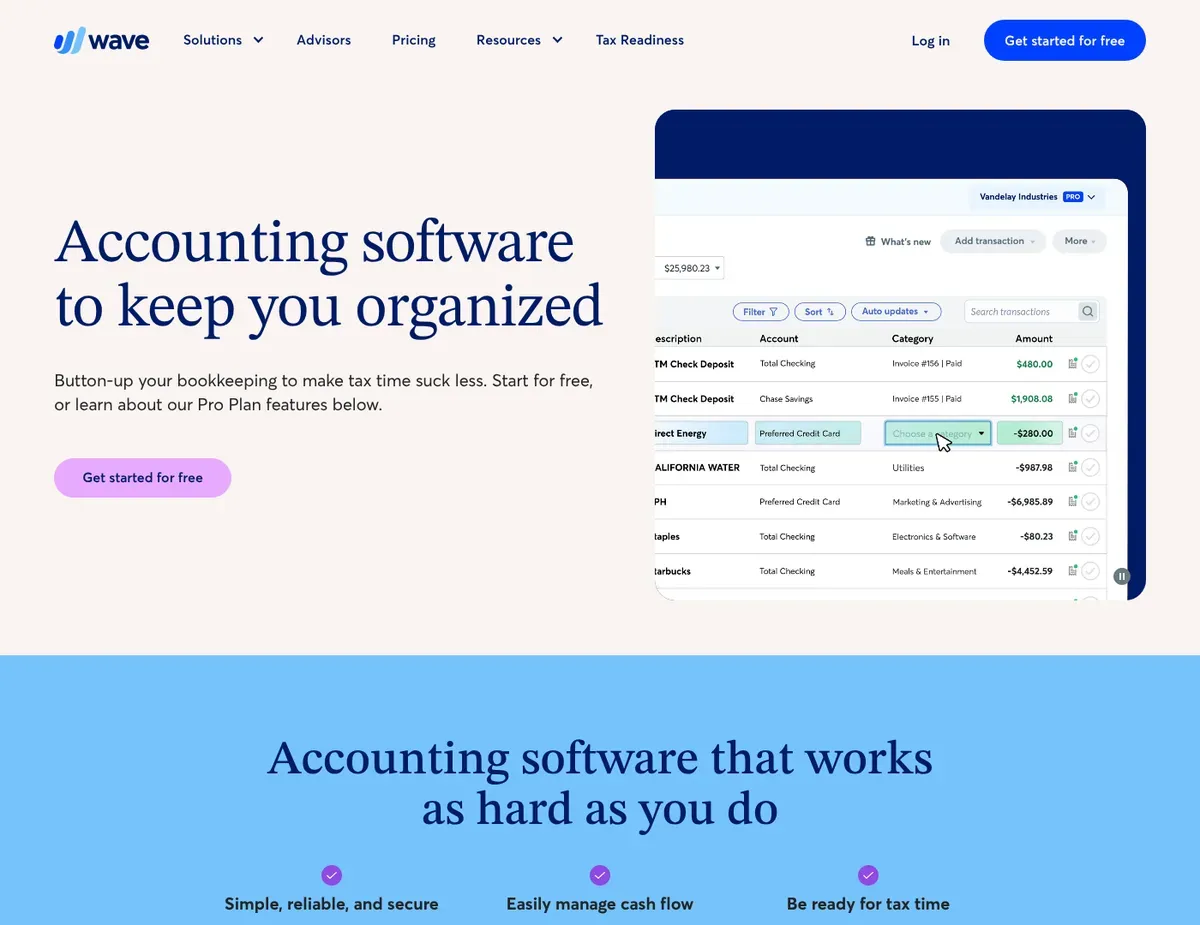
Wave is built for freelancers and solopreneurs who need zero-cost double-entry bookkeeping without compromise. It operates as a cloud-based SaaS platform accessible through a web browser, storing all financial data on Wave’s servers with no self-hosting option available. The core promise is simple: unlimited invoicing, expense tracking, and full double-entry accounting at absolutely no cost, forever—no transaction limits, no user caps, no expiration dates. Wave offers unlimited invoicing and full double-entry bookkeeping at no cost, including a dashboard with cash flow graphs, outstanding invoice totals, and quick action buttons that let non-accountants navigate financial basics without specialist training.
Wave’s defining strength is the bundled payment processing through Wave Payments, allowing small businesses to accept credit cards and bank payments directly from invoices without paying subscription fees—you only pay per-transaction processing fees (2.9% + $0.30 in the US, competitive with Stripe). The second strength is the built-in bank feed integration that connects to financial institutions for automated transaction import and categorization without manual CSV uploads, making daily reconciliation nearly automatic for sole proprietors. The user interface is intentionally simplified for non-accountants, replacing dense accounting jargon with plain-English labels and visual cash flow summaries.
Wave’s limitations emerge quickly for product-based businesses and collaborative teams. Wave lacks any native inventory management capabilities, forcing product-based businesses to track stock levels in a separate spreadsheet or external system—a fundamental gap if you sell physical goods. The second limitation is permission granularity: users cannot assign read-only access for external accountants without giving full administrative access, which limits secure collaboration for teams and prevents you from inviting a CPA to review without granting edit rights to all transactions. Bank feed integration, while automated, occasionally requires manual transaction refreshes and manual categorization adjustments, which may delay real-time financial visibility compared to fully automated paid alternatives.
Unlike Zoho Books, Wave does not offer a paid upgrade path for advanced features like inventory or complex project accounting, making it an end-state tool rather than a scalable platform that grows with your business. Feature availability across bank integrations occasionally requires vendor-specific refresh cycles — verify current bank feed reliability and supported institutions at https://www.waveapps.com/help/accounting/bank-connections before committing to Wave as your primary reconciliation engine.
Zoho Books
Zoho Books Multi-module dashboard featuring KPI widgets for receivables and payables
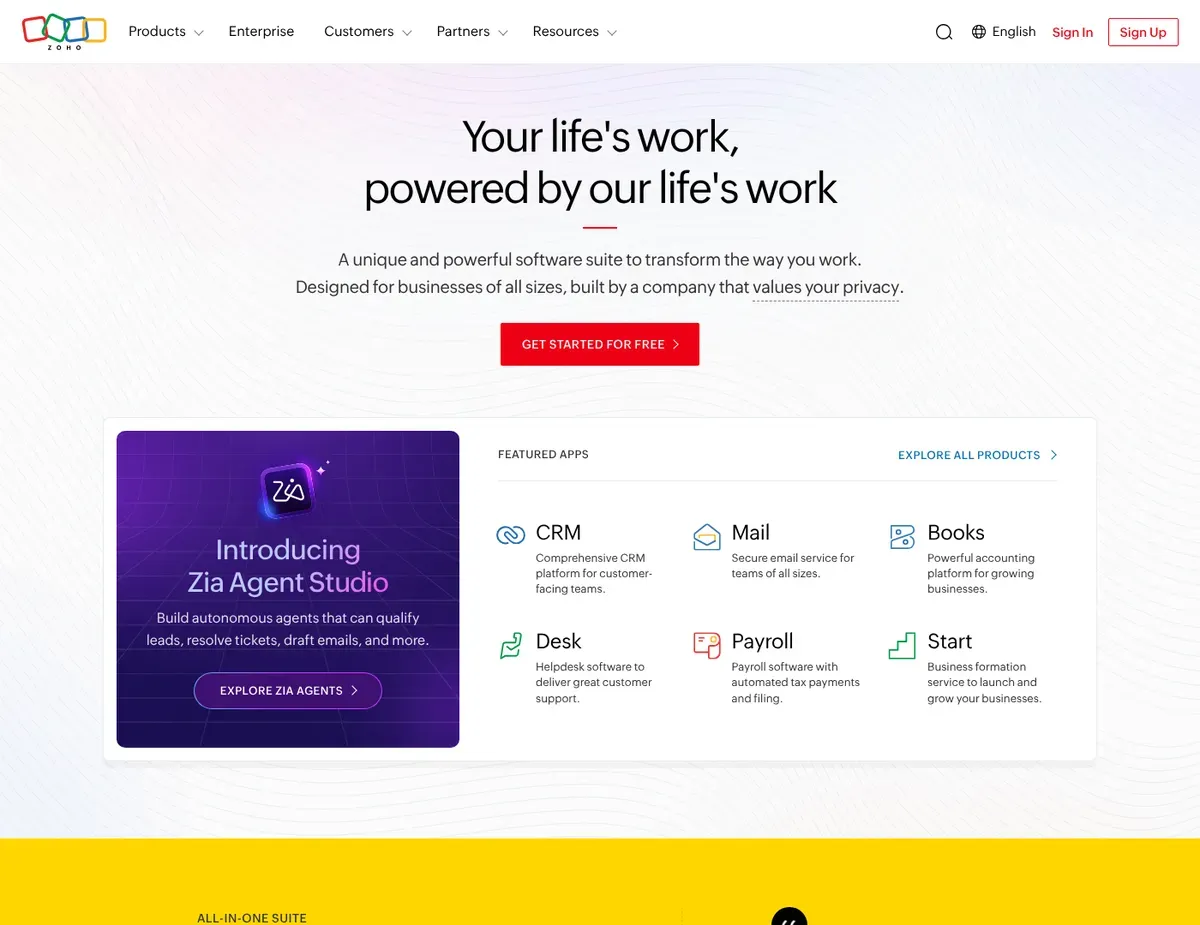
For early-stage startups expecting to scale into a broader business suite, Zoho Books offers the clearest upgrade path among free accounting tools. It is a cloud-based SaaS application requiring continuous internet connectivity, with financial data stored in the cloud and no offline or self-hosted deployment option. The free plan supports businesses with less than $50,000 USD in annual revenue and allows only one user plus one accountant portal user, making it ideal for founders who anticipate rapid growth and want to avoid tool-switching later. Zoho Books free plan includes full double-entry accounting and invoicing with robust automation features for payment reminders, recurring transactions, and invoice scheduling even on the free tier—capabilities that typically cost extra in competitors’ paid tiers. [2] [3]
Zoho Books’ greatest strength is the deep integration with the broader Zoho ecosystem (CRM, Inventory, Expense, Payroll), which means that as your business grows beyond $50k revenue, you can scale into inventory management, customer relationship tracking, and expense automation without migrating platforms or re-entering historical data. The automation engine is robust, letting you set up rules for invoice scheduling, payment reminders, and transaction routing with minimal manual intervention. The accountant portal on the free tier allows a single CPA or bookkeeper to review financials and add manual entries without consuming a paid seat, a feature wave charges paid upgrades for.
The critical limitation is the $50,000 annual revenue cap on the free tier, which forces an immediate and potentially costly upgrade to a paid Standard plan (typically $45–65/month) once the business exceeds this threshold—a mandatory transition that feels like bait-and-switch if you’ve built your workflow around the free tier. The second limitation is the single-user restriction on the free plan, preventing collaborative data entry by multiple team members or bookkeepers; you must handle all transaction entry yourself or wait for your accountant portal user to add entries. Integrations with non-Zoho third-party applications (like Shopify or advanced payroll) are restricted on the free tier, potentially isolating sales channels from your accounting system.
Unlike Wave, Zoho Books imposes a strict revenue cap on its free tier, forcing a mandatory paid subscription once the business hits $50k in annual sales, which means “free” is genuinely temporary for growing businesses. The free tier ceiling applies as of current pricing — verify current revenue limits and any tier flexibility at https://www.zoho.com/books/pricing before signing up, as tier definitions occasionally shift.
Akaunting
Akaunting Open-source dashboard featuring a clean financial overview with total income
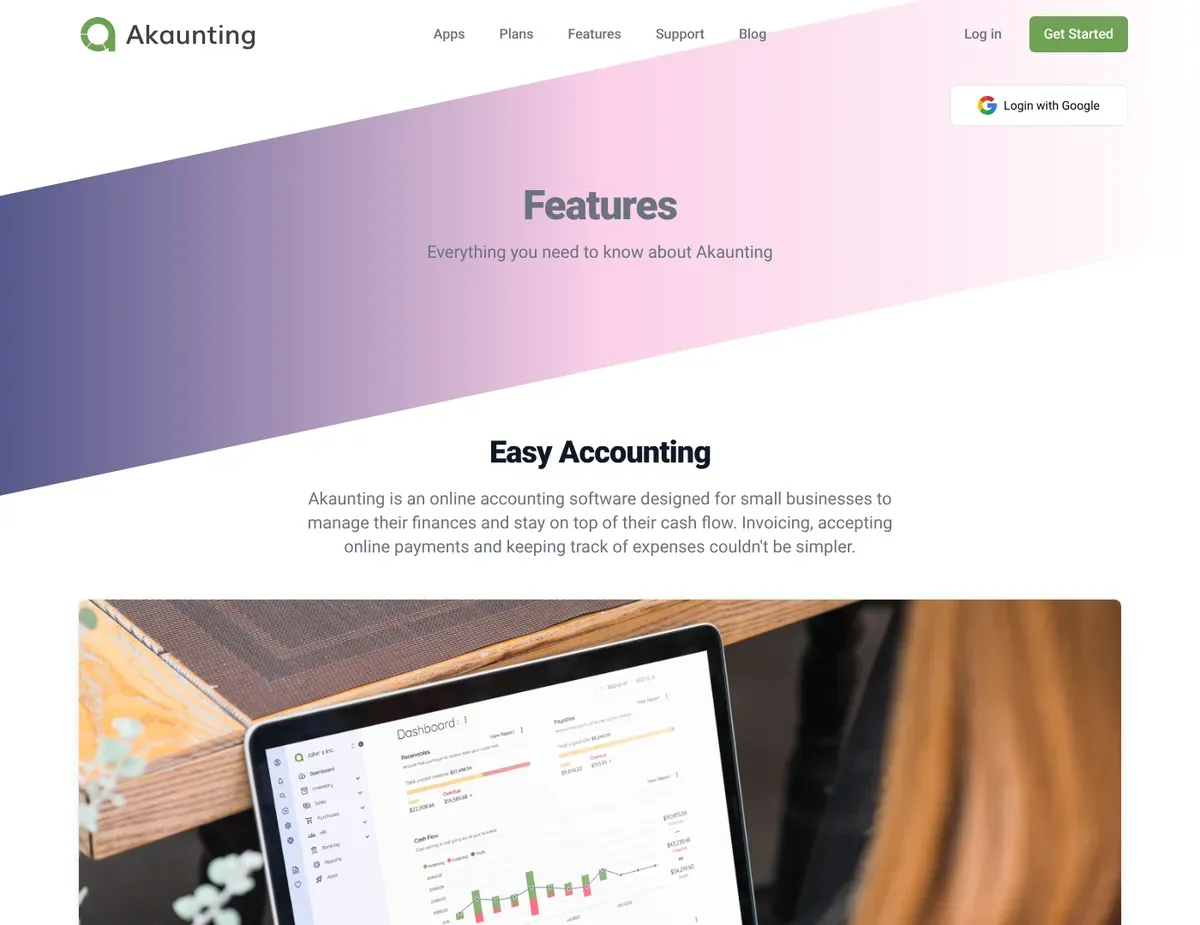
Where Akaunting earns its reputation is in offering true data sovereignty through open-source self-hosting—no vendor lock-in, no SaaS subscription creep, no cloud dependency. Akaunting is an open-source web application that can be self-hosted on a user-provisioned web server with a PHP environment and database, providing full data ownership and unlimited users, transactions, and revenue scaling. Being open-source, Akaunting can be self-hosted completely free with unlimited users, transactions, and no revenue caps, ensuring absolute data ownership and the freedom to customize the accounting system to fit your specific industry or workflow. [4] [5]
Akaunting’s operational strength lies in its open-source codebase and extensive app marketplace: you can add specific functionality like inventory management, payroll, or CRM integrations through its app ecosystem without vendor gatekeeping. The core free version provides true multi-company and multi-currency support built directly into the codebase—features often gated behind premium tiers in competing software. The API access means you can write custom integrations or scripts to automate workflows that other free tools require manual data entry for.
The limitations of Akaunting stem directly from its self-hosted nature: self-hosting Akaunting requires provisioning and maintaining a secure web server, PHP environment, and database, which demands technical skills small business owners lacking dedicated IT staff may lack—including the ongoing burden of SSL certificate renewal, security patching, and backup management. Connecting to live bank feeds requires purchasing the Bank Feed premium app, meaning automated reconciliation is not strictly free out-of-the-box and requires manual CSV imports otherwise; this adds hidden cost to the “free” claim if you rely on daily reconciliation. Customer support for the free self-hosted version is limited to community forums, leaving businesses without a guaranteed SLA for resolving critical financial software outages—downtime is your responsibility to fix.
Unlike Wave, Akaunting requires server provisioning and ongoing IT maintenance for its truly free unlimited experience, trading convenience for absolute data control and zero subscription costs long-term. Self-hosting infrastructure requires ongoing management and updates — verify current server requirements, PHP version minimums, and your hosting provider’s backup capabilities at https://akaunting.com/docs before provisioning your instance.
Manager.io
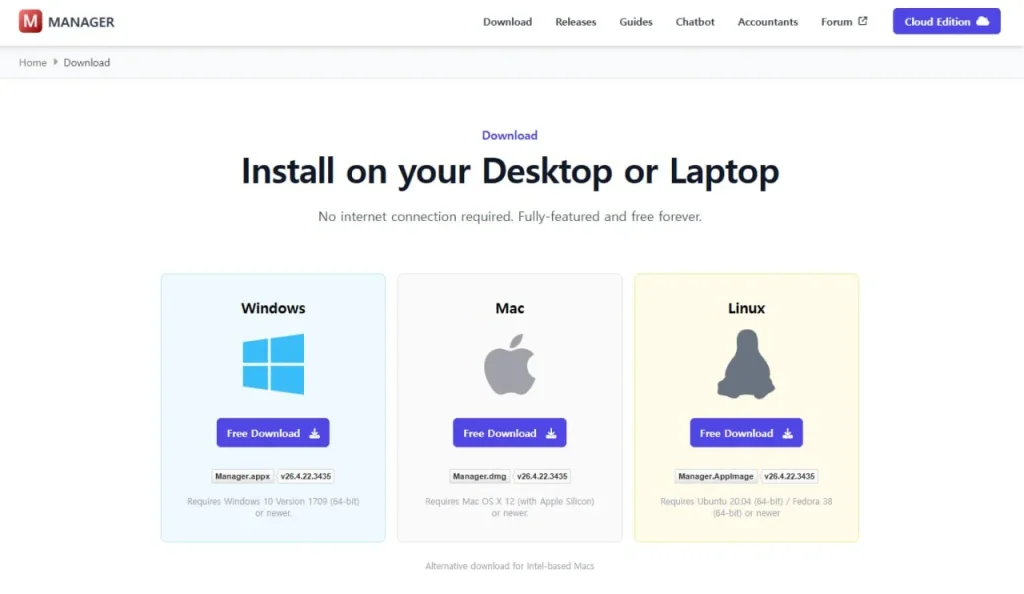
Manager.io Traditional desktop-style accounting interface with a hierarchical tree menu on
If offline access and zero internet dependency matter more than modern cloud convenience, Manager.io’s desktop edition delivers the most feature-rich free accounting software available today. Manager.io offers a free desktop edition that functions entirely offline without requiring internet access for core accounting operations, while the cloud edition requires a paid license—making it the only truly air-gapped solution in this comparison. The desktop version is completely free forever with no limits on users, transactions, or businesses, functioning entirely offline without requiring internet access for daily accounting work.
Manager.io’s defining strength is its reporting depth: it contains over 50 built-in standard business reports and comprehensive double-entry accounting capabilities with support for unlimited custom fields and form themes, typically found in enterprise software costing $200–500/month. The offline-first architecture means users in low-connectivity environments (rural workshops, field operations, ships, remote construction sites) can maintain full financial records without depending on cloud uptime or cellular connectivity. The desktop application runs locally on your computer with local backups, giving you complete control over where your financial data physically resides.
The limitations of Manager.io center on its isolated, single-user design and dated interface. The free desktop version does not support multi-user network access or cloud synchronization, tying financial access and collaboration to a single local hard drive—a critical gap if you have a team or need to access financials from multiple locations. The interface lacks the modern, visually intuitive design of cloud alternatives, presenting a dense, menu-driven layout that can overwhelm non-accountants who expect mobile-first or graphical dashboards. Automated bank feeds are not available on the free desktop edition; bank transactions must be manually imported via CSV files or entered by hand, increasing manual data entry overhead for daily reconciliation.
Unlike Akaunting, Manager does not offer an open-source codebase, meaning users cannot customize the underlying software architecture or host it on their own web server to blend offline benefits with team access. The reporting interface and data export formats are proprietary to Manager.io — verify current export format options (PDF, CSV, Excel), tax software compatibility, and import workflows for historical QuickBooks data at https://www.manager.io before selecting Manager.io as your permanent accounting home.
Which free alternative fits your business scenario
Review the scenarios below to identify which tool best matches your business structure and goals.
Scenario 1 – Solo freelancer or service provider sending invoices and tracking monthly expenses: Go with Wave when your primary need is invoicing without subscription fees and built-in payment processing. Wave’s unlimited invoicing and Wave Payments integration eliminate the friction of switching between accounting software and payment processors; clients can pay directly from your invoice link, and payments automatically post to your ledger. The caveat is that Wave’s simplified design was built for solopreneurs—if you later need to give a bookkeeper or accountant read-only access to reconcile bank feeds monthly, you’ll have no choice but to grant full administrative permissions, which is a security and audit-trail concern. Most freelancers never hit this limitation, but it’s worth understanding before committing your three years of financial history to Wave.
Scenario 2 – Early-stage startup planning rapid growth into a broader business suite within 18–36 months: Zoho Books is the right call for teams expecting to scale into inventory management, CRM integration, or payroll within the next few years. The free tier covers everything through $50k revenue, and the transition to paid tiers ($45–65/month) unlocks Zoho Inventory, Zoho CRM, and Zoho Expense without forcing a platform migration—your chart of accounts and historical transactions stay in place. The limitation is that you cannot truly test Zoho Books’ full potential at scale on the free tier: you’re restricted to one user and $50k revenue, so a 5-person startup hitting $60k revenue immediately faces a $60+/month upgrade bill. Plan for that cost as part of your growth budget rather than expecting “free” to remain free.
Scenario 3 – Business with strict data-ownership or privacy requirements, or operating in a regulated industry requiring on-premise financial records: Akaunting’s self-hosted model is the pick for organizations that cannot tolerate third-party SaaS platforms storing financial data in external clouds. Self-hosting on your own infrastructure means your Chart of Accounts, transaction ledger, and customer records never leave your network—critical for healthcare providers, law firms, or businesses handling sensitive client financial data. The operational reality is that self-hosting requires someone on your team (or a hired consultant) to manage the web server, SSL certificates, database backups, and software updates; if your team lacks technical depth, factor in $200–400/month for managed hosting or a consultant’s quarterly maintenance visits. That hidden cost erodes the “free” claim, but it’s still cheaper than enterprise QuickBooks deployments for businesses prioritizing absolute data control.
Scenario 4 – Offline or low-connectivity environment such as a rural workshop, field operation, or traveling consultant requiring secure localized financial data: Manager.io’s free desktop edition is the answer when internet dependency is a genuine operational risk or when you work in areas with unreliable connectivity. The offline-first architecture means you can record expenses, issue invoices, and generate reports on a laptop in a truck, a farm, or a remote cabin without waiting for cloud sync or cellular connectivity. The trade-off is accepting a functional but visually dated interface and the reality that collaboration requires exporting data files to share—if your business needs real-time multi-user access, Manager.io stops being free (the cloud edition is paid). For solopreneurs and small teams whose financial work is sequential rather than simultaneous, Manager.io’s offline model and 50+ reports often outweigh the interface limitations.
Setup guide
Follow these steps to export your data, configure your new software, and complete the migration.
Step 1: Export your QuickBooks data and organize it for import. Log into QuickBooks, navigate to the File menu, and select “Export” or “Backup.” Download your company file, chart of accounts, historical transactions (at minimum the last 24 months), and customer/vendor lists in CSV or QBO format depending on your chosen alternative. Most free alternatives accept CSV imports for transactions, but verify the exact format your new platform requires—Zoho Books accepts QBO, Wave accepts CSV, Akaunting accepts CSV via its UI or API, and Manager.io requires CSV or manual entry. Create a folder on your computer with these exports labeled by category: “Chart of Accounts,” “2023 Transactions,” “Customers,” “Vendors,” “Bank Feeds (if available).” This organization prevents re-importing the same data twice and makes the next steps faster.
Step 2: Set up your new platform’s chart of accounts to match your QuickBooks structure exactly. Most free tools let you import a chart of accounts or manually recreate it. If importing, use your QuickBooks export and match account names, numbers, and types (asset, liability, equity, income, expense) precisely. If manually recreating (common with Manager.io), create accounts in the exact same order and with identical names—this prevents account-type mismatches that can corrupt opening balances during the import phase. Spend 30–45 minutes on this step; account-mapping errors are the #1 cause of post-migration reconciliation nightmares.
Step 3: Import historical transactions and reconcile opening balances with your QuickBooks starting balance sheet. Import your CSV of transactions from QuickBooks into your new platform’s transaction upload tool (or manual entry if the platform lacks bulk import). Before you import 24 months of transactions, start with a smaller subset—just one month—and verify that the import completed correctly: check that transaction counts match, that amounts reconcile, and that bank balances line up. Then import the remaining months. After all historical transactions are in place, pull a trial balance (balance sheet) from both QuickBooks and your new platform and compare them line-by-line. Opening balances for assets, liabilities, and equity must match exactly. If they don’t, audit the account mapping or re-import the transactions with corrected account assignments.
Step 4: Run both systems in parallel for at least one full reporting cycle (monthly or quarterly) to validate accuracy before canceling QuickBooks. During this parallel period, enter all new transactions in BOTH systems—your new platform and QuickBooks—and reconcile bank feeds in both. This is tedious for 30–90 days, but it prevents the catastrophe of discovering a data loss or reconciliation error after you’ve deleted QuickBooks backups. Confirm that your monthly P&L and balance sheet reports match between the two systems. Pay specific attention to bank reconciliation: if your new platform’s bank balance differs from QuickBooks’ reconciled balance by even $0.01, audit the transaction matching before proceeding.
Step 5: Archive QuickBooks data and finalize the switch to your new free platform. Once you’ve validated that 30–90 days of parallel operation produced identical reports, you can confidently cancel your QuickBooks subscription. Export a final backup of your entire QuickBooks company file and store it offline (on an external hard drive or in cloud archive storage like Google Drive) for 7 years of tax record retention. Delete QuickBooks from your active tools and update your accounting procedures to reference only your new platform. Notify your accountant or bookkeeper that the system has changed and provide them with login credentials and any import instructions for their own reconciliation workflows.
Common migration pitfalls and how to avoid them: Mismatched account types (e.g., importing an income account as an expense account) corrupt opening balances and make month-end reconciliation impossible—prevent this by manually verifying the account-type mapping before bulk import. Lost transaction history occurs when imports exclude transactions older than a certain date; always verify that the import included your full historical range. Payment processor lock-in happens if QuickBooks has recorded payments from Stripe or PayPal in a way that doesn’t map cleanly to your new platform’s payment categories; audit payment records during the parallel-run phase and manually reconcile any discrepancies. If your chart of accounts includes complex multi-currency transactions, sub-accounts, or project-tracking structures, involve your accountant during the transition to ensure the mapping preserves your reporting logic.
FAQ
Here are answers to the most common questions regarding costs, features, and switching platforms.
Q: Is Wave really free, or will I get charged later?
Wave provides genuinely free double-entry accounting, invoicing, and receipt scanning with no transaction limits, no user limits, and no expiration dates—the core accounting features truly cost zero forever. You pay only when you use Wave Payments to accept credit card or bank payments from customers (2.9% + $0.30 per transaction in the US), which is optional and competitive with standalone payment processors like Stripe. The limitation is that Wave is a closed-source SaaS product, so if you later decide to leave the platform, you’ll need to export your data and migrate to another tool—there’s no self-hosting option. Many freelancers use Wave for 5+ years without ever hitting a paywall because invoicing and bookkeeping remain genuinely free.
Q: What happens when my business exceeds Zoho Books’ $50k revenue cap?
Zoho Books automatically requires an upgrade to a paid plan once your business hits $50,000 in annual revenue; you cannot continue on the free tier beyond that threshold. The upgrade path is straightforward: Zoho will notify you, and you can choose the Standard plan ($45–65/month depending on region) or a higher tier. Your chart of accounts, historical transactions, and customer records carry over to the paid plan without re-entry. The caveat is that “free” is genuinely temporary for growing businesses, and you should budget for the $45–65/month upgrade cost in your financial plan rather than expecting indefinite free operation. For businesses under $50k revenue and planning to stay there, Zoho Books is a permanently free solution.
Q: Can I self-host Akaunting without advanced technical skills?
Akaunting’s self-hosted version requires provisioning a web server with PHP and a database, which demands technical skills or a willingness to hire a consultant to set it up and maintain it. If you have basic comfort with server management (or a friend who does), the setup takes 2–3 hours and costs $5–10/month for shared hosting. If you lack technical depth, factor in $200–400 for a consultant to provision the server, configure SSL, set up automated backups, and handle security patching quarterly. This hidden cost erodes the “free” claim, but it’s still cheaper than enterprise accounting software. For non-technical users, Wave or Zoho Books are better choices because they eliminate server administration entirely.
Q: Does Manager.io work reliably without any internet connection?
Manager.io’s free desktop edition functions entirely offline without requiring internet access for core accounting operations—you can record expenses, issue invoices, and run reports on a fully disconnected laptop. The offline reliability is excellent because the software runs locally on your machine and doesn’t depend on cloud sync or vendor uptime. The caveat is that you must manually manage backups (the desktop edition won’t auto-sync to the cloud), and multi-user collaboration requires exporting data files and re-importing them into other copies of Manager.io on different computers. For solo users in low-connectivity environments, Manager.io is dependable; for teams requiring real-time shared access, the offline model breaks down and you’ll need the paid cloud edition.
Q: How do these free alternatives compare to QuickBooks for tax preparation and filing?
Wave, Zoho Books, and Manager.io all generate standard financial reports (P&L, balance sheet, expense reports) suitable for tax filing, and they can export data in formats compatible with most tax preparation software or accountant workflows. The difference is reporting depth: Manager.io offers 50+ built-in reports including tax-specific summaries; Wave and Zoho Books provide the essentials but fewer specialized reports. Akaunting’s reporting requires more manual configuration or API calls. Before you switch, confirm your accountant or tax software accepts CSV or PDF exports from your chosen platform—verify current export options at the vendor’s documentation site. All four platforms are suitable for solo-proprietor, S-Corp, and partnership tax filings; they lack the advanced multi-entity consolidation of enterprise QuickBooks.
Final verdict
Wave takes the top slot for most small businesses and freelancers because it delivers zero-cost double-entry bookkeeping, unlimited invoicing, and built-in payment processing without hidden upgrade triggers or revenue caps—the core accounting features you migrated away from QuickBooks to avoid paying for never disappear. For early-stage startups expecting rapid growth into a broader business suite (inventory, CRM, payroll) within the next 18–36 months, Zoho Books earns our pick for that scenario thanks to the seamless upgrade path and deep ecosystem integration; you’ll outgrow the free tier, but the transition to paid tiers carries your entire financial history without re-entry.
For businesses with strict data-ownership requirements or regulatory constraints that forbid third-party cloud storage, Akaunting stands out as the data-sovereignty choice—complete control, zero vendor lock-in, and unlimited scale, provided your team has the technical capacity to manage the self-hosted infrastructure. For offline or low-connectivity operations (rural workshops, field consulting, traveling businesses), Manager.io comes out ahead thanks to its desktop-first architecture and 50+ built-in reports, accepting the trade-off of a dated interface and manual bank reconciliation in exchange for zero internet dependency.
Start with Wave if you want zero friction and immediate value without worrying about hidden upgrade triggers; choose Zoho Books if you anticipate rapid growth into a broader Zoho product ecosystem within 24 months and can budget for the $45–65/month upgrade cost; consider Akaunting only if your organization has the technical depth to manage web hosting, SSL certificates, and server security updates, or if data sovereignty is a non-negotiable regulatory requirement; and reach for Manager.io only when its specific strengths (offline access, 50+ reports, desktop-first design) align with your operational reality—such as field-based work or environments where cloud dependency is a genuine liability. The safest path for most small businesses is Wave first, then migrate to Zoho Books if revenue or team size requires it.
Sources
- ↑ Akaunting — Features page — https://akaunting.com/features
- ↑ Wave — Accounting product page — https://www.waveapps.com/accounting/
- ↑ Zoho Books — Features page — https://www.zoho.com/books/features/
- ↑ Manager.io — Desktop Edition page — https://www.manager.io/desktop-edition/
- ↑ Akaunting — Features page — https://akaunting.com/features

Leave a Reply