Best Invoicing Software for Small Business in 2026

Best invoicing software for small business Pricing comparison grid showing plan tiers (Simple Start, Essentials, Plus, Advanced)
This article may contain affiliate links. We may earn a commission when you sign up through our links — at no extra cost to you. Our recommendations are based on independent evaluation and are not influenced by commissions.
TL;DR: For small business owners and managers with 5–50 employees, QuickBooks Online is the top overall pick — its full double-entry accounting integration means you handle invoicing and bookkeeping in one platform rather than two. The meaningful caveat: if you only need invoicing and not a full accounting suite, you’ll pay for features you may never open. Wave or Zoho Invoice deliver stronger value for leaner operations. [1]
What matters when choosing Best invoicing software for small business
Invoicing software is not a commodity decision. The wrong choice creates cash flow blind spots, forces mid-cycle platform migrations, and quietly adds cost through tier upgrades your team never budgeted for. The five tools reviewed here span a wide spectrum of capability and cost — and the gap between what each plan includes versus what it excludes is where most small businesses get burned. Before you evaluate features, answer three operational questions: How many invoices does your business send per month? How many users need access? And do you need full accounting integration, or just invoicing?
Pricing predictability is the first evaluation axis for lean finance teams. Several platforms impose hard limits at their entry-level tiers — Xero’s Starter plan allows only 20 invoices per month, and QuickBooks Simple Start restricts the account to one user. Both of those force mid-year upgrades that break budget assumptions. Free tiers from Wave and Zoho Invoice genuinely eliminate monthly fees, but each carries different ceiling risks as your invoice volume grows. [2]
Invoice volume and tier limits create the most common planning failure. A business sending 80 invoices per month will hit Xero’s Starter wall in week one. A business expecting to stay on Zoho Invoice’s free plan indefinitely will reach the 1,000-invoice annual cap at roughly 83 invoices per month — a threshold many growing businesses cross without noticing until the upgrade prompt appears.
Accounting integration depth matters most when you need to reconcile payments, generate profit-and-loss statements, and prepare for tax filing without exporting data between systems. QuickBooks Online and Xero provide full double-entry accounting integrated with invoicing. FreshBooks, Wave, and Zoho Invoice take a more focused approach, requiring external connections for complete bookkeeping.
Payment gateway compatibility is the fourth critical axis. Wave discontinued its Stripe integration in 2024 — a fact that directly eliminates it for any business whose clients expect to pay via Stripe. QuickBooks Online, FreshBooks, Zoho Invoice, and Xero all support Stripe, but always confirm gateway support on your specific tier before committing. [3]
Best invoicing software for small business comparison — QuickBooks Online, FreshBooks, Wave
Comparison table
The table below compares each product across pricing, invoice limits, accounting depth, and key constraints.
| Product | Starting Price | Invoice Limits | Accounting Depth | Top Constraint |
|---|---|---|---|---|
| QuickBooks Online | $30/mo (Simple Start) | Unlimited invoices | Full double-entry · bank reconciliation | 1 user on Simple Start; Essentials $55/mo for 3 users |
| FreshBooks | $19/mo (Lite) | Unlimited invoices | Invoicing + expense tracking only | 5 billable clients on Lite; Plus $33/mo for 50 clients |
| Wave | Free core tier | Unlimited invoices | Basic income/expense tracking | Stripe discontinued 2024; PayPal or Wave Payments only |
| Zoho Invoice | Free (up to 1,000/yr) | 1,000 invoices/year free | Invoicing only; Zoho Books for accounting | 1 user on free tier; paid plans from $10/mo |
| Xero | $15/mo (Starter) | 20/mo on Starter | Full double-entry · bank feeds | Multi-currency requires Established plan at $42/mo |
Two points from this table deserve immediate attention beyond the numbers. Wave’s 2024 Stripe discontinuation is a hard operational blocker — not a minor inconvenience — for any business whose payment workflow depends on Stripe. And Xero’s 20-invoice monthly ceiling on the Starter plan is low enough that most businesses with regular billing cycles will realistically start on the Growing plan at $31 per month, making that $15 entry price largely academic.
Product reviews
QuickBooks Online
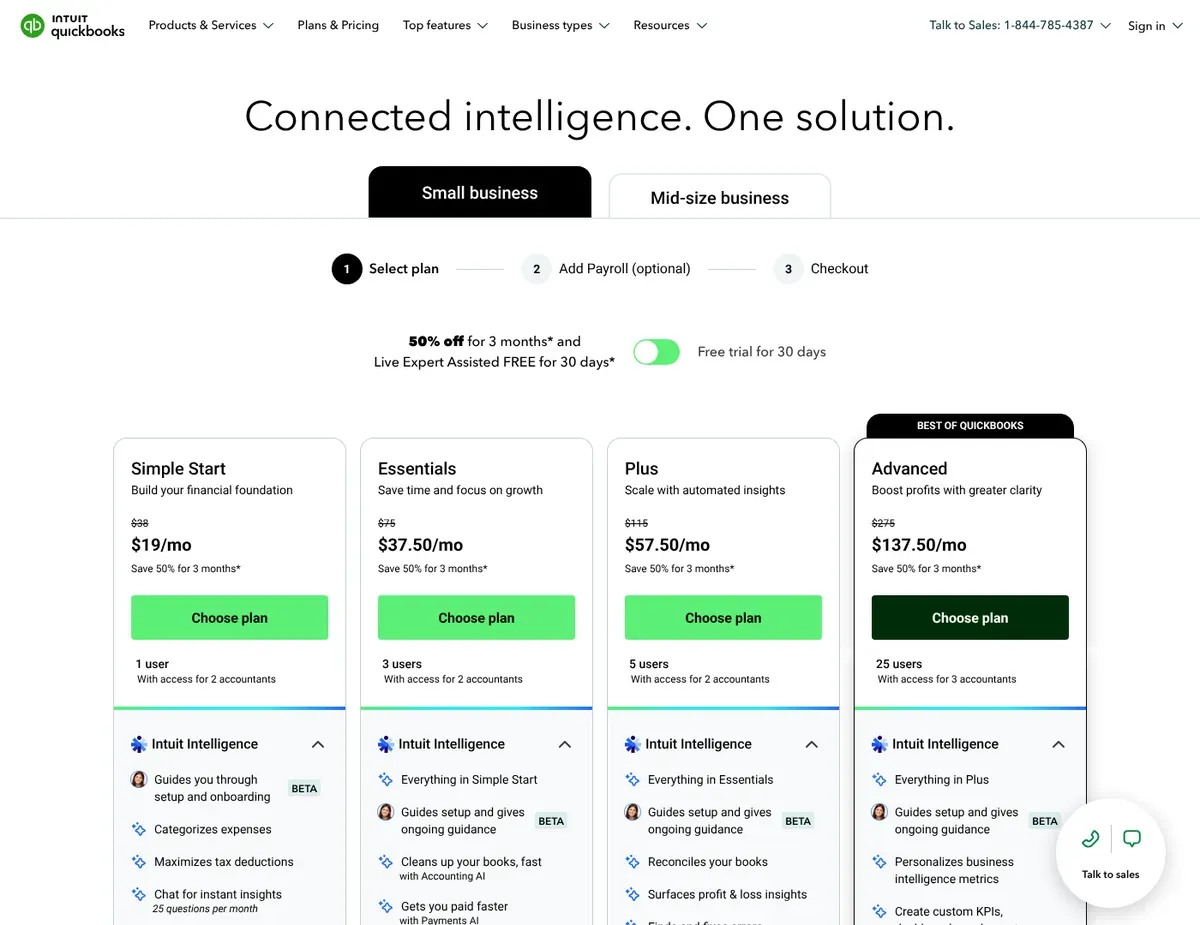
QuickBooks Online Pricing comparison grid showing plan tiers (Simple Start, Essentials, Plus, Advanced)
QuickBooks Online is built for established small businesses — particularly those with 10 to 50 employees — that need invoicing and accounting to function as a single integrated system rather than two separate tools patched together. If your business has reached the point where tax preparation, bank reconciliation, payroll, and client billing all need to live in one place, QuickBooks is the logical default. Its strength is breadth: it covers the full financial stack rather than invoicing alone.
The core accounting integration is what separates QuickBooks from everything else in this comparison. Every invoice you send automatically posts to accounts receivable, and every payment received reconciles against your bank feed without manual entry. The Essentials plan and above include multi-currency invoicing support for over 145 currencies, so international client billing doesn’t require a separate tool. QuickBooks also integrates with Stripe through the QuickBooks App Store, letting businesses accept credit card payments via Stripe directly from invoices.
The limitations are real. The Simple Start plan costs $30 per month but supports only one user — adding team members requires upgrading to Essentials at $55 per month. That jump surprises small businesses that assumed the base plan would cover a two-person finance operation.
The learning curve is steeper than FreshBooks or Wave: QuickBooks uses standard accounting terminology throughout, which can feel opaque if you don’t have a bookkeeping background. And if you only need basic invoicing with no plans to use reporting, reconciliation, or payroll, you will spend money every month on features you never open. [4]
Unlike Wave, QuickBooks Online offers integrated inventory tracking and multi-currency support across its paid tiers — but that capability comes at a recurring monthly cost that Wave avoids entirely on its free plan.
QuickBooks Online pricing shown here reflects the public pricing page as of the research date — verify current rates at https://quickbooks.intuit.com/pricing/ before publishing, as vendor pricing changes without notice.
FreshBooks
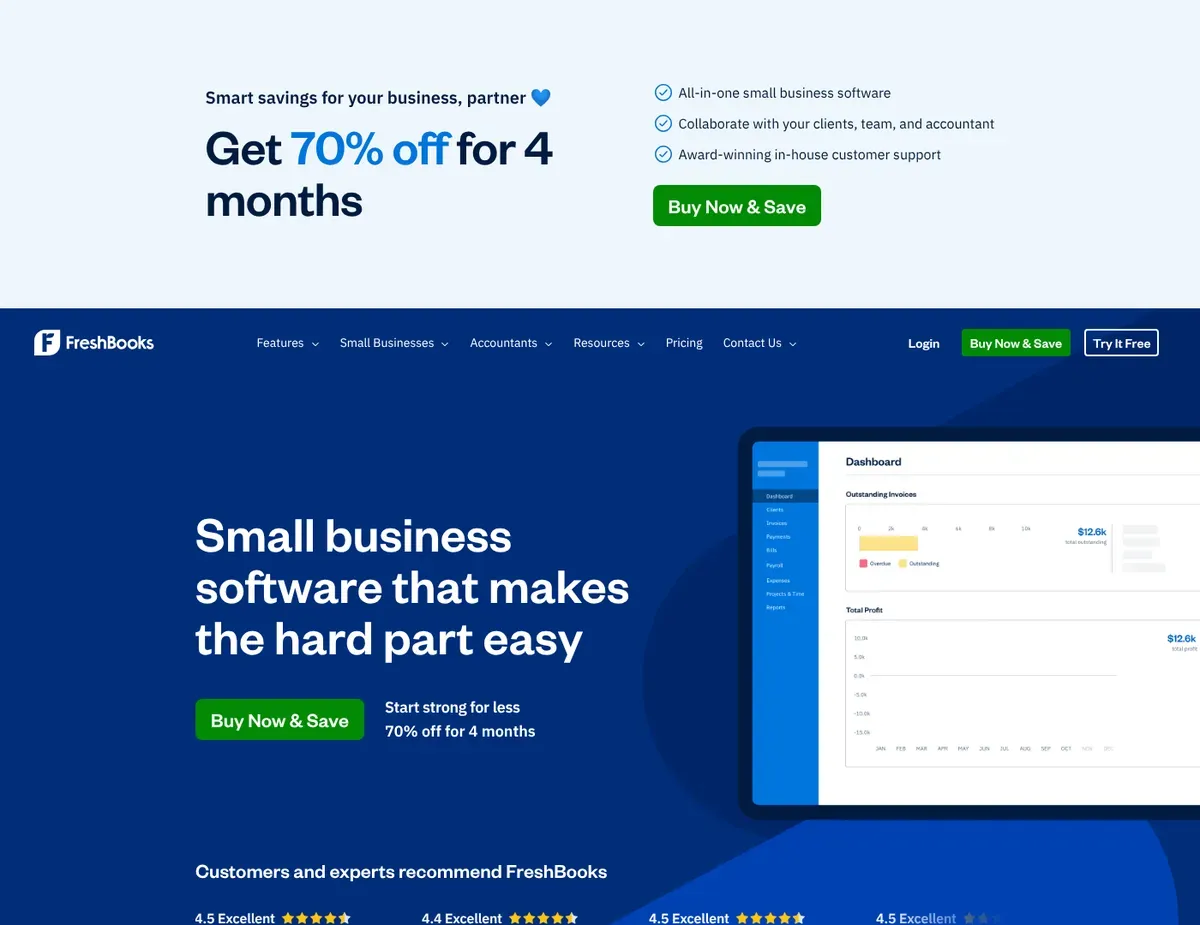
FreshBooks Invoice editor showing customizable template with client details
The practical case for FreshBooks starts with a specific workflow: your business bills clients by the hour, you need to track that time inside the same tool you use to send invoices, and you want a client portal that lets customers view invoices and project status without emailing you for updates. FreshBooks is purpose-built for that. Agencies, independent consultants, creative studios, and contractors running 5–20-person teams consistently find FreshBooks faster to adopt than QuickBooks and more capable than Wave for service-based billing.
Time tracking integrated directly with invoicing is FreshBooks’ clearest differentiator — tracked hours convert to invoice line items in one step, removing the manual transfer that service businesses using Wave or a spreadsheet must perform every billing cycle. The client portal lets customers view invoices, payment history, and project status in one self-service location, which cuts down the back-and-forth email volume that bogs down small teams. FreshBooks supports multi-currency invoicing on its Plus plan and above, and the late payment automation sends scheduled reminders without requiring manual follow-up — a genuine operational advantage when the owner is also the account manager.
The client-count ceiling on the Lite plan is the most common reason FreshBooks customers upgrade sooner than expected. At $19 per month, Lite allows billing up to 5 clients — anyone with more than 5 active client relationships needs the Plus plan at $33 per month for up to 50 clients. FreshBooks focuses on invoicing and expense tracking rather than full double-entry accounting, so complete bookkeeping requires either an external accounting tool or an integration alongside FreshBooks. Inventory management is minimal. If you sell physical products and need stock tracking, FreshBooks won’t cut it as a standalone platform.
Unlike QuickBooks Online, FreshBooks prioritizes client communication and time-based billing over comprehensive accounting — faster to set up, but requiring external integration for full bookkeeping.
FreshBooks pricing shown here reflects the public pricing page as of the research date — verify current rates at https://www.freshbooks.com/pricing before publishing, as vendor pricing changes without notice.
Wave
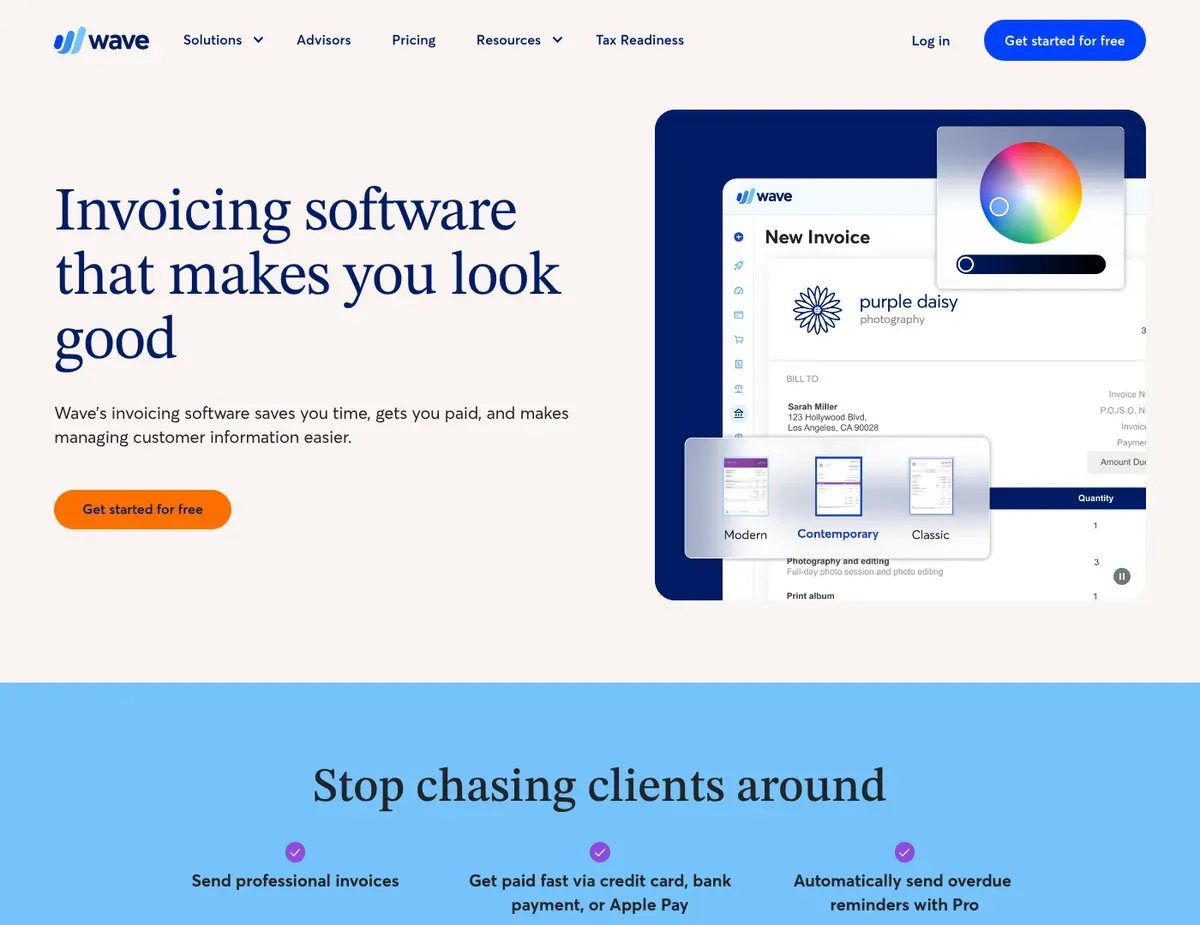
Wave Invoicing interface showing create-and-send workflow with customizable templates
For many sole proprietors and micro-businesses, cost is the deciding factor — and Wave removes it entirely. Core invoicing and accounting features cost nothing, no monthly subscription, no expiring trial. That makes Wave the only tool in this comparison you can use indefinitely without paying a recurring fee. If your invoice volume is manageable, your payment processing needs align with PayPal or Wave Payments, and you don’t need time tracking or project billing, Wave covers the operational basics at a price that is genuinely hard to argue against. [5]
Wave offers unlimited invoices and unlimited customers on its free tier, so growth alone won’t force an upgrade. Built-in income and expense tracking means you don’t need a separate accounting tool for basic bookkeeping. Multicurrency invoicing is included on the free tier, letting you bill clients in different currencies without paying a premium. The interface is intentionally simple, which shortens the onboarding time for owners without an accounting background.
The Stripe discontinuation is the clearest disqualifying limitation for a significant portion of small businesses. Wave dropped its Stripe integration in 2024, leaving PayPal and Wave Payments as the only options — switching processors is not a trivial operational change if your clients are already used to paying via Stripe. The free tier supports only one sales tax rate, which creates manual calculation work for businesses operating across multiple states or tax jurisdictions. There’s no project tracking or time billing, meaning service businesses that bill by the hour must use separate tools and manually enter billable hours into invoices every cycle — a workflow gap that compounds as client counts grow. Team size limits aren’t clearly documented in public materials, so if your business has more than five team members, verify user access constraints before committing.
Unlike FreshBooks, Wave has no integrated time tracking. Service businesses that bill hourly will need separate tools and a manual transfer step every billing cycle — worth factoring in before you assume free means simple.
Wave discontinued its Stripe integration in 2024 — businesses already using Stripe must switch to PayPal or Wave Payments; verify current payment options at https://www.waveapps.com/payments before selecting Wave.
Zoho Invoice
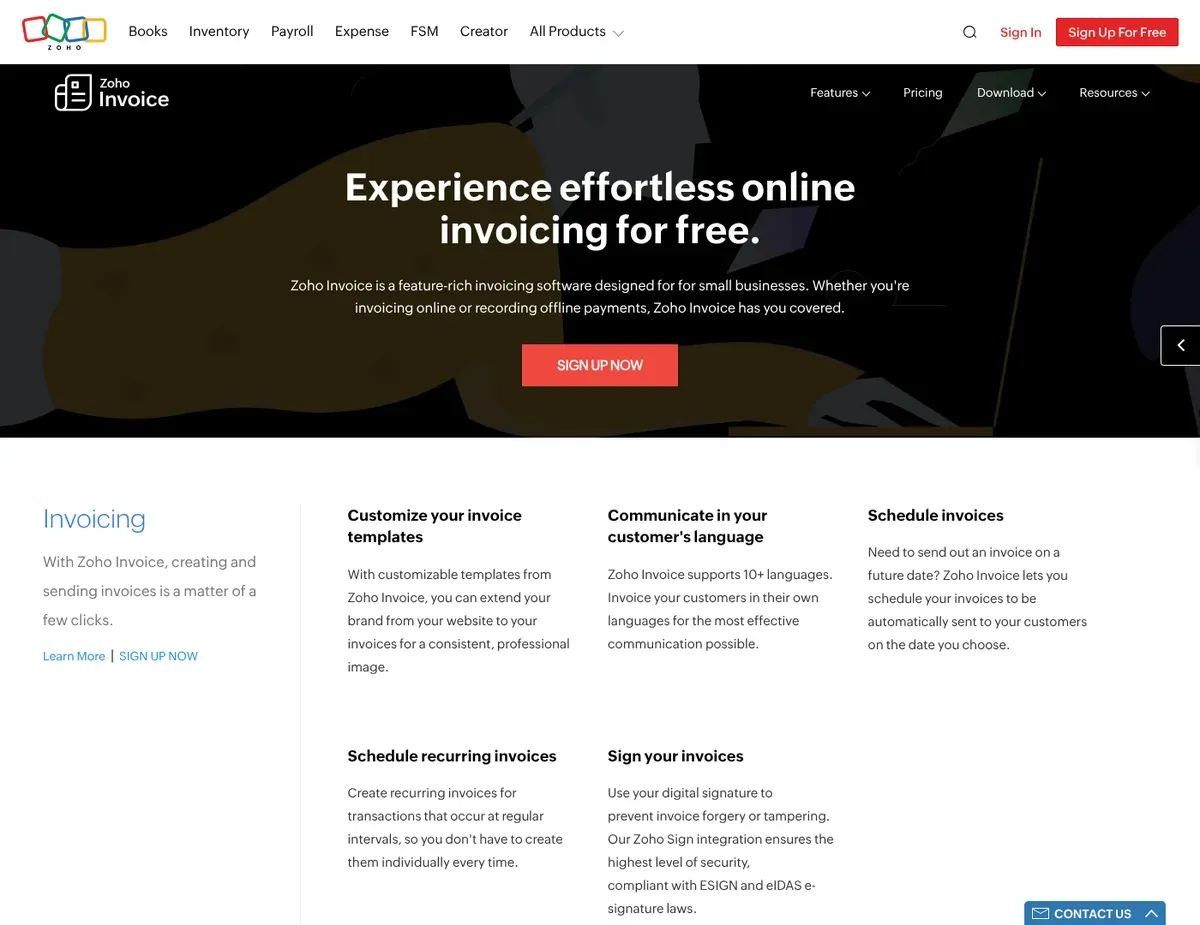
Zoho Invoice Automation workflow builder showing conditional triggers for payment reminders
If your business already runs on the Zoho platform — CRM, Projects, Books — Zoho Invoice isn’t really a candidate you’re evaluating. It’s the default invoicing layer. The native integration between Zoho Invoice and Zoho CRM means client data flows into invoices without manual re-entry, and the automation workflows built into the free tier go substantially beyond what Wave or even some paid tools offer at the entry level.
The free tier’s automation capability is Zoho Invoice’s most underrated strength. Automatic payment reminders, recurring invoice generation, and late fee application all run without manual intervention on the free plan — a level of workflow automation that competitors typically reserve for paid tiers. Multi-currency invoicing is included on the free tier, with support for custom currencies and exchange rate tracking for international billing. Zoho Invoice integrates with Stripe across its plans, letting you accept online payments through Stripe alongside other payment gateways. Customizable invoice templates and branding options deliver professional client-facing output without requiring a premium subscription for most core features.
The 1,000-invoice-per-year cap on the free tier is the constraint that matters most for growing businesses. At just under 84 invoices per month, you hit the ceiling — and businesses in a growth phase cross that threshold faster than they expect. When that cap is hit, paid plans start at $10 per month for the Standard tier. Zoho Invoice is a dedicated invoicing tool without full accounting capabilities; businesses needing complete double-entry bookkeeping must connect to Zoho Books or another accounting solution, which adds both cost and complexity. The free tier supports only one user per organization, meaning teams with more than one person handling billing need to move to a paid Zoho Books subscription for multi-user access. The Zoho interface and ecosystem approach also carry a learning curve for teams unfamiliar with Zoho’s product conventions.
Unlike Wave, Zoho Invoice offers robust automation workflows — payment reminders, recurring invoices, late fees — even on the free tier. The trade-off is that 1,000-invoice annual limit, which Wave’s free plan doesn’t impose.
Zoho Invoice pricing shown here reflects the public pricing page as of the research date — verify current rates at https://www.zoho.com/invoice/pricing/ before publishing, as vendor pricing changes without notice.
Xero
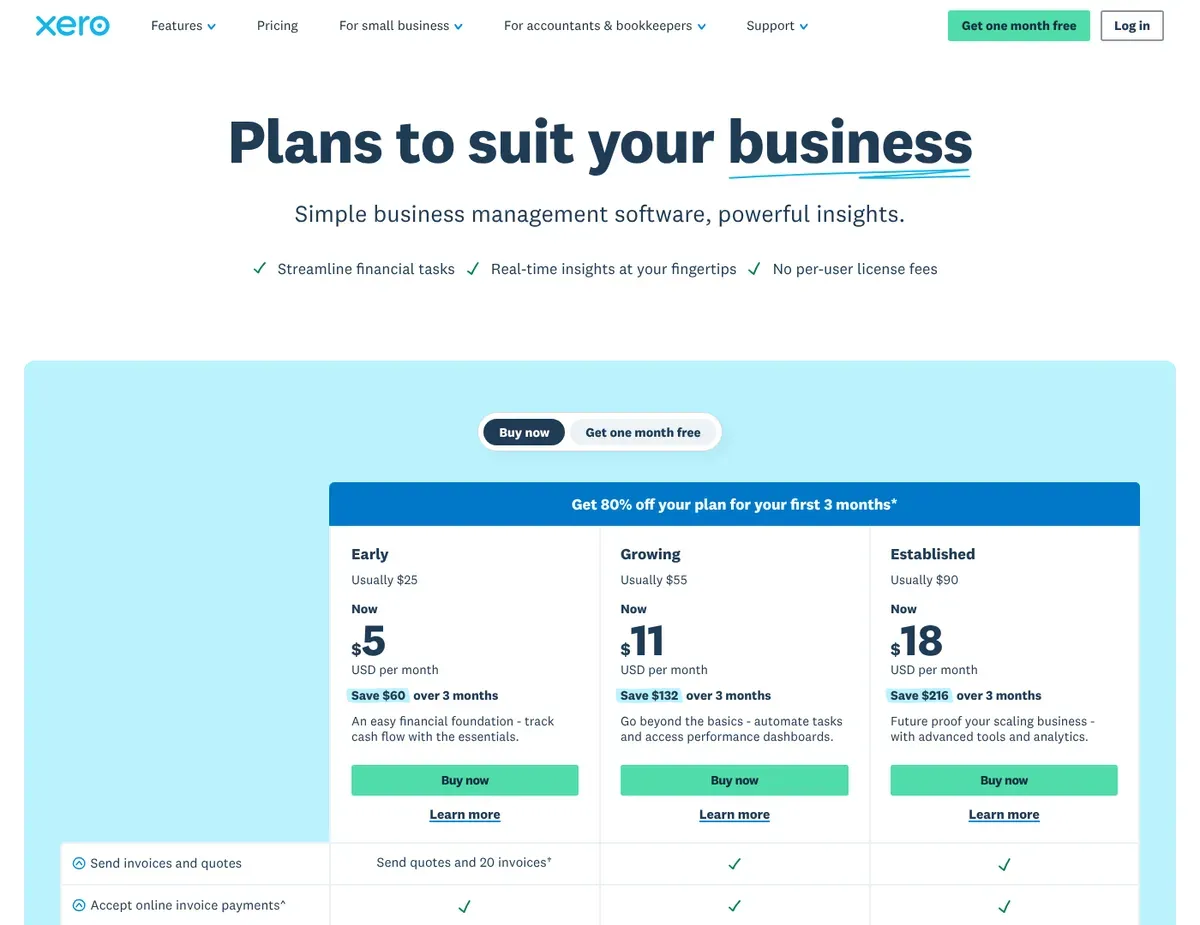
Xero Pricing comparison page showing three tiers with invoice and bill limits
Xero’s most distinctive structural advantage has nothing to do with invoicing features. It’s the unlimited user policy across all pricing plans. Every other tool in this comparison imposes some form of user limit at the entry tier — QuickBooks restricts Simple Start to one user, Zoho Invoice restricts its free tier to one user, FreshBooks charges per additional team member. Xero includes unlimited users on all pricing plans. That makes it the natural fit for small businesses with five or more people who need access to invoicing and accounting data without paying per-seat penalties.
Xero provides full double-entry accounting with automatic bank reconciliation integrated with invoicing across all plans, reducing manual data entry and keeping financial records current with each payment received. The platform’s 800+ app integrations cover major payment processors and e-commerce platforms, giving you flexibility in how you connect Xero to your existing stack. Stripe integration is available across all pricing plans, so you can accept credit card payments via Stripe directly through invoices. The Established plan at $42 per month adds multi-currency support for over 160 currencies — the most comprehensive international billing option among the five tools reviewed here.
The invoice volume ceiling on the entry plan is the primary adoption barrier. Xero’s Starter plan costs $15 per month but limits you to 20 invoices and 5 bills per month — a constraint that disqualifies the entry tier for the majority of businesses with regular billing cycles. The Growing plan at $31 per month is the realistic starting point. Multi-currency invoicing requires the Established plan at $42 per month, the highest mandatory cost for international billing in this comparison. And Xero doesn’t include built-in US payroll processing — businesses that need payroll must integrate Gusto or another third-party provider, adding cost and a separate vendor relationship.
Unlike QuickBooks Online, Xero requires third-party integration for US payroll rather than offering native payroll processing. The payoff is unlimited users on every plan — a structural advantage QuickBooks doesn’t match at any tier.
Xero pricing shown here reflects the public pricing page as of the research date — verify current rates at https://www.xero.com/pricing/ before publishing, as vendor pricing changes without notice.
Scenario recommendations
Use these scenarios to identify which software aligns best with your business size and workflow.
Scenario 1 – Sole proprietor or micro-business with a tight budget: If you have 1–5 employees, send a manageable number of invoices, and have no immediate need for time tracking or multi-user access, start with Wave. The free core tier delivers unlimited invoices, basic income and expense tracking, and multicurrency support without a monthly subscription fee — a genuine operational advantage when software costs matter. One check to make before you commit: payment gateway. If your clients pay via Stripe, Wave’s 2024 discontinuation of that integration is a hard disqualifier. Decide whether switching to PayPal or Wave Payments is operationally feasible before signing up.
Scenario 2 – Service business billing clients by the hour: FreshBooks is the clear call for agencies, consultants, and contractors whose billing is time-based rather than product-based. Integrated time tracking converts logged hours into invoice line items in one step, cutting the manual entry that every other tool here requires — and the client portal reduces the administrative back-and-forth that eats up small teams’ time. Two constraints worth knowing upfront: the Lite plan’s 5-client ceiling means most businesses with an active roster will need the Plus plan at $33 per month, and FreshBooks doesn’t offer full double-entry accounting, so if your business also needs bookkeeping, plan to connect an external accounting tool.
Scenario 3 – Growing business needing full accounting integration: At the 10–50 employee range, where invoicing, bank reconciliation, reporting, and accounting all need to function without manual data transfers between systems, QuickBooks Online is where most businesses land — and for good reason. The full double-entry accounting integrated with invoicing and the 650+ app ecosystem make it the most complete financial platform in this comparison at that scale. Budget accordingly: the Simple Start plan at $30 per month is limited to one user, so teams needing multi-user access should plan for the Essentials plan at $55 per month. Owners without an accounting background should also expect a steeper initial learning curve than FreshBooks or Wave.
Scenario 4 – Business already using Zoho CRM or other Zoho products: Zoho Invoice is the obvious invoicing layer when your business already runs on the Zoho platform. The native CRM-to-invoice data flow eliminates duplicate client entry, the automation workflows — payment reminders, recurring invoices, late fees — activate on the free tier rather than requiring a paid upgrade, and multi-currency invoicing is included without an additional plan cost. Plan around two constraints: the 1,000-invoice annual cap on the free tier and the one-user restriction. Businesses expecting to exceed 83 invoices per month or needing multiple team members on billing should budget for the Standard plan at $10 per month, and review whether a Zoho Books subscription is warranted for multi-user access at https://www.zoho.com/books/pricing/.
Setup guide
Follow these steps to configure your account and start sending invoices efficiently.
The setup steps below apply broadly across the five platforms reviewed, with product-specific notes where workflows differ.
- Create your account and configure business profile. Start with your legal business name, address, and tax identification number. QuickBooks and Xero will also prompt you to set up your chart of accounts during this step — don’t skip this, as it affects how invoices post to your accounting records. Wave and Zoho Invoice require only basic business details to get started.
- Upload branding assets. Add your logo, set brand colors, and configure your invoice template before sending anything to clients. FreshBooks and Zoho Invoice offer template customization on free and entry-level plans. Xero and QuickBooks provide multiple template options; Zoho Invoice’s advanced branding features may require a paid plan.
- Connect your payment gateway. For QuickBooks Online, navigate to the Payments section and connect Stripe via the QuickBooks App Store. For FreshBooks and Xero, connect Stripe through the Integrations settings. For Zoho Invoice, connect Stripe under Settings → Payment Gateways. For Wave, connect PayPal or Wave Payments — Stripe is no longer supported as of 2024.
- Configure tax rates. Enter the applicable sales tax rates for your jurisdiction. Wave’s free tier supports one tax rate; if your business operates across multiple states, note this constraint before finalizing your platform choice. QuickBooks, Xero, and FreshBooks support multiple tax rates on standard plans.
- Create and send a test invoice. Before billing any real client, send a test invoice to yourself. Verify that the payment link works, the branded template displays correctly, and the email lands in the inbox rather than spam. Confirm that the payment posts correctly to your accounting records (QuickBooks and Xero) or to your transaction log (Wave and FreshBooks).
- Migrate existing client data. If switching from spreadsheets, import client records using the CSV import function available in QuickBooks, Xero, and Zoho Invoice. FreshBooks also supports CSV import for clients and invoices. Wave offers manual entry or limited CSV import depending on the data type. If switching from another invoicing platform, export all open invoices as PDF records before deactivating the old account, and notify clients of any payment link changes before the transition date.
- Onboard additional team members. For QuickBooks, remember that Simple Start supports only one user — add team members after upgrading to Essentials. For Xero, invite team members directly at no added cost across all plans. For Zoho Invoice’s free tier, note the one-user limit; additional users require a Zoho Books paid subscription.
FAQ
These answers address common questions about feature limits, migration, and payment processing.
Q: Which invoicing platform best supports a team with limited accounting background and no dedicated finance staff?
FreshBooks is the strongest fit for small teams with no finance specialist on staff. Its interface is designed for non-accountants — time tracking, expense logging, and invoice creation are built around simple workflows rather than accounting terminology. If your business will eventually need full bookkeeping, QuickBooks Online is the longer-term answer, but the learning curve is steeper and the setup time is longer. Wave is also accessible for very simple operations, but the lack of time tracking and the 2024 Stripe discontinuation create workflow gaps for teams billing service hours or relying on Stripe for payments.
Q: How do I determine if my business needs multi-currency support when selecting invoicing software?
If any client pays you in a currency other than your home currency — even occasionally — you need multi-currency invoicing enabled on the plan you purchase, not as a future upgrade. Wave and Zoho Invoice both offer multicurrency invoicing on their free tiers, making them the lowest-cost entry points for international billing. FreshBooks adds multi-currency on its Plus plan at $33 per month; Xero requires the Established plan at $42 per month. QuickBooks Online includes multi-currency support on its Essentials plan and above, covering over 145 currencies — verify the specific currency list at https://quickbooks.intuit.com/global/en/features/multicurrency/ if your clients are in less common markets.
Q: What features are actually usable on each platform’s free or lowest-cost tier before forced upgrades kick in?
Wave’s free tier is the most genuinely functional at zero cost — unlimited invoices, unlimited customers, basic accounting, and multicurrency are all included without a time limit or volume cap, aside from the Stripe payment gateway limitation. Zoho Invoice’s free tier adds strong automation (reminders, recurring invoices, late fees) but caps at 1,000 invoices annually and one user. Xero’s $15 Starter plan is the most limited paid entry tier in this group: 20 invoices per month and 5 bills per month disqualify it for most active businesses, making the $31 Growing plan the realistic starting point. FreshBooks Lite at $19 per month is usable for businesses with 5 or fewer billable clients, but the client ceiling makes it a short-term tier for most growing service businesses.
Q: What is the safest way to migrate existing client billing data from spreadsheets to invoicing software without disrupting recurring payments?
The safest migration sequence: first, export all current client records and open invoice data as CSV files; second, import them into the new platform before activating any payment processing; third, send a notification to clients advising them of the new payment link format before the switch date. QuickBooks, Xero, and Zoho Invoice all support CSV import for clients and invoices, which reduces manual re-entry risk. For businesses with recurring billing, pause automated recurring invoices in the old system before configuring them in the new one — running both simultaneously will result in duplicate client charges. Don’t deactivate your old invoicing account until all outstanding invoices are paid and confirmed in the new platform.
Q: How do I verify that payment reminders and recurring invoices are sending correctly after initial setup?
After configuring automated reminders in FreshBooks, Zoho Invoice, or QuickBooks Online, send a test invoice to an email address you control and trigger the reminder manually to confirm delivery and formatting. Check your email sending domain settings — if you’re using a custom domain for outgoing invoices, verify that SPF and DKIM records are correctly configured to prevent reminders from landing in client spam folders. For recurring invoice automation, let the first automated cycle run without intervention and then audit both the sent invoice log in the platform and your client’s acknowledgment before assuming the workflow is operating correctly. In Zoho Invoice specifically, review the automation workflow triggers under Settings to confirm the reminder schedule matches your billing terms.
Final verdict
For the best invoicing software for small business overall, QuickBooks Online leads for established businesses in the 10–50 employee range that need invoicing and accounting in one platform. The full double-entry accounting integration, 145+ currency support on Essentials and above, and Stripe compatibility through the App Store justify the $30–$55 per month cost for businesses at that scale. The trade-off is the learning curve and the per-user pricing structure that makes team access expensive at the base tier.
Wave is the top pick for sole proprietors and micro-businesses that need zero monthly cost and have no dependency on Stripe. The unlimited invoice volume and basic accounting features are genuinely sufficient for simple billing operations — just confirm payment gateway compatibility before committing.
FreshBooks is the best invoicing software for small service businesses — agencies, consultants, and contractors billing by the hour will find the time-tracking-to-invoice workflow faster than any alternative here. The Plus plan at $33 per month covers most growing service businesses comfortably.
Xero is the strongest choice when unlimited user access and full accounting integration are both required without per-seat cost. Zoho Invoice wins for businesses already operating in the Zoho ecosystem and wanting free-tier automation that genuinely delivers without an immediate upgrade.
Sources
- ↑ QuickBooks — features page — https://quickbooks.intuit.com/features/
- ↑ QuickBooks — pricing page — https://quickbooks.intuit.com/pricing/
- ↑ Wave — payments page — https://www.waveapps.com/payments
- ↑ FreshBooks — pricing page — https://www.freshbooks.com/pricing
- ↑ Wave — pricing page — https://www.waveapps.com/pricing

Leave a Reply