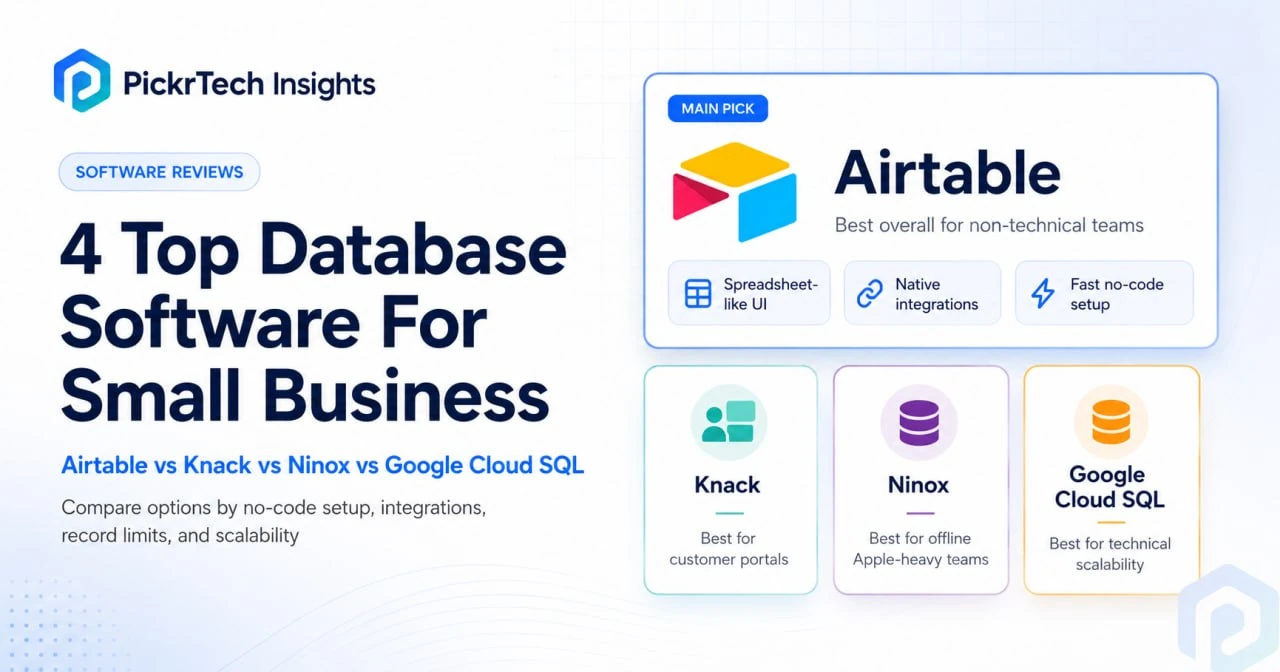
The four tools weighed in this guide: Airtable, Knack, Ninox, and Google Cloud SQL
Quick answer: These are four different kinds of system, not four versions of one product, so pick the type before you pick the brand. Airtable is the internal team database for people who don’t code (free to 1,000 records per base, then $20 per editor per month). Knack is the one to use when the people typing into the database are your customers ($49/month billed annually, unlimited logins). Ninox suits field teams that need the installed apps to keep working offline (free to 5,000 records; €25 per user per month after). Google Cloud SQL is a raw managed MySQL backend with no interface at all — sensible only when a developer owns it. Prices and limits below were checked against each vendor’s official pricing documentation on 7 August 2026.
First, make sure “database” is the right word for your problem
Searches for small-business database software land on wildly different needs, and half the disappointment comes from picking the wrong category rather than the wrong brand. This guide covers general-purpose systems that hold your own tables and relationships. It does not cover CRMs, which are pre-built around contacts, deals, and pipeline stages and will beat a general database at sales tracking every time. It also does not cover dedicated stock systems: if the records you care about are units, SKUs, and reorder points, the inventory tools comparison is the right page. And if you’re not yet convinced you need to leave your sheets at all, the spreadsheet-versus-software thresholds are worth reading first — plenty of businesses at this stage still shouldn’t migrate.
Four kinds of database, and what each one is not
The most common way this decision goes wrong is scoring all four against one feature checklist, as if they competed on the same axis. They don’t. Airtable and Knack are both no-code platforms, but one builds an interface for your staff and the other builds one for your customers. Ninox is a low-code app whose installed versions also run offline. Cloud SQL is a managed MySQL server with no front end whatsoever. Match the system type first; the product usually follows.
| System type | Who actually types into it | Example here | What it is not |
|---|---|---|---|
| Internal no-code relational database | Your own staff, through views and forms you design | Airtable | Not a customer-facing portal without add-ons or a third-party front end |
| External-facing portal database | Customers, applicants, members, contractors | Knack | Not a lightweight internal scratchpad — you model roles and pages up front |
| Offline-capable low-code database | Field staff on phones, tablets, and Macs away from connectivity | Ninox | Not a plug-and-play integration hub; most SaaS connections need API or scripting work |
| Managed developer database | Nobody, directly — an application your developer builds talks to it | Google Cloud SQL | Not a product a non-technical team can operate; there is no form builder |
The decision sequence: six questions in order
Answer these in sequence and stop at the first one that gives you a clear steer. Later questions only matter if the earlier ones didn’t decide it.
- Is the spreadsheet actually failing? Version confusion, broken lookups, two people overwriting each other, or rules you can’t enforce — those are database problems. Slowness alone usually isn’t. If nothing here bites yet, stay put.
- Do people outside your business need to log in? If yes, that is the deciding factor and per-seat pricing becomes the wrong shape. Go to Knack. If no, keep going.
- Does data entry happen where there’s no connection? Vans, sites, warehouses, rural rounds. If yes, offline-capable installed apps decide it. Go to Ninox and test on the exact device before committing.
- Will a developer own this system a year from now? Not “could we hire one” — will someone in-house maintain schemas and a front end? Only if yes does Cloud SQL belong on the list.
- How much data, and how tangled? Under about 50,000 records with straightforward links, all three no-code options cope. Past that, or with deep multi-table joins and reporting, plan tiers and query limits start driving the answer rather than features.
- Who edits versus who only reads? This decides your bill more than the sticker price does — see the cost section below.
Whichever way you lean, five minutes of prep before you migrate anything saves hours of rework: identify the records that change weekly (those drive your table design), decide who can view, edit, approve, and export each table, separate active records from historical ones, note whether forms, dashboards, or customer-facing portals are required, and plan backups and exports before the tool becomes business-critical.
Plans and limits as published in August 2026
Note how differently these four meter usage. Airtable counts editing seats and records per base, Knack counts records in one pool and doesn’t count users at all, Ninox counts seats and grants records per seat, and Cloud SQL counts running hours and provisioned gigabytes. That difference, not the headline price, is what makes the invoices diverge.
| Product | Entry price | What is metered | Free / trial | Record ceiling |
|---|---|---|---|---|
| Airtable | Team $20/editor/mo annual ($24 monthly) | Collaborators with Commenter permission or above, plus records per base | Free plan: 5 Editor/Creator seats, 1,000 records per base | 1,000 (Free) → 50,000 (Team) → 125,000 (Business), counted across all tables in a base [2] |
| Knack | Starter $49/mo annual ($59 monthly) | Records and apps only — logins are unlimited and unpriced | 14-day trial, no free plan | 20,000 (Starter) → 50,000 (Pro) → 125,000+ (Corporate) [3] |
| Ninox | Team €25/user/mo annual, ex. VAT | Seats; storage, records, and API calls scale per seat | Free plan: 5 users, 5,000 records, indefinitely | 5,000 (Free) → 50,000 per user (Team) → 250,000 per user (Business) [4] |
| Google Cloud SQL (MySQL) | db-f1-micro $0.0105/hour plus storage | Instance hours, provisioned storage, egress | $300 credit for 90 days; separate 30-day Cloud SQL trial instance | No per-record cap; provisioned storage is the practical limit [5] |
What year one actually costs (5 people, ~10,000 records)
Assumptions: five people who all need to work in the system, roughly 10,000 business records, annual billing where offered, list prices as published on 7 August 2026, and for Cloud SQL the Iowa (us-central1) region on Enterprise edition without high availability or committed-use discounts. These are calculated from published rates, not quotes; your region, currency, and tax treatment will move them.
- Airtable — $1,200. The free plan fails at 1,000 records, so this team lands on Team: 5 × $20 × 12. [1]
- Knack — $588. Starter’s 20,000-record allowance covers 10,000 comfortably, and the figure doesn’t move whether three people log in or three hundred. [3]
- Ninox — €1,500 before VAT. The Free plan stops at 5,000 records, so five Team seats at €25: 5 × €25 × 12. Record headroom is not the constraint here — Team lists 50,000 records per user. [4]
- Google Cloud SQL — about $124 in infrastructure, or about $612 if you need the SLA. A db-f1-micro instance running continuously is $0.0105 × 8,760 hours = $91.98, plus 10 GiB of SSD at $0.000232877 per GiB-hour = $20.40, plus roughly $11 a year if you pull 5 GiB a month out to the internet at $0.19 per GiB. The catch is in the footnotes of the pricing page: shared-core machine types are not covered by the Cloud SQL SLA. The cheapest instance Google will stand behind is a single dedicated vCPU with 3.75 GiB of memory, which works out at ($0.0413 + $0.02625) × 8,760 + storage ≈ $612 a year — within a few dollars of Knack, with none of the interface. [5]
Three costs that don’t appear on the pricing page
- Airtable bills commenters, not just editors. On the Team plan, every collaborator with Commenter permission or above is billable; only Read-only collaborators are free. Downgrading a colleague to “just comments” to save money does nothing. Add two commenters to the five-person team above and you’re at seven billable seats, or $1,680 a year. [2]
- Knack’s portal users consume your record allowance. Logins are unlimited and free, but each user is stored as a record. A directory with 3,000 registered customers spends 3,000 of Starter’s 20,000 records before you’ve logged a single order. Starter has no record add-on either — Pro is where extra capacity can be bought, at $42/month for 15,000 more records — so hitting the ceiling means a jump to $110/month, not a top-up. [3]
- Ninox restarts your subscription cycle when you add seats. Adding users counts as an upgrade and begins a fresh term from that date: Ninox’s own example has an annual plan started in April 2026 running to March 2028 after seats are added in March 2027. Model likely headcount growth before you commit annually. [4]
Decision shortcut: external users in the picture → Knack’s flat $588 wins outright, and gets further ahead the more people log in. Internal tool, non-technical team, rich views → Airtable, with edit rights kept deliberately tight. Offline field entry → Ninox, seat count fixed before the annual term starts. Developer on staff and no per-record ceiling acceptable → Cloud SQL, with budget alerts set on day one and a clear-eyed view that the $124 version carries no SLA.
How each option fits — and where it bites
Airtable: the default when a non-technical team outgrows spreadsheets
If you want out of scattered spreadsheets without writing code, Airtable is the safest first move. The Interface Designer lets you build forms and dashboards around your data structure, and each person sees only the fields and records relevant to their job through role-specific views. The same data appears as a grid, a kanban board, a calendar, or a form, each filtered differently, and automations fire on record changes. Native integrations with Google Workspace, Slack, and Zapier cover most small-business plumbing, and the template library ships pre-built CRM, inventory, and project trackers, so a launch takes days rather than weeks.
The free plan has two real ceilings: 1,000 records per base and five Editor or Creator collaborators. A retail business logging daily transactions exhausts the record cap in weeks; a six-person team hits the seat cap on day one regardless of data volume. Team lifts each base to 50,000 records — a cumulative figure, so splitting one table into three doesn’t buy headroom. Past pricing, the honest limits are analytical: relational queries beyond linked records need scripting or external tools, the Interface Designer doesn’t do SQL-level filtering, and attachment storage is capped per tier, so product photos eat quota fast. Where Knack hands you an auto-generated portal, Airtable makes you design the interfaces yourself — more setup up front, but views that match your exact internal workflow.
⚠ Caution: Airtable bills per collaborator, not per team, and on Team that includes commenters. A five-person team where everyone works in the data pays $100/month, not $20 — and the free plan’s five-seat cap can force that upgrade long before you approach 1,000 records. Read-only is the only free permission. Plan details are on Airtable’s official pricing page.
Knack: built for customer-facing portals and directories
Choose Knack when the database’s real audience is external — a job board where applicants submit résumés, an order-tracking page customers check themselves, a client directory. Define your tables and relationships and the platform generates the user-facing side (entry forms, search views, dashboards) directly from the data model, with no manual UI work. Role-based access is built in, so external users see only what you expose, and a REST API plus webhooks connect the database to your website. The pricing model is the quiet selling point: you pay for records and apps, never per seat.
Starter runs $49/month billed annually ($59 monthly) with 20,000 records, 2 GB of storage, three apps, and one shared builder; Pro is $110/month annually ($130 monthly) with 50,000 records and unlimited apps; Corporate starts at $250/month annually ($300 monthly). The Starter-to-Pro jump arrives faster than teams expect, because line items and portal users both count as records — an invoicing app with 20 products per order burns the allowance quickly. Starter also omits several things small businesses assume are standard: custom domains, branding removal, custom CSS or JavaScript, scheduled tasks, e-commerce payments, and two-factor authentication for app users all begin at Pro. Against Airtable, the trade is speed for control — Knack ships a working portal from your data model in an afternoon; Airtable gives finer interface design at the cost of building it yourself.
⚠ Caution: The $19/month you may see on Knack’s Starter tier is a new-customer offer covering the first three months only. Budget at the standing rates: $59/month monthly, about $49/month on annual billing, with Pro at $130 or about $110. Current pricing is on Knack’s official pricing page.
Ninox: for teams working offline in the field
Ninox earns a look when offline access is a hard requirement, but the product generation matters. Ninox documents its installed apps for iPhone, iPad, Mac, and Android as supporting offline work, and the paid Team and Business plans include access to Ninox 3 Professional, where those installed apps live. The newer AI-native platform is a separate lineage, so a field team should test the exact device and offline workflow it plans to use before committing to an annual term — this is documented capability, not something PickrTech has measured on your hardware. Ninox’s other strength is low-code scripting: commission calculations, stock updates, and conditional workflows can be handled inside the system instead of being pushed into an external automation service.
The free plan is genuinely usable and doesn’t expire — 5 users, 5,000 records, 100 MB of storage, 1,000 API calls a month. Paid usage runs through two seat-based tiers: Team at €25 per user per month and Business at €40, both billed annually and both excluding VAT. Ninox now publishes the capacity that comes with each seat, which removes the guesswork that used to surround this product: Team grants 50,000 records, 5 GB of storage, and 10,000 API calls per user; Business grants 250,000 records, 10 GB, and 50,000 API calls per user, plus unlimited change history against Team’s 30 days. One honest gap remains: connecting to tools such as Xero, QuickBooks, or HubSpot may need API or scripting work rather than the plug-and-play connectors competitors offer. Compared with Knack, Ninox trades drag-and-drop simplicity for programmatic depth — and you maintain that logic yourself.
⚠ Caution: Adding seats mid-term restarts your subscription cycle — Ninox’s own FAQ example has an annual plan begun in April 2026 running through to March 2028 after users are added in March 2027. Fix your seat count before starting an annual subscription. Details are in the FAQ on Ninox’s official pricing page.
Google Cloud SQL: for developer-owned custom apps
Cloud SQL is the odd one out, deliberately. Where the other three abstract the database away, it hands you a managed MySQL backend on Google’s infrastructure — automated backups, patching, high availability available as an option, no DBA on payroll. If your business is building custom web applications or data pipelines on standard SQL, this is that infrastructure without the self-hosting overhead. Billing works like infrastructure too: you pay for the running instance, provisioned storage, and network egress, not per query, and the meter runs whether anyone uses the database that day or not.
The steep part is everything around the database. You design schemas, write queries, and understand indexes and normalization yourself. There is no form builder and no generated interface — out of the box, Cloud SQL is an admin console and a command line, and end users see nothing. Giving non-technical staff a usable data-entry screen means connecting AppSheet, building a web app, or writing Apps Script tooling. That front-end work is the real cost line, and it’s why this belongs on your shortlist only if someone in-house can build it. The contrast with Airtable is convenience versus ceiling: Airtable gives you forms on day one and a 50,000-record cap per base; Cloud SQL gives you nothing on day one and no per-record ceiling.
⚠ Caution: Two things catch small teams here. First, the cheapest shared-core instances are excluded from the Cloud SQL SLA, so the $9-a-month option is not the one to build a business process on. Second, the $300 new-customer credit lasts 90 days; if it runs out or expires without upgrading to a paid billing account, the trial account closes, resources stop, and after a 30-day grace period they are permanently deleted. Set budget alerts on day one and model your setup against Cloud SQL’s official pricing page before pointing an app at it. [6]
Once you’ve picked: moving your data and proving it worked
The migration itself is short if you prepare. Map your core tables and their relationships first — customers, orders, products, inventory — then export each spreadsheet as CSV and import one table at a time. Airtable, Knack, and Ninox all map spreadsheet columns to fields in a visual importer; Cloud SQL wants a MySQL dump or INSERT statements, which is one more reason non-technical teams should stay with the no-code three. For the full step-by-step, use the Move from Spreadsheets to Airtable guide, or the Sortly inventory setup guide if stock tracking is your immediate need.
Before you migrate everything, run a 100–500 row pilot and treat these four checks as the pass condition. Miss any of them and fix the export, not the destination:
- Row count matches the source exactly. A short count almost always means a delimiter or encoding problem, not a dropped record.
- Dates, currency, and phone numbers survived the trip. These are where stray symbols, leading spaces, and regional date formats surface.
- Linked records resolve. Open three orders and confirm each still points at the right customer, rather than to a text field that looks like one.
- Permissions behave. Log in as the most restricted role and confirm the fields you meant to hide are genuinely invisible — especially on Knack, where that role is a customer.
Frequently asked questions
Do I need a database or a CRM?
If almost everything you’re tracking is people you sell to — leads, conversations, deals, follow-ups — a CRM will do it out of the box and a general database will make you rebuild all of that yourself. Choose a general database when your core records are things rather than relationships: jobs, assets, orders, stock, projects, applications, memberships. Plenty of small businesses end up with both, and that’s fine; the mistake is expecting one to do the other’s job well.
What is the safest way to migrate spreadsheets to a database?
CSV import, one table at a time, smallest table first. Export each sheet, map columns to fields, and run the pilot described above before the full load. Clean date formats, stray currency symbols, and leading spaces in Excel before importing rather than fixing them in the destination. Cloud SQL is the exception: it wants SQL INSERT statements or a helper tool, which is one more reason non-technical teams should stick with the visual importers.
How do we roll it out without disrupting work?
Run it in two phases. First a pilot: two or three people use the new system in parallel with the spreadsheet for a week or two, entering records in both and flagging anything that slows them down. Then the cutover: migrate historical data, train the team in a 30-minute session, and make the old spreadsheet read-only rather than deleting it. Expect friction in week one; week two is usually calm.
So which database software should a small business choose?
For most small teams that have outgrown spreadsheets and still need something a non-technical person can run, Airtable is the pick. The Interface Designer, collaboration model, and integration ecosystem make it the safest first upgrade, and at about $1,200 a year for a five-editor team it’s a cost you can see coming — provided you keep edit and comment rights tight. If Airtable looks like your answer, the Move from Spreadsheets to Airtable guide is the next step.
The other three win on specifics rather than on balance. Knack is the call whenever the database’s real audience is your customers — flat pricing and auto-generated portals for roughly $588 a year, as long as you watch the record pool that those users sit in. Ninox wins where the workday happens offline, on whatever device the crew carries, and now publishes clear per-seat capacity to plan against. Cloud SQL is the right foundation only when a developer owns it and the ceiling matters more than the on-ramp — and its honest price is the SLA-backed $612, not the headline $124. Match the system type to where your team actually spends its time in the data, and the product choice mostly makes itself.
Next steps
- Not sure you should leave spreadsheets yet? Check the switching signals in spreadsheet versus software before you buy anything.
- Down to two candidates? Score them against the same weighted criteria with the software evaluation scorecard rather than trusting a demo.
- If your records are mainly stock, parts, or warehouse movements, start with the inventory management tools comparison instead.
Sources
- ↑ Airtable — Pricing — https://airtable.com/pricing
- ↑ Airtable Support — Airtable plans overview — https://support.airtable.com/docs/airtable-plans
- ↑ Knack — Plans & Pricing — https://www.knack.com/pricing/
- ↑ Ninox — Pricing — https://ninox.com/en/pricing
- ↑ Google Cloud SQL — Pricing — https://cloud.google.com/sql/pricing
- ↑ Google Cloud — Free features and trial offer — https://cloud.google.com/free/docs/gcp-free-tier
- ↑ Ninox — Platforms and installed apps — https://ninox.com/en/platforms
Disclaimer
This guide is for general informational purposes only and does not constitute professional accounting, tax, legal, or financial advice. Pricing, plan limits, and feature availability were checked against each vendor’s official pricing and documentation pages on 7 August 2026 and may change without notice. Cost figures are calculated from published list rates using the assumptions stated above, not quotes. Always confirm current terms with the vendor before purchasing.
Last reviewed: August 2026 by the PickrTech editorial team.