Legal billing software for small firms Time entry grid showing
This article may contain affiliate links. We may earn a commission when you sign up through our links — at no extra cost to you. Our recommendations are based on independent evaluation and are not influenced by commissions.
TL;DR: Solo attorneys and small law firms need billing software that doesn’t sacrifice compliance for affordability. TimeSolv wins on this front—it delivers LEDES e-billing compliance and flexible time tracking starting at $34.95 per user per month. The catch: you’ll need to integrate with QuickBooks for full accounting rather than relying on built-in general ledger functions. [1] [2] [3] [4]
How we evaluated these tools
We looked at these platforms through the lens of solo attorneys and small law firm managers who operate on tight budgets, work in cloud-based environments, and face strict compliance requirements. If you’re running a small practice, you need tools that capture billable time across multiple fee structures, generate court-compliant invoices, process client payments securely, and most critically, maintain proper IOLTA trust accounting to avoid bar complaints. Most firms operate with limited administrative staff, need to go live without extensive training, and must connect with practice management tools like Clio or existing QuickBooks instances.
We assessed each platform across five core dimensions:
Pricing and per-user budget ceiling for small firms ($50–200/month) — Your margins are tight, and you need transparent per-user pricing that scales predictably without surprise add-ons that blow your budget.
IOLTA trust accounting compliance with three-way reconciliation — This isn’t optional. Attorneys face serious bar disciplinary action for mishandled client funds.
Automated reconciliation and compliance verification are essential, not nice-to-have features. [3]
LEDES e-billing and ABA invoice compliance — Corporate clients increasingly require standardized LEDES-formatted invoices. Without native support, you’re manually reformatting invoices, which creates bottlenecks and error risk.
Time tracking granularity and offline capture for court appearances — You work in courtrooms and client offices without consistent internet. Tools without offline time capture force manual entry later, risking unrecorded billable hours.
Integration with practice management (Clio, MyCase) and QuickBooks — You don’t operate in isolation. Billing software must connect cleanly with your existing systems to avoid manual data re-entry.
Our evaluation is based on analysis of official product pages, public pricing, vendor documentation, support resources, and structured comparison of feature sets. Pricing and feature availability can change—always verify current rates and tier inclusions directly at each vendor’s website before committing. Last reviewed: 2026-05-04
What matters when choosing legal billing software for small firms
Small firms face a real tradeoff: you need compliance (or you face bar discipline), but you can’t afford an enterprise platform built for 500-attorney firms. This section breaks down the specific trade-offs between compliance burden, feature depth, and what you can actually afford.
Trust account compliance and automated reconciliation: Many general accounting platforms like FreshBooks ignore trust accounts entirely. This forces you to maintain separate ledgers in spreadsheets—a process that’s error-prone and creates audit risk. Legal-specific tools like CosmoLex automate three-way reconciliation continuously, flagging discrepancies in real-time rather than waiting until month-end to catch the problem.
If your state requires IOLTA compliance (and nearly all do), this single feature eliminates several otherwise attractive options from consideration.
LEDES e-billing and invoice format flexibility: Corporate clients and defense counsel now enforce standardized LEDES invoice formats (LEDES 98B, LEDES 1998B). Without native LEDES support, you’re manually reformatting invoices, which reduces your billable time and introduces transcription errors. TimeSolv and Bill4Time both offer native LEDES support; FreshBooks has none.
If you handle even one corporate e-billing matter per year, native LEDES support becomes essential.
Offline time tracking for courtroom work: You spend significant time in courts, depositions, and client meetings where Wi-Fi either doesn’t exist or is unreliable. Tools with offline time capture (TimeSolv, Smokeball) let you record billable activity immediately and sync automatically when you reconnect.
Tools without offline modes (Bill4Time, FreshBooks) force manual entry later, creating gaps in billable time and compliance issues with LEDES invoices that require accurate timestamps.
Onboarding speed and administrative burden: If you have one office manager supporting 3-5 attorney practices, you need software live in days, not weeks. FreshBooks and TimeSolv both launch within a day or two; Smokeball and CosmoLex require 2-4 weeks of configuration, template setup, and data migration. The difference in time-to-value directly impacts when the tool starts offsetting its cost.
Once you’ve mapped your firm against these criteria, the product-by-product analysis below becomes your decision driver.
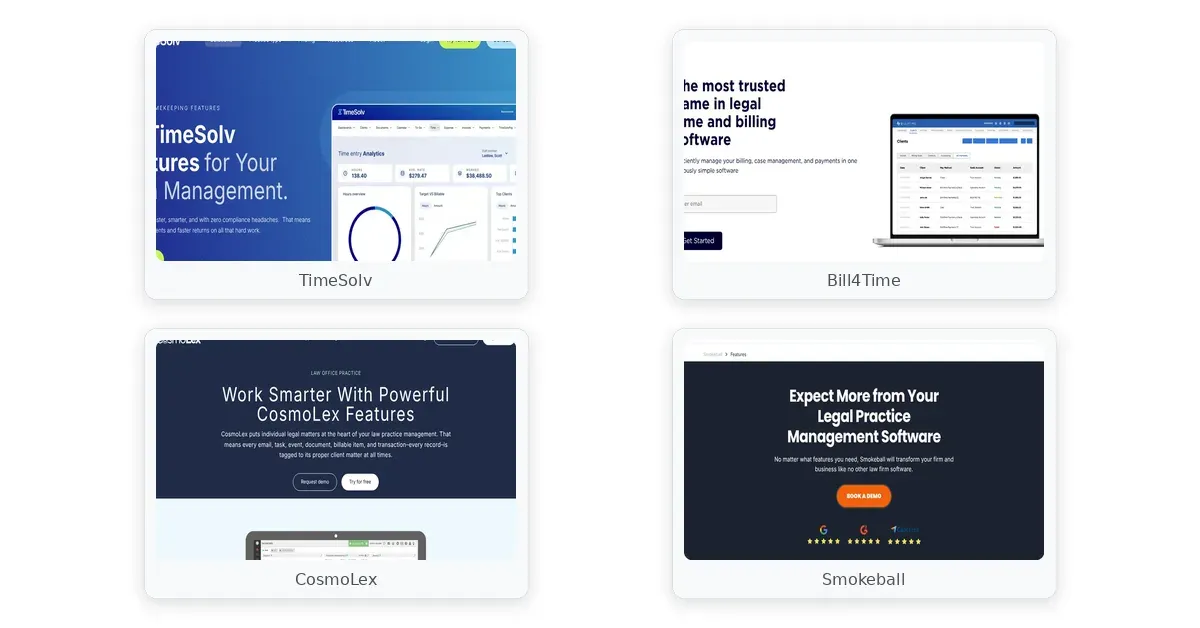
Legal billing software for small firms comparison
Comparison table
| Product | Pricing / Per-User | Trust Accounting | LEDES e-Billing | Offline Time Capture |
|---|---|---|---|---|
| TimeSolv | $34.95–$49.95/mo | Three-way reconciliation | Native LEDES 98B/1998B | Desktop & mobile sync |
| Bill4Time | $59.99–$89.99/mo | Pro tier only ($89.99/mo) | LEDES formatting support | Internet required |
| CosmoLex | $99/mo minimum (2-user) | Automated continuous | LEDES + accounting export | Browser-based cloud |
| Smokeball | ~$89/mo (quote-only) | Requires QuickBooks link | Not clearly documented | Automatic time capture |
| FreshBooks | $19–$60/mo | None — manual workaround | None — general invoicing | Manual entry or timers |
This table shows where each platform stands on the four critical factors that actually shape your decision. TimeSolv and Bill4Time emphasize billing and time capture, while CosmoLex consolidates billing and accounting. Smokeball focuses on automation and practice management. FreshBooks is the budget option but lacks legal-specific compliance features.
Product reviews
TimeSolv
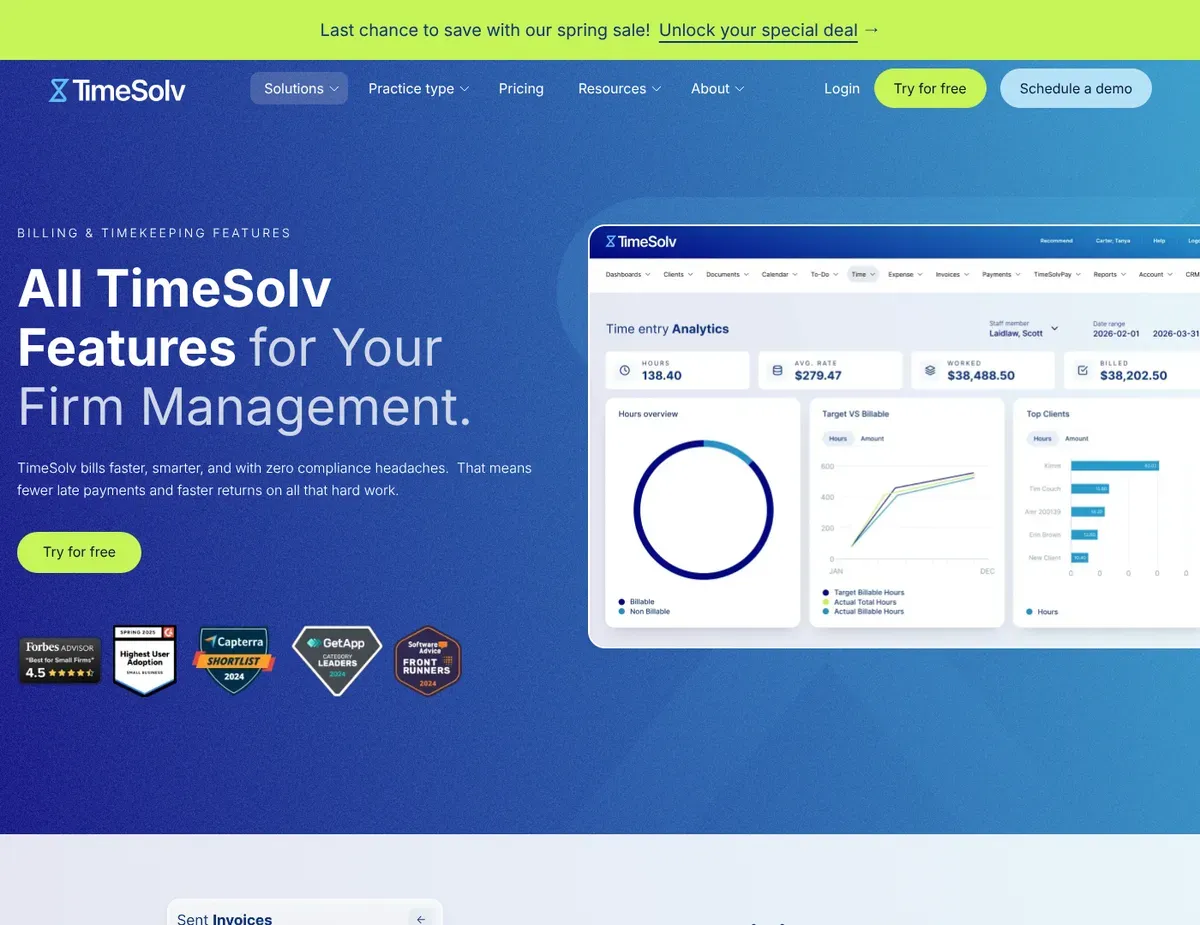
Time entry grid showing multiple matters with nested task and
TimeSolv has built its reputation on serving solo attorneys and small firms handling significant corporate e-billing. It offers native LEDES 98B and LEDES 1998B compliance with automatic invoice formatting that meets corporate specifications without manual reformatting.
If you’re an attorney who spends time in court and remote settings, TimeSolv’s offline mobile and desktop apps sync automatically when you reconnect—eliminating the risk of losing billable hours during courtroom appearances.
The real strength here is flexibility. You can set up flat-fee, contingency, hourly, and hybrid arrangements all on a matter-by-matter basis. It integrates with external platforms like NetDocuments and OneDrive for seamless matter file synchronization.
The offline time capture capability distinguishes it from web-only competitors; you can log time entries in a courtroom or deposition, then sync the data when you return to the office. The Pro tier ($49.95/user/mo) adds historical matter profitability reporting with margin analysis—showing which clients and practice areas generate the highest recovery rates.
The limitations center on what TimeSolv doesn’t include. There’s no built-in document management system; you must sync documents with external platforms like NetDocuments or OneDrive, adding workflow overhead and potential file sync delays.
The basic plan at $34.95/user/mo excludes historical profitability reporting, meaning solo practitioners on tight budgets can’t see which matters are profitable until upgrading. Manual payment recording for trust transfers requires separate log entries, creating potential for reconciliation errors when you’re matching trust account deposits against invoices monthly.
Best for: Solo attorneys and small firms transitioning from paper-based billing to digital time capture, especially those handling corporate e-billing with LEDES requirements.
Not ideal for: Firms wanting an all-in-one practice management suite with built-in document automation. You’ll still need QuickBooks or another accounting platform for final reconciliation.
Unlike CosmoLex, TimeSolv doesn’t include a full general ledger, so you must export billing data to QuickBooks for complete financial reconciliation and tax reporting. Feature availability and pricing details are subject to change—verify current tier inclusions and LEDES formatting capabilities at https://www.timesolv.com/pricing before committing to a specific plan level.
Bill4Time
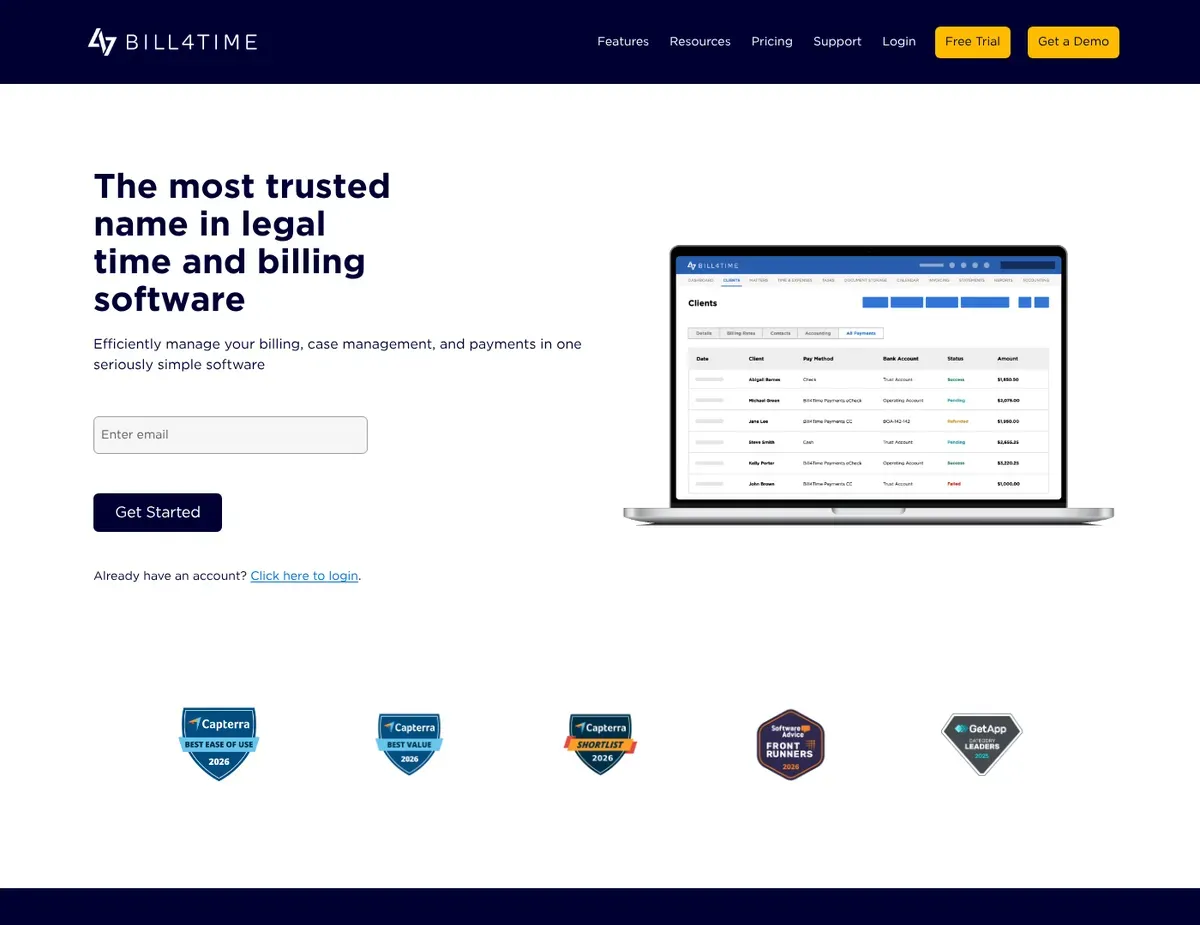
Invoice preview pane showing LEDES-formatted billing lines alongside a
Small firms often get stuck in email loops with clients asking “where’s my bill?” or “can I pay online?” Bill4Time solves this by delivering a branded client portal where clients view invoices, make secure payments, and download documents without calling you. This reduces administrative overhead and improves cash flow velocity—clients pay faster when they have direct, transparent access.
The platform excels at client-facing experience. You get integrated legal project management with task dependencies and milestone tracking, allowing you to organize matters by deliverables and deadlines. Integrated payment processing via LawPay automatically separates trust and operating funds at the point of payment, eliminating manual categorization risk.
The floating time tracker widget hovers over other applications, making it easy to start and stop time entries without window-switching. The LEDES-formatted invoice preview pane shows you exactly how corporate clients will see the final invoice before sending. [5]
Here’s the catch: trust accounting features—including three-way reconciliation—only appear on the Pro tier at $89.99/user/month. That’s a $30/user jump from the standard tier at $59.99/mo.
For a solo attorney or two-person firm, this pricing jump ($60-90/month additional) might make or break affordability. Additionally, Bill4Time lacks offline time tracking. Attorneys working in courtrooms without internet connectivity must manually enter time later, risking unrecorded billable hours and gaps in LEDES invoice accuracy that corporate clients may flag during matter reconciliation.
Best for: Small firms with 2-5 attorneys wanting to streamline client communication and reduce payment collection friction through a branded portal.
Not ideal for: Solo attorneys on tight budgets who need trust accounting compliance. The cost jump to Pro tier makes this unaffordable for single-attorney practices.
Unlike TimeSolv, Bill4Time includes project management natively but requires active internet connection for time tracking, making it less suitable for attorneys regularly working in courts or remote client sites without Wi-Fi. Trust accounting details and pricing tier feature assignments are subject to change—verify which features are available at your intended tier level at https://www.bill4time.com/pricing before signing a contract.
CosmoLex
If your firm goal is eliminating multiple disconnected software platforms and relying on a single legal-specific accounting and billing platform, CosmoLex makes sense. It provides a full general ledger and legal-specific accounting built-in, eliminating the need for QuickBooks integration and the accounting overhead that creates. CosmoLex replaces not just your billing tool but your entire accounting backend—designed for small firms ready to invest in comprehensive financial management without maintaining parallel systems.
The core strength is automatic three-way trust reconciliation that runs continuously and flags compliance violations in real-time. You don’t wait for month-end to notice a discrepancy; the system alerts you immediately when trust and operating funds don’t reconcile, reducing the window of exposure for bar violations. Built-in credit card processing with LawPay integration ensures trust and operating funds are separated at the transaction level.
Another major strength: the billing queue dashboard displays unbilled time entries organized by matter with batch invoice generation controls, making it simple to generate invoices for multiple matters simultaneously.
The limitations are substantial if you have existing tool investments. There’s no API access, meaning you cannot automate data sync with external tools like Clio practice management, Dropbox file storage, or custom reporting dashboards.
Document management is limited to basic file attachment on matters without version control or collaborative editing—document-heavy practices still need NetDocuments or SharePoint separately. Most critically for budget-conscious solo practitioners, pricing starts at $99/user/month with a mandatory two-user minimum, totaling $198/month just to get started. That’s prohibitive for attorneys managing a solo practice or handful of matters monthly.
Best for: Small firms wanting to consolidate billing and accounting into a single legal-specific platform and willing to invest $200+/month for the efficiency gain.
Not ideal for: Solo attorneys with budgets under $150/month; firms heavily invested in external practice management tools requiring API-driven data sync; document-heavy practices needing version control and collaborative editing.
Unlike Bill4Time and TimeSolv, CosmoLex eliminates the need for QuickBooks by providing a full general ledger natively, but at a higher base cost that may exceed small firm budgets and require a minimum two-user commitment. Current pricing reflects the published tier structure as of the research date—verify whether the two-user minimum has changed and whether any pricing tiers now include API access at https://www.cosmolex.com/pricing before committing.
Smokeball
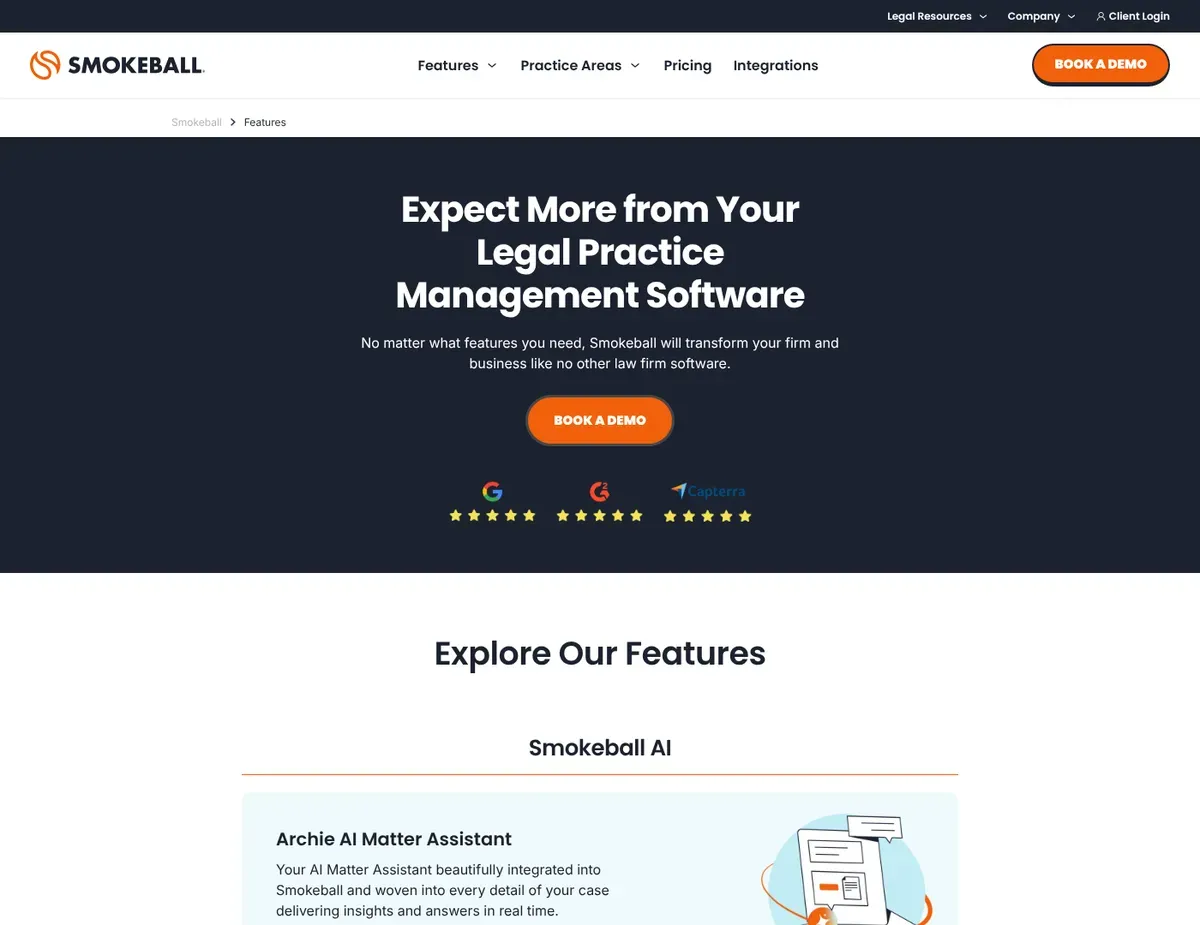
Automatic time capture timeline showing discrete computer activities
Smokeball targets Windows-based small firms willing to invest in comprehensive practice management automation. Its core differentiator is automatic time capture technology that records computer activity—emails, documents, phone calls—then intelligently suggests billable entries.
According to vendor claims, this recovers an estimated 10-20% additional billable time. Smokeball is built for firms prioritizing document automation and matter workflow integration alongside billing. [6]
The primary strength is the automatic time capture timeline that maps discrete computer activities to specific matters with confidence scoring. Instead of manually logging every task, attorneys simply review and approve suggested entries.
A second major strength is the built-in document automation library with legal-specific templates for common practice areas (family law, estate planning, personal injury), reducing friction for standardized document creation. The integrated practice management dashboard connects billing, documents, calendars, and communication in a single matter-centric view, so you’re not toggling between separate tools to manage a client relationship.
The limitations are substantial for many practices. The platform is Windows-only—a desktop application that excludes Mac-based attorneys entirely unless they run virtual machines like Parallels Desktop, adding IT complexity and cost most solo practitioners can’t justify.
Pricing is quote-only and typically starts around $89/user/month on mandatory annual contracts, making it one of the most expensive options and difficult to evaluate upfront. Full feature implementation requires significant setup time (2-4 weeks reported by users) including data migration, template customization, and workflow integration, delaying time-to-value and requiring dedicated resources for the transition. [7]
Best for: Windows-based small firms willing to invest in comprehensive practice management with automatic time capture and document automation.
Not ideal for: Mac-based attorneys or mixed OS environments; solo practitioners seeking simple billing without full practice management overhead; firms on tight budgets requiring transparent per-user pricing.
Unlike TimeSolv and Bill4Time, Smokeball captures time automatically but requires a Windows-only desktop installation, excluding Mac users entirely. Some Smokeball LEDES e-billing capabilities are not clearly documented on the public features page—before recommending this platform for firms with corporate e-billing requirements, confirm LEDES format compliance directly at https://www.smokeball.com/features to ensure it meets your clients’ invoice specifications.
FreshBooks
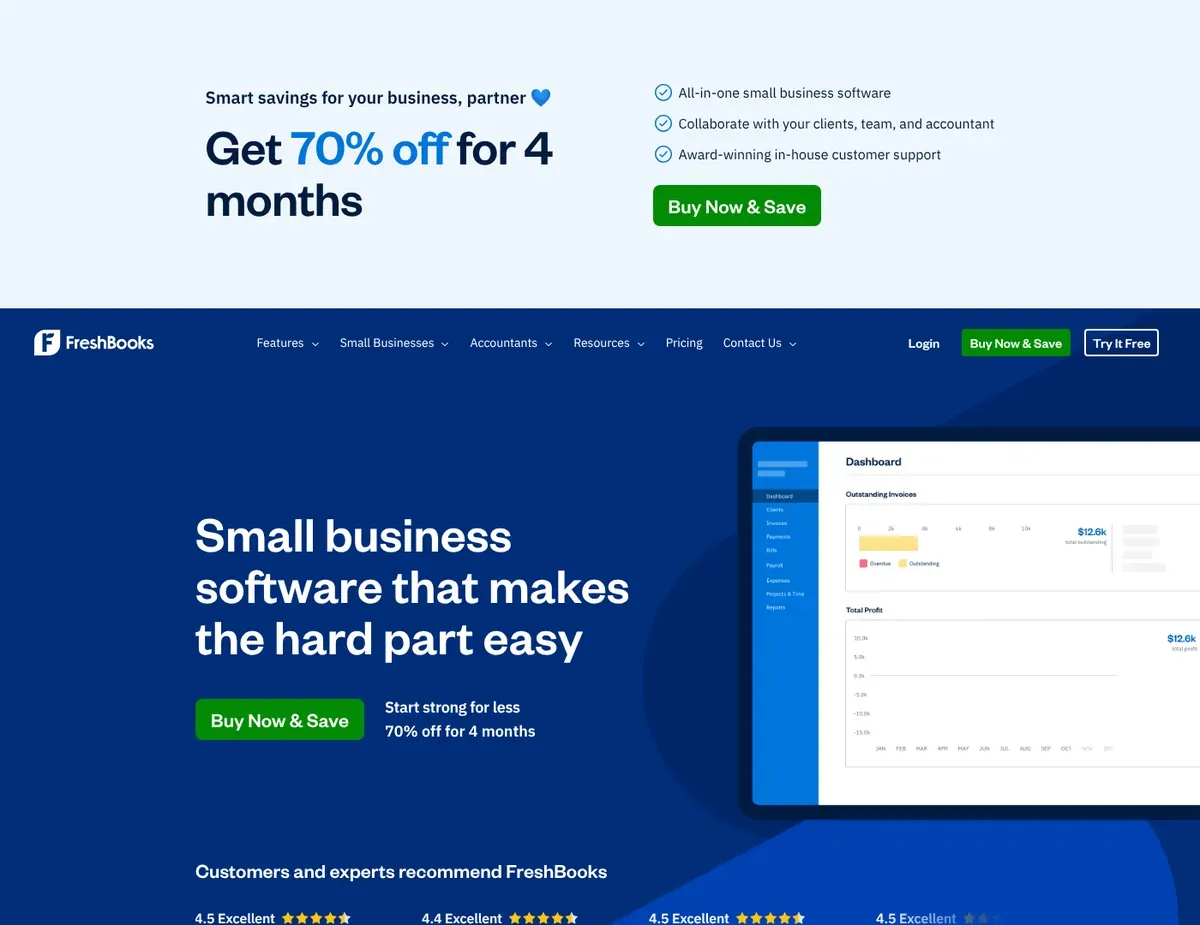
Invoice editor showing customizable template with firm logo
Reach for FreshBooks when you’re a solo attorney with an extremely tight budget who prioritizes ease of use over legal-specific compliance features. It offers a lower entry price at $19/month (Lite plan), making it accessible for attorneys just starting a practice or managing only a handful of clients.
The interface is intuitive and requires minimal learning curve—you can send your first invoice within minutes of signup without any training or configuration.
The core strengths are simplicity and extensive third-party integrations. The invoice editor is customizable with your firm logo, line-item billing, and embedded payment buttons.
The dashboard displays revenue charts with aging reports and expense tracking overlays. FreshBooks integrates extensively with Zapier, QuickBooks export, and practice management tools like Clio Connect, allowing you to sync data with your existing ecosystem without manual re-entry. The Lite plan caps usage at 5 billable clients per month, sufficient for a solo attorney starting out; the Plus plan at $33/month removes this limitation and adds expense tracking.
Here’s the hard truth: FreshBooks’ limitations make it unsuitable for any practice requiring legal compliance features. There is no trust accounting or IOLTA compliance functionality whatsoever. This means you must maintain separate trust ledgers manually in spreadsheets or a separate accounting system—a process error-prone and a frequent bar audit failure point.
Time tracking is limited to manual entry or basic timers without automatic capture, legal-specific task codes, or LEDES e-billing support. If you need to submit LEDES-formatted invoices to corporate clients, FreshBooks cannot generate them, forcing manual invoice reformatting. The Lite plan’s 5-client ceiling also becomes a cost trap; growing to 6-10 active clients forces a sudden upgrade to Plus ($33/month) or Premium ($60/month), creating unexpected cost jumps just as the firm begins scaling.
Best for: Solo attorneys with very small budgets ($20-30/month) who already use a dedicated practice management tool like Clio and need basic invoicing only.
Not ideal for: Any practice requiring trust account compliance, LEDES e-billing support, or legal-specific time tracking. Firms with more than 5 active clients per month on a budget.
Unlike TimeSolv and Bill4Time, FreshBooks offers a much lower entry price and easier setup but lacks the legal-specific compliance features (trust accounting, LEDES formatting) that small law firms typically need. It’s a general invoicing tool adapted for attorneys, not a legal billing platform. Trust accounting and LEDES feature availability have not been documented as supported in recent releases—before adopting FreshBooks for any matter involving client funds or corporate billing, verify current compliance capabilities at https://www.freshbooks.com/pricing to confirm the feature set meets your jurisdiction’s requirements.
Scenario recommendations
Scenario 1 – Solo attorney with $2,000 annual legal billing budget (≈$167/month): Go with TimeSolv when you’re managing 5-10 active matters with a mix of hourly and flat-fee clients. At $34.95/user/month for the basic plan, TimeSolv fits within your budget while providing LEDES compliance for corporate e-billing and offline time capture for courtroom work.
The limitation is that historical profitability reporting lives on the Pro tier ($49.95/mo), so you’ll need to track matter margins manually on the basic plan until you can justify the upgrade. Your first migration step should be to map your existing billing data into TimeSolv’s format and test the LEDES invoice output against one of your corporate client’s specifications before processing live matters.
Scenario 2 – Two-attorney small firm with strong client communication focus (≈$100-120/month budget): Stick with Bill4Time if your clients frequently ask for payment status and invoice details. The branded client portal significantly reduces back-and-forth email exchanges and speeds up payment collection.
At $59.99/user/month on the standard tier, your total monthly cost is $120/month, and the integrated LawPay processing means client payments go directly into your trust account with automatic categorization. However, note that trust accounting (three-way reconciliation) jumps to $89.99/mo per user on the Pro tier; if compliance audits are a concern, you’ll need to either absorb the upgrade cost or maintain a manual reconciliation process alongside Bill4Time until you reach three attorneys.
Scenario 3 – Three-attorney firm wanting to eliminate QuickBooks and consolidate tools (≈$300-400/month budget): CosmoLex is the right call if your practice management tool (Clio, MyCase) is already handling document and schedule management and you’re ready to migrate accounting entirely into CosmoLex. At $99/user/month with a two-user minimum ($198/month base), adding a third attorney brings the monthly total to $297/month.
This is a significant investment but justified if you’re currently paying for both QuickBooks ($30-50/mo) and a separate billing tool ($200+/mo). CosmoLex’s automatic three-way trust reconciliation runs continuously, flagging discrepancies immediately rather than forcing a month-end scramble. The tradeoff is that you lose the flexibility of external integrations (no API access), so if you later need to sync data to a reporting dashboard or a different practice management tool, you’ll be limited to CSV exports.
Scenario 4 – Windows-based five-attorney firm prioritizing document automation and practice management integration (≈$500+/month budget): Smokeball makes sense if your practice involves high-volume document assembly (family law, estate planning) and your attorneys are ready to adopt automatic time capture as a core workflow change. Smokeball’s pricing is typically $89/user/month or higher on annual contracts, so five attorneys cost roughly $500+/month, but the automatic time capture and document templates reduce the administrative burden significantly and recover billable hours that would otherwise be lost to manual time entry.
The Windows-only requirement is non-negotiable—confirm that all five attorneys use Windows workstations before committing. Implementation will take 2-4 weeks including data migration and template setup, so plan for a transition period during which you maintain parallel time entry in your old system and Smokeball simultaneously.
Setup guide
Step 1: Create your account and configure initial legal-specific settings. Sign up for your chosen platform and complete the onboarding wizard. For TimeSolv, you’ll define your billing rate tables (hourly rates by attorney and practice area) and your UTBMS task codes (legal-specific time categories like “Administrative”, “Legal Research”, “Client Meeting”).
For CosmoLex, you’ll set up your chart of accounts with the legal-specific structure it provides (separating trust, operating, and capital accounts). For Bill4Time, create your first matter and set the payment processor integration with LawPay. Most platforms offer template settings you can copy from your prior billing system or request from vendor support; don’t spend more than 1-2 hours on this step. You can refine settings as you process your first invoices.
Step 2: Import your existing client and matter data. Export your current client list and open matters from your old billing system (QuickBooks, spreadsheets, practice management tool) in CSV format. Most platforms accept CSV imports for clients, matters, and contact information.
For TimeSolv and Bill4Time, upload client names, contact info, billing rates, and matter names; the system will create matter hierarchies and set default time codes based on your configuration. For CosmoLex, import your QuickBooks chart of accounts and existing client trust balances to ensure your opening account balances are correct. Test the import on 5-10 dummy records first. Don’t import your entire 200-client database into a live system until you’ve confirmed the data is mapping correctly.
Step 3: Validate IOLTA trust account compliance before processing live funds. Before processing a single client payment through your new platform, verify that the trust account setup matches your state bar’s requirements. For CosmoLex, run the automatic three-way reconciliation on a test matter and confirm that the system correctly separates client trust funds from your operating account.
For Bill4Time, test a LawPay payment on the Pro tier (which includes trust accounting) and verify the trust ledger reflects the payment immediately. For TimeSolv, manually test the trust account entry workflow and confirm offline time capture syncs correctly when you reconnect to the internet. Most bar disciplinary actions stem from setup errors that go undiscovered until an audit. Invest 2-3 hours in this validation step to avoid six-figure liability later.
Step 4: Test LEDES invoice formatting and export capabilities. If you handle any corporate e-billing, create a test matter with sample time entries in your new platform and generate a LEDES-formatted invoice. Compare it line-by-line against one of your corporate client’s invoice requirements (usually available in their law firm billing guidelines).
For TimeSolv, verify that the LEDES 98B and LEDES 1998B formats both export correctly and that task codes map to the client’s required line items. For Bill4Time, check the LEDES preview pane against the actual PDF export to ensure formatting matches. If the format doesn’t align (missing billing codes, incorrect task categorization, date formatting issues), contact vendor support with a sample of your client’s requirements before processing live invoices.
Step 5: Complete your migration and go live with a pilot matter. Choose one active matter with a straightforward billing scenario (hourly client, recent invoices) and process it completely in your new system: log time entries, generate an invoice, send it to the client, and process the payment. Confirm the trust account reflects the payment correctly and the invoice matches the client’s prior invoices in format and content.
Only after this pilot is complete—typically 1-2 weeks after signup—should you begin processing new matters routinely. Keep your old system running in parallel for 30 days in case you discover data or formatting issues that require backfilling. After 30 days of clean parallel operation, you can archive the old system.
FAQ
Q: Can I use generic accounting software like QuickBooks or FreshBooks instead of a legal-specific billing tool?
FreshBooks and QuickBooks are attractive because they’re cheaper and less complex. But they’re not safe substitutes if you handle client trust funds.
FreshBooks lacks trust accounting features entirely, forcing you to maintain separate trust ledgers manually—a process error-prone and a frequent bar audit failure point. QuickBooks has trust account features but they’re not designed for law firm workflows, requiring extensive customization and manual reconciliation that increases compliance risk. If your practice is limited to flat-fee projects with no client retainers or trust balances, FreshBooks is acceptable. Otherwise, the regulatory risk outweighs the cost savings. Reach for a legal-specific platform like TimeSolv or CosmoLex if you handle any client funds or operate in a jurisdiction requiring IOLTA compliance.
Q: What is LEDES e-billing and which corporate clients require it?
LEDES (Law Firm Expert Data Exchange Standard) is a standardized invoice format that corporate legal departments require from outside counsel. Instead of traditional line-item invoices, LEDES invoices use detailed billing codes and task categorization so corporate law departments can analyze legal spend by practice area, complexity, and attorney level.
Most large corporations and Fortune 500 companies now mandate LEDES invoicing from their law firms. If you represent any public companies, insurance companies, or large corporations as clients, they almost certainly require it. TimeSolv and Bill4Time both support LEDES natively. If you use FreshBooks or a generic accounting tool, you’ll need to manually reformat invoices or find a third-party integration tool, creating delay and error risk. For solo attorneys handling only individual clients or small businesses, LEDES compliance isn’t immediately necessary. But if you’re targeting corporate work or expect client growth, native LEDES support should influence your selection.
Q: How do these software options handle IOLTA trust accounting?
If your state requires IOLTA (Interest on Lawyers’ Trust Accounts) compliance, your billing software must support continuous three-way reconciliation: matching your trust ledger balance against actual bank deposits, client invoices, and payment entries to ensure nothing is missing or misclassified. CosmoLex automates this process continuously and flags discrepancies in real-time.
TimeSolv includes three-way reconciliation built into the invoicing workflow but requires manual monthly review. Bill4Time only offers three-way reconciliation on the Pro tier ($89.99/user/mo), not the standard tier, creating a cost barrier for solo practitioners. FreshBooks and generic accounting tools don’t support trust accounting at all—you must maintain separate manual records. The safest approach is to verify your state bar’s trust accounting requirements directly, then choose a platform that automates the specific reconciliation method your bar requires. Most states use three-way reconciliation. Never rely on manual spreadsheet tracking; the bar audit liability is substantial.
Q: Which platforms offer the best automatic time capture capabilities?
Smokeball is the only platform that offers true automatic time capture—it records computer activity including emails, documents, and phone calls, then suggests billable entries for your approval. This is powerful for recovering 10-20% additional billable time, especially in document-heavy practices. However, Smokeball is Windows-only and expensive ($89+/user/mo). TimeSolv and Bill4Time both offer offline time capture, allowing you to log time entries in the field without internet, which then sync when you reconnect. This is different from automatic capture but addresses the core problem of losing billable time during courtroom work. If you’re a Mac-based practice or on a tight budget, offline time capture (TimeSolv, $34.95/mo) is a practical compromise. Automatic capture (Smokeball) is the premium option for firms willing to invest in comprehensive automation.
Q: How do I choose between per-user pricing and flat-fee billing platforms?
All five platforms on this list use per-user pricing—you pay a monthly fee for each attorney or staff member who logs into the system. For a solo attorney, this is simple: just one license.
For a two-attorney firm, you typically pay 2x the per-user rate. CosmoLex enforces a two-user minimum ($99/user/mo = $198/month minimum), so even a solo practice starts at $198. TimeSolv and FreshBooks have no minimums, so a solo attorney pays just one seat. As your firm grows, per-user pricing scales linearly—adding a third attorney doubles your billing software cost from $100/mo (two users) to $150/mo (three users). There are no flat-fee options in this category; all legal billing software charges per user because each attorney needs individual time tracking, billing history, and audit trails. When comparing total cost, multiply the per-user rate by your firm’s expected attorney and staff count (including paralegals and office managers if they use the system) to see the true monthly cost.
Final verdict
TimeSolv stands out as the strongest choice for small firms balancing compliance and budget. It delivers LEDES e-billing compliance, offline time capture, and flexible billing arrangements starting at just $34.95/user/month—the lowest entry point among legal-specific platforms. For a solo attorney or two-person firm, TimeSolv costs $70-100/month while providing the critical compliance features (LEDES, time tracking, trust account integration) that FreshBooks and generic accounting tools cannot. The tradeoff is that you’ll need QuickBooks or another accounting system for final reconciliation; TimeSolv is a pure billing tool, not a full accounting platform.
For firms wanting all-in-one legal accounting without QuickBooks, CosmoLex is the best choice despite higher cost. At $99/user/month with a two-user minimum ($198/month), CosmoLex eliminates the need for external accounting software by providing a full general ledger and legal-specific chart of accounts. The automatic three-way trust reconciliation that runs continuously (rather than requiring manual month-end review) is the strongest compliance safeguard in this category. If your firm is large enough to absorb $200-300/month and you’re willing to forgo external integrations (no API access), CosmoLex is the consolidated platform that reduces operational overhead.
For solo attorneys on the tightest budgets with no trust accounting requirements, FreshBooks is the quick-start option. At $19/month, FreshBooks is the cheapest entry point and the easiest to adopt—you can send your first invoice within minutes. However, FreshBooks is safe only for practices that don’t handle client trust funds (such as hourly contract work, virtual consulting, or flat-fee projects without retainers). Any practice handling retainers, lawsuit deposits, or escrow funds must move to TimeSolv or a legal-specific platform; FreshBooks’ lack of trust accounting creates bar discipline risk that no cost savings justify.
To get started, sign up for a free trial with your top choice (most offer 14-30 days free), import 3-5 test matters, and generate sample invoices to confirm the tool produces the formats and compliance outputs your practice requires. Most migrations take 1-2 weeks from signup to processing live matters. Don’t rush this step; validating IOLTA compliance and LEDES formatting during trial is far cheaper than discovering configuration errors after you’ve already sent incorrect invoices to clients.
Sources
- ↑ TimeSolv — Features page — https://www.timesolv.com/features
- ↑ TimeSolv — Pricing page — https://www.timesolv.com/pricing
- ↑ CosmoLex — Features page — https://www.cosmolex.com/features
- ↑ CosmoLex — Pricing page — https://www.cosmolex.com/pricing
- ↑ Bill4Time — Features page — https://www.bill4time.com/features
- ↑ Smokeball — Features page — https://www.smokeball.com/features
- ↑ Smokeball — Pricing page — https://www.smokeball.com/pricing

Leave a Reply