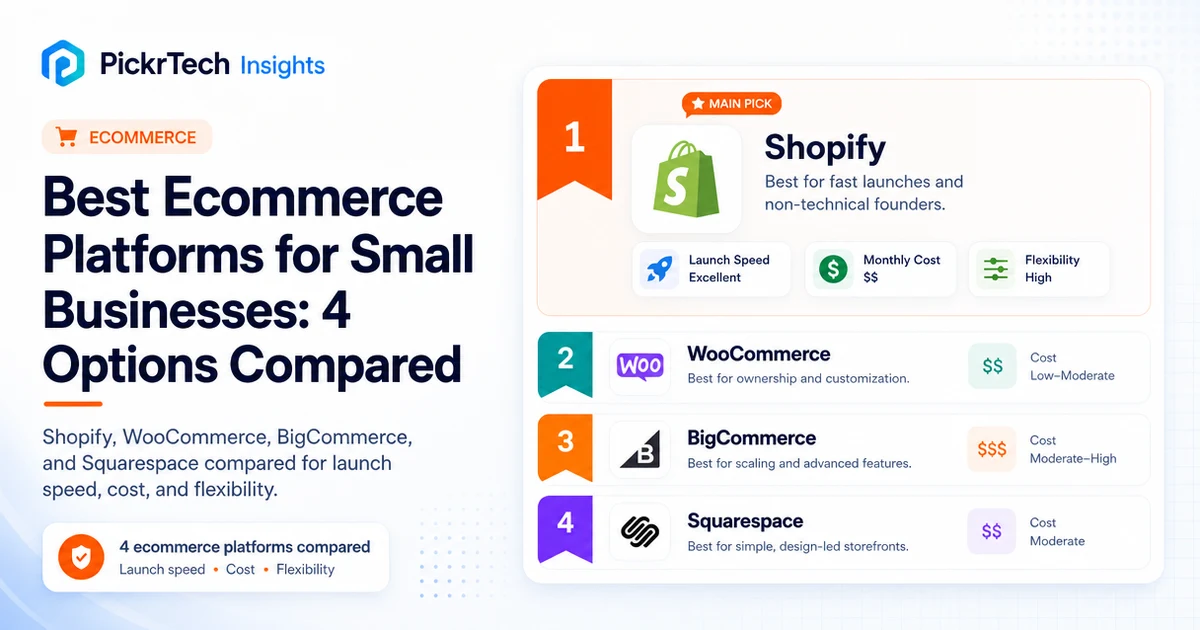
Ecommerce platform comparison hero showing Shopify, WooCommerce, BigCommerce, and Squarespace for small business store launches
Quick answer: Shopify is the fastest path to a working online store for non-technical founders. Hosting, payments, and security are handled for you, so a first store can go live in an afternoon. You pay $25/month for Basic ($19/month on annual billing), and if you process cards through Shopify Payments there are no extra platform transaction fees. Skip Shopify Payments for an external gateway and Shopify adds a 2% surcharge on Basic — the one cost that quietly scales with your sales.
Ecommerce decision path: Use this comparison to choose a store platform. If email revenue and retention are part of your growth plan, compare email marketing platforms by use case. If you need a launch checklist later, our online store preparation guide covers the groundwork.
For small business owners starting an online store, choosing a builder means weighing speed-to-launch against long-term cost and feature depth. Most founders face the same fork: a fully hosted, no-code platform that costs more monthly but needs zero technical maintenance, or a self-hosted WordPress setup that is free upfront but demands ongoing patching and hosting management as traffic grows. This comparison works through that choice for four realistic options, using the constraints that actually matter to lean budgets and small teams.
What separates these platforms once you get past the sticker price
Store-builder comparisons mislead when they stop at the monthly sticker price. The real differences surface later: how dependent you become on paid apps, how payment fees are structured, and how hard the platform is to change once the business grows past its first setup. So we did not score these four as interchangeable storefront themes — we evaluated them as operating environments with different long-term constraints.
Every price and plan-gate here was checked against each vendor’s official pricing and support pages in July 2026, which matters more than usual this year. BigCommerce restructured its entire lineup on June 1, 2026, Shopify renamed its middle plan to Grow, and Squarespace replaced its old Commerce tiers in 2025. Many comparison articles still describe plans that no longer exist. If you want to run your own side-by-side, our software evaluation scorecard gives you a reusable template, and for storing the underlying data see our database software comparison for small business.
The comparison rests on the constraints that actually decide the outcome on a lean budget:
- Launch speed for non-technical founders — time from signup to accepting payments with no code, which maps directly to time-to-revenue.
- Total cost of ownership — platform fee plus transaction fees plus hosting. A cheap plan with a 2% surcharge costs more than a pricier plan without one once volume grows: at $10,000/month in sales, that surcharge alone is $200/month, or $2,400 a year.
- Multi-channel inventory sync — selling on your store plus Amazon, eBay, and social without updating stock three times a day. Overselling erodes customer trust and eats refund costs.
- Visual customization without a developer — anything that requires custom CSS becomes a bottleneck the moment your designer is unavailable.
- Hands-off PCI compliance and security — SaaS platforms handle SSL, backups, and patches automatically; self-hosted shifts that burden to you. If you choose WooCommerce, our UpdraftPlus backup setup guide gets automated backups configured early.
- Integration depth for accounting and shipping — syncing orders into QuickBooks and printing labels without manual data entry.
How the four platforms compare on cost, speed, and channels

Ecommerce site builder comparison — Shopify, WooCommerce, BigCommerce, and Squarespace.
| Platform | Pricing & cost model (US, July 2026) | Launch speed | Multi-channel support | Design flexibility |
|---|---|---|---|---|
| Shopify | $25–$399/mo ($19–$299 annual); +2%/1%/0.6% only on third-party gateways | 1–2 hours | Native Facebook, Instagram, Amazon, TikTok | Drag-drop + Liquid code |
| WooCommerce | Free plugin + $15–$100+/mo hosting | 4–8 hours | Third-party plugins required | Full WordPress theme control |
| BigCommerce | Core $39 / Growth $105 / Scale $399/mo ($29/$79/$299 annual); 2%/1%/0.6% fee on non-embedded gateways | 3–5 hours | Native Amazon, eBay, Facebook, Instagram | Moderate customization |
| Squarespace | $16–$99/mo annual ($25–$139 monthly); 2% sales fee on Basic, 0% from Core up | 2–3 hours | No native marketplace sync | Excellent templates, limited code |
Launch-speed ranges are editorial planning estimates for a simple first store with prepared product data; they are not timed lab-test results.
A few things the table can’t show. Shopify’s headline advantage — no platform transaction fees — only holds while you use Shopify Payments. WooCommerce’s free plugin masks the real cost once managed hosting and maintenance enter the equation. BigCommerce’s famous “zero transaction fees on every plan” pitch ended on June 1, 2026, when a new fee for non-embedded payment gateways arrived alongside lower forced-upgrade thresholds. And Squarespace remains the visual-brand pick, with commerce depth that thins out past a curated catalog.
How each ecommerce platform fits a small business
Shopify — the fastest path to a live store

Shopify’s marketing homepage and its multichannel selling message.
Shopify is built for founders who want a fully managed store without hosting headaches. Server maintenance, SSL, PCI compliance, and backups are all handled, so you focus on products and customers rather than server configuration. If your workflow is “add products, set prices, launch, sell” — without touching code — Shopify removes every obstacle in that path.
The U.S. plan lineup as of July 16, 2026: Basic at $25/month, Grow at $65/month, and Advanced at $399/month. Annual billing lowers the effective monthly prices to $19, $49, and $299 respectively. A $5/month Starter plan also exists for social and link-based selling; it includes a simple online store with product pages and checkout, but not the full theme editing and blogging features included with Basic. [1] Shopify Payments processing rates vary by plan and business location, so confirm the rate displayed for your market before finalizing a payment-cost model.
What Shopify does genuinely well: the multi-channel toolset lets you list a product once and sync it across Facebook, Instagram, Amazon, and TikTok from a single inventory pool, which kills the daily manual catalog updates that destroy founder productivity. Support is 24/7 live chat on every plan, so you’re not stranded at 11 PM on a Sunday when a payment fails. And the app store offers thousands of options for subscriptions, dropshipping, print-on-demand, and other workflows without custom development. Paid-app costs vary widely by store configuration, so treat them as a separate scenario input rather than assuming the base subscription is the full operating cost.
The old complaint about Shopify’s 100-variant cap is no longer valid: in October 2025 Shopify raised the limit to 2,048 variants per product on all plans. [2] Two related ceilings survive, though — you still get a maximum of 3 option types per product (Size, Color, Material, pick three), and 250 media items per product, which becomes the real wall for catalogs with detailed photography across many colors. Deep front-end customization beyond the theme editor still requires Liquid development, and Basic no longer includes any staff accounts — the owner login is it.
⚠ Before you commit: the fee math changes completely if Shopify Payments isn’t available in your country. Without it, Shopify adds 2% (Basic), 1% (Grow), or 0.6% (Advanced) on top of your gateway’s own fees — on a $10K/month Basic store, that’s $200/month you cannot escape. Check availability for your region on Shopify’s pricing page before building anything.
The clean fit is a non-technical founder who wants to be selling in days and expects to expand across social and marketplaces soon after. The reasons to look elsewhere are specific: no Shopify Payments in your country (the gateway surcharge undoes much of the appeal), or a brand vision that demands bespoke checkout and design work the theme editor can’t reach.
WooCommerce — maximum control, but you own the maintenance
WooCommerce’s site highlighting WordPress-based ecommerce.
When your business already lives in WordPress for blogging or content marketing, WooCommerce is the natural answer: it lets you sell alongside your existing site without running a second platform. The free, open-source plugin sits inside your WordPress dashboard, treating ecommerce as an extension rather than a bolt-on — powerful for content-heavy brands that want the store, blog, and member areas unified under one CMS.
The appeal is flexibility and the absence of platform fees. Every dollar goes to hosting, marketing, and product instead of a SaaS subscription. Full code ownership means you can modify checkout flows, build custom product attributes, and write PHP hooks no hosted platform allows — transformative for unusual business models like configurators or memberships. The wider WordPress ecosystem adds thousands of plugins for SEO, email, and bookings, and there are no artificial caps on products, variants, or staff accounts; your hosting capacity is the only limit. [3]
The catch is that all the operational responsibility lands on you. You install SSL, configure backups, keep WordPress core and every plugin patched, and troubleshoot conflicts when an update breaks checkout at midnight. Managed WordPress hosting that absorbs most of that runs $50–$100+/month, which quietly erases the “free plugin” advantage. Multi-channel sync and advanced shipping mean finding and maintaining third-party plugins, and compatibility risk grows with every one you add. Core WooCommerce help starts with documentation and community forums, while WooCommerce.com products can be escalated to its Help Desk and third-party themes or plugins are supported by their respective providers. Realistic setup time for a non-technical founder is 4–8 hours if everything goes smoothly, and considerably more if it doesn’t; WooCommerce’s own documentation is the best starting point. [4]
⚠ Before you commit: outdated WordPress core, themes, or plugins increase security and compatibility risk. If nobody on your team can maintain updates, backups, and restore testing consistently, budget for managed hosting or a maintenance service from day one and treat that operational support as part of the platform cost. Setup requirements are laid out in the official WooCommerce documentation.
WooCommerce earns its place when you’re already invested in WordPress for content and SEO and you have either the technical skill in-house or a developer on retainer. Without one of those two, the free plugin becomes the most expensive option here once managed hosting and setup help are counted — and downtime from a plugin conflict is a risk you’ll be absorbing personally.
BigCommerce — the most built in, with new 2026 costs to model
BigCommerce’s homepage and a sample storefront graphic.
BigCommerce packs in natively what Shopify merchants assemble from paid apps: marketplace integrations with Amazon, eBay, Facebook, and Instagram, faceted search, product filtering, and reviews all ship in the box, which can save roughly $50–$200/month in app subscriptions (a rough planning figure) once you sell across three or more channels. Headless API support and native GraphQL give growing brands a way to decouple the front end later. For a merchant approaching mid-market scale, the feature density is real.
But if you researched BigCommerce before mid-2026, most of what you read about its pricing is now wrong. On June 1, 2026, the plans were renamed and restructured: Standard became Core ($39/month, $29 annual), Plus became Growth ($105/month, $79 annual), Pro became Scale ($399/month, $299 annual), and Enterprise became Performance with custom pricing. [5] Base prices held, but two changes moved real money. The trailing-12-month sales thresholds that force plan upgrades were cut sharply — Core’s ceiling is now $30,000 (down from Standard’s $50,000) and Growth’s is $100,000 (down from $180,000) — so the same revenue now lands you a tier higher. And the signature “zero transaction fees on any gateway” policy ended: orders processed through gateways outside BigCommerce’s Embedded Payment Provider list now carry an Open Payment Provider Fee of 2.0% on Core, 1.0% on Growth, and 0.6% on Scale. [6]
Thresholds are measured in “Inclusive GMV” — your gross order value minus 10% — evaluated on the first of each month, and upgrades happen automatically with advance notice. Scale replaced the old Pro plan’s block overage charges with a continuous 0.9% on monthly Inclusive GMV above $33,333, which is genuinely more predictable for seasonal stores. Beyond pricing, the long-standing complaints stand: the theme marketplace is small next to Shopify’s, so niche designs often mean custom Stencil development, and the control panel’s density gives non-technical store managers a steeper first month.
⚠ Before you commit: a store doing $34,000/year in gross sales — about $2,800/month — already exceeds Core’s $30K Inclusive-GMV ceiling and gets auto-upgraded to Growth at $105/month. If you’re evaluating BigCommerce on a pre-June-2026 review citing $50K/$180K thresholds or “no transaction fees ever,” re-run your numbers against the official 2026 pricing update and confirm your payment gateway is on the Embedded Provider list.
BigCommerce makes sense for a multi-channel merchant who would otherwise rebuild the same marketplace tooling out of Shopify apps — provided you use an embedded payment provider and have modeled which tier your Inclusive GMV puts you on. The dense control panel and small theme marketplace make it a harder start for a very small store or a design-led brand that wants a distinctive look without custom development.
Squarespace — the design-led pick with a lower commerce ceiling

A Squarespace ecommerce landing page with an orchid product storefront.
Where Squarespace earns its reputation is visual brand storytelling. The templates are genuinely premium — photographic galleries, layout flexibility, typographic polish — and they make a bootstrapped brand look established without a designer on payroll. The same editor handles editorial content and the store, so a bakery can publish recipes, post behind-the-scenes photos, and sell products from one dashboard. Integrated email campaigns, member areas, and appointment scheduling round it out for businesses blending services and products, and every template is mobile-responsive by default.
Squarespace replaced its old Personal/Business/Commerce tiers in 2025 with four plans: Basic ($16/month annual, $25 monthly), Core ($23/$36), Plus ($39/$56), and Advanced ($99/$139). [7] The fee structure is where you need to read carefully. Basic charges a 2% Squarespace fee on every physical-product sale on top of payment processing; that fee drops to 0% from Core upward. Digital goods are gated harder: 7% on Basic, 5% on Core, 1% on Plus, and 0% only on Advanced — a meaningful line item if you sell courses or downloads. [8] Abandoned checkout recovery and subscription-product selling are available on Basic. Plus mainly reduces payment and digital-product fees, so the best tier depends more on sales mix and volume than on access to those two features.
The commerce ceiling is the other trade-off. There is no native inventory sync with Amazon or eBay — marketplace selling means third-party tools or manual CSV uploads, with the overselling risk that implies. Catalog tooling is built for curated stores, not thousand-SKU operations, and code access is limited compared to the other three platforms here.
⚠ Before you commit: if digital products or memberships are part of your model, price the per-plan digital fee (7%/5%/1%/0%) into your margins before choosing a tier — on $2,000/month of digital sales, Core’s 5% costs you $100/month, which is more than the upgrade to Plus. The current fee table is on Squarespace’s official plan-fees page.
Choose Squarespace when customers judge you partly on aesthetics, you’re not hiring a designer, and your catalog stays curated — it will get you a premium-looking storefront faster than anything else here. The limits show up when you need native Amazon or eBay selling from shared inventory, run a large catalog that needs real filtering and search, or reach the point where digital-goods fees start dwarfing the plan price.
What a year actually costs
Monthly plan prices hide the real spread, so here is a 12-month projection for one representative store: a solo founder selling physical products, $5,000/month in revenue ($60,000/year), roughly 100 orders/month at a $50 average order value, annual billing, and each platform’s own or embedded payment processing at the standard 2.9% + 30¢ rate.
| Platform & plan | Platform fees / yr | Card processing / yr | Other required / yr | 12-month total |
|---|---|---|---|---|
| Shopify Basic (annual) | $228 | ~$2,100 | $0 | ~$2,330 |
| WooCommerce + entry hosting (DIY maintenance) | $0 | ~$2,100 | ~$315 (entry hosting $25/mo + domain) | ~$2,420 |
| BigCommerce Growth (annual) | $948 | ~$2,100 | $0 | ~$3,050 |
| Squarespace Core (annual) | $276 | ~$2,100 | ~$20 (domain renewal) | ~$2,400 |
Three notes on the table. BigCommerce lands on Growth, not Core, because $60,000 gross works out to $54,000 Inclusive GMV — well past Core’s $30K ceiling — which is exactly the kind of surprise the June 2026 threshold cuts created. The WooCommerce row assumes low-cost entry hosting (around $25/month) with you handling updates, backups, and restore testing yourself; managed WordPress hosting ($50–$100+/month) or a one-time developer engagement — often somewhere in the low thousands of dollars if you can’t do the setup — pushes it well past the others and can make it the most expensive first year here. And none of these totals include apps or premium themes — as a rough guide, budget $0–$100/month on Squarespace and WooCommerce and $50–$200/month on Shopify and BigCommerce once the store matures.
Which ecommerce platform fits each small-business scenario?
Scenario 1 — Solo founder, single product, zero technical skills: Reach for Shopify when you want to validate an idea in days. Signup-to-first-sale is realistically 1–2 hours: add a product, turn on Shopify Payments, go live before lunch. The caveat is that the simplicity fades once you need deep customization — a bespoke checkout or custom discount logic means hiring a Shopify developer. Shopify’s strength is speed, not flexibility, so lock in your vision before launch.
Scenario 2 — Content-heavy brand already on WordPress: WooCommerce makes sense when you’ve invested years in WordPress for SEO and audience building. Adding commerce natively keeps the architecture unified and the content strategy aligned. The limitation: it needs either hands-on technical involvement or a developer on retainer. A non-technical, bootstrapped founder either stays stuck in setup purgatory or pays a developer — often a few thousand dollars upfront — for configuration, so confirm you have one of those two resources before committing.
Scenario 3 — Growing merchant on Amazon, eBay, and your own store: Go with BigCommerce when inventory fragmentation is eroding margins and your Shopify app bill is approaching $200/month; the native marketplace sync eliminates both the daily manual updates and the overselling disasters. Just model the new economics first: know which Growth or Scale tier your Inclusive GMV puts you on, and use an embedded payment provider so the 1–2% Open Payment Provider Fee never touches you.
Scenario 4 — Fashion or art brand where visuals are the business: Stick with Squarespace when customers judge quality partly by aesthetics and you’re not hiring a designer. A solo founder can launch a store competitors would assume cost thousands in design work. It holds up well for curated catalogs — think low hundreds of products rather than thousands. The constraints appear when you want marketplace selling or your digital-goods fees start dwarfing the plan price — if serious digital sales are central, price the per-tier digital fee and consider Plus at $39/month for the lower rate, not for feature access.
How to validate your choice before you fully commit
Whichever platform you pick, run the same five checks before you announce the store — they catch the problems that quietly cost money on the first real order. The groundwork that comes before this step is in our online store preparation guide.
- Add your first 3–5 real products with titles, descriptions, pricing, and images — the fastest way to learn where everything lives in the admin.
- Put the payment processor into test or sandbox mode, place a test order, and confirm both the confirmation email and the order record appear. On BigCommerce, use a gateway from the Embedded Provider list so the Open Payment Provider Fee never applies.
- Set shipping zones and test flat-rate against carrier-calculated rates with real addresses — flat rates on heavy orders are where new stores quietly lose money.
- Connect QuickBooks Online, create a test order, and confirm it syncs within a few minutes — wiring this up now saves weeks of manual entry later.
- Open the store on a real phone, confirm the SSL padlock in the address bar, then place one real order with a personal card and refund it, checking every confirmation email and notification along the way.
Frequently asked questions about ecommerce platforms
Can I switch ecommerce platforms later?
Yes, but it’s painful enough that you should launch on whatever gets you selling fastest today. Shopify, BigCommerce, and Squarespace all export product catalogs as CSV for import elsewhere, though order history doesn’t migrate cleanly. WooCommerce migrations are harder because the store is tied to your domain and hosting, so leaving means DNS changes and downtime risk. Build on the simple option now; migrate only when fees or feature limits force the issue. Don’t let hypothetical future flexibility paralyze the launch.
Which ecommerce platforms include hosting?
Shopify, BigCommerce, and Squarespace bundle hosting, SSL, backups, and security into the subscription — one bill, nothing to manage. WooCommerce always needs separate hosting: $15–$50/month for shared plans, $50–$150+/month for managed WordPress hosting that handles updates and performance. Shared hosting can be a reasonable starting point for a small store, while managed WordPress hosting may reduce maintenance work and provide stronger performance or support features. The right upgrade point depends on traffic, checkout performance, plugin load, support needs, and how much server maintenance your team can handle — not a fixed visitor threshold. Factor this in before choosing WooCommerce; the free plugin gets expensive once infrastructure is counted.
Which ecommerce platform is best for international selling?
Shopify and BigCommerce are the safer bets if a large share of revenue — say, upwards of a third — comes from abroad. Shopify Markets handles multi-currency storefronts and duty/tax estimation for supported regions, though it needs ongoing management. BigCommerce ships multi-currency pricing and international tax tooling natively. Squarespace covers international shipping through zones but shows customers your base-currency prices — a German shopper sees USD, which costs trust. WooCommerce can do all of it, but only through a stack of third-party plugins for currency switching and tax calculation, with the maintenance overhead that implies.
What is the best ecommerce platform for a small business?
Shopify is the pick for most small business owners. It collapses the time-to-launch barrier, sells across channels natively, and backs you with 24/7 support when things break. For a non-technical, bootstrapped founder, $19/month on annual billing is a bargain against the operational burden it removes — and the frustrations that eventually surface, like Liquid customization limits, are problems you only meet after you’ve grown past the founder-does-everything phase. Use Shopify Payments from day one and the fee structure stays clean.
The exceptions are specific. If your business already lives in WordPress and you have technical resources, WooCommerce preserves your SEO investment and unifies the architecture — just budget honestly for managed hosting and setup help. If you’re a multi-channel merchant with an embedded payment provider and predictable GMV, BigCommerce’s native marketplace tooling still beats assembling the same stack from Shopify apps, provided you’ve priced in the post-June-2026 thresholds. And if you’re a visual brand with a curated catalog, Squarespace gets you a premium-looking storefront faster than anything else here. Everyone else: start with Shopify.
Next steps
- New to ecommerce? Start with our 6-step online store preparation guide before choosing a platform.
- If your store depends on repeat purchases, compare email marketing platforms by use case.
- Comparing multiple software categories? Use the software evaluation scorecard.
Sources
- ↑ Shopify — official pricing page (Basic/Grow/Advanced, transaction fees) — https://www.shopify.com/pricing
- ↑ Shopify Changelog — product variant limit increased to 2,048 — https://changelog.shopify.com/posts/we-ve-increased-the-product-variant-limit-to-2048
- ↑ WooCommerce — core features — https://woocommerce.com/features/
- ↑ WooCommerce — installation and setup documentation — https://woocommerce.com/documentation/
- ↑ BigCommerce — official pricing page (Core/Growth/Scale/Performance) — https://www.bigcommerce.com/pricing/
- ↑ BigCommerce — 2026 plan and pricing updates (thresholds, Open Payment Provider Fee) — https://www.bigcommerce.com/dm/plan-pricing-updates-2026/
- ↑ Squarespace Help Center — choosing the right Squarespace plan — https://support.squarespace.com/hc/en-us/articles/206536797-Choosing-the-right-Squarespace-plan
- ↑ Squarespace Help Center — selling on the Basic, Core, Plus, and Advanced plans (transaction fees) — https://support.squarespace.com/hc/en-us/articles/29215717722637-Selling-on-the-Basic-Core-Plus-and-Advanced-plans
Disclaimer
This guide is for general informational purposes only and does not constitute professional accounting, tax, legal, or financial advice. Pricing, features, and plan details were verified against each vendor’s official pricing and support pages in July 2026 and may change without notice. Always consult a qualified professional for advice specific to your business situation.
Last reviewed: July 2026 by the PickrTech editorial team.