project portfolio management software Enterprise portfolio heat maps displaying strategic alignment of projects
TL;DR: Planview stands out for enterprise PMOs managing complex, multi-year portfolios because it maps strategic objectives directly to project deliverables and handles resource capacity planning across thousands of employees. The trade-off: expect 3–6 months of specialist-led configuration before your organization’s hierarchy and KPIs are fully reflected in the system. [1]
How we evaluated these tools
This comparison exists for PMO directors, enterprise program managers, and portfolio strategists operating in large organizational contexts where strategic alignment, resource optimization, and ROI measurement directly influence C-suite decisions. You manage teams of 500+, operate under strict audit and compliance requirements, navigate matrix organizational structures, and need platforms that integrate with enterprise systems like SAP, Oracle, Salesforce, Jira, and Azure DevOps. Your core challenge: move beyond basic project tracking to connect execution with overarching business strategy while automating resource conflict resolution across fragmented portfolios.
We evaluated each platform across five dimensions:
Strategic alignment frameworks for mapping projects to C-level objectives — Portfolio management succeeds only when executives see how individual projects connect to corporate strategy. This capability determines C-suite buy-in and prioritization decisions.
SSO/SAML integration depth and ERP/CRM API connectivity — Enterprise environments operate within existing financial systems, identity providers, and development platforms. Seamless synchronization determines whether the PPM tool becomes your source of truth or an isolated silo.
Resource capacity planning across complex organizational hierarchies — Matrix organizations require real-time visibility into who is allocated where. This prevents the over-allocation and schedule conflicts that derail multi-program delivery at scale.
Audit trail depth and multi-year financial tracking — Regulated industries (finance, healthcare, government) and large portfolio programs demand immutable records of project decisions, baseline changes, and spend. This capability also underpins accurate ROI measurement across funding cycles.
Implementation timeline and configuration complexity — A tool requiring 12 months of setup with specialized consultants may never reach adoption. Understanding the path from procurement to day-one productivity matters.
Our analysis draws from official product pages, public pricing documentation, vendor implementation guides, support resources, and structured comparative evaluation of feature claims. Pricing models and feature availability change frequently; verify current details on each vendor’s website before committing. Last reviewed: 2026-05-01
What matters when choosing project portfolio management software
The real decision comes down to whether a tool actually improves how you govern portfolio spend and resource allocation, or whether it becomes expensive shelf-ware after a failed rollout.
Strategic objective mapping and governance frameworks — Your PMO must visibly connect each proposed project to corporate strategy using weighted criteria: business drivers, risk, ROI. Tools that force teams to rank projects against explicit business drivers—rather than defaulting to “first in, first approved”—prevent scope creep and ensure portfolio composition matches strategic intent. This is where governance either succeeds or fails at the leadership level.
Resource capacity planning and conflict detection — At scale (500+ employees, 100+ active projects), manual resource allocation breaks down immediately. The platform must show real-time capacity versus demand, flag over-allocations before they happen, and support scenario modeling so you can test “what if we shift this person to that program?” without spreadsheet chaos. Tools lacking native capacity planning force teams back to spreadsheets or expensive external consultants.
Financial baseline tracking and earned value measurement — Multi-year programs demand clear baselines: planned cost, baseline budget, actual spend, and projections to completion (EAC). Tools that lack these native capabilities—or bury them in custom formula fields—fail to provide the actuals-versus-plan visibility that CFOs require for governance reviews and ROI measurement. This is non-negotiable for regulated industries and large capital programs.
Implementation speed versus customization depth — Enterprise-grade configurability (custom fields, workflow rules, reporting) takes time; lightweight tools onboard faster but hit customization ceilings. Assess honestly: do you need to reflect your organization’s 47-level hierarchy exactly, or will a simplified structure suffice? Underestimating configuration scope is the #1 cause of failed PPM rollouts.
Integration architecture and data ownership — PPM tools that operate as isolated ecosystems (requiring manual data entry or one-way syncs) become data bottlenecks. Native integrations with your ERP, ITSM platform, and identity provider determine whether the PPM system becomes your source of truth or a parallel data entry burden.
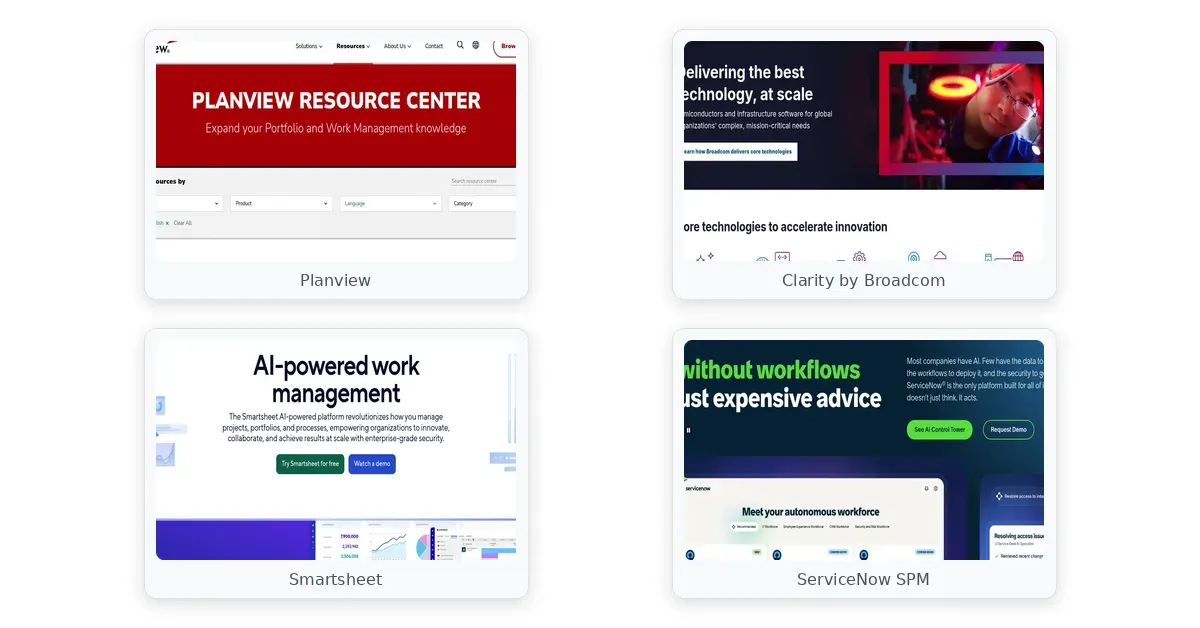
project portfolio management software comparison — Planview, Clarity by Broadcom, Smartsheet
Comparison table
The table below compares each platform across strategic alignment, resource capacity, financial tracking, and implementation complexity.
| Platform | Strategic Alignment | Resource Capacity | Financial Tracking | Implementation |
|---|---|---|---|---|
| Planview | Heat maps · objective hierarchy | Matrix management · thousands | Multi-year baselines · EAC | 3–6 months · requires consultants |
| Clarity by Broadcom | Portfolio trees · custom metrics | Automated balancing · XML rules | Cost tracking · audit trails | 4–8 months · certified admins |
| Smartsheet | Manual OKR frameworks | Limited · row/cell caps | Formula-based · error-prone | Days to weeks · spreadsheet-familiar |
| ServiceNow SPM | Integrated workflows · stage-gates | ITSM-native · IT-focused | Spend allocation · operational | 2–4 months · requires ServiceNow |
| Microsoft Project Online | Forced-rank algorithms | Enterprise pools · shared resources | Custom formulas · legacy UI | 1–3 months · M365-native |
Each platform approaches the core PPM challenge differently: Planview and Clarity optimize for formalized governance and financial rigor at the cost of implementation complexity; Smartsheet prioritizes rapid adoption and familiar workflows but hits scaling ceilings for complex financial roll-ups; ServiceNow unifies project and operational portfolio management for IT-centric organizations already on the platform; Microsoft Project Online emphasizes tight M365 ecosystem integration for organizations standardized on the Redmond stack.
Product reviews
Planview
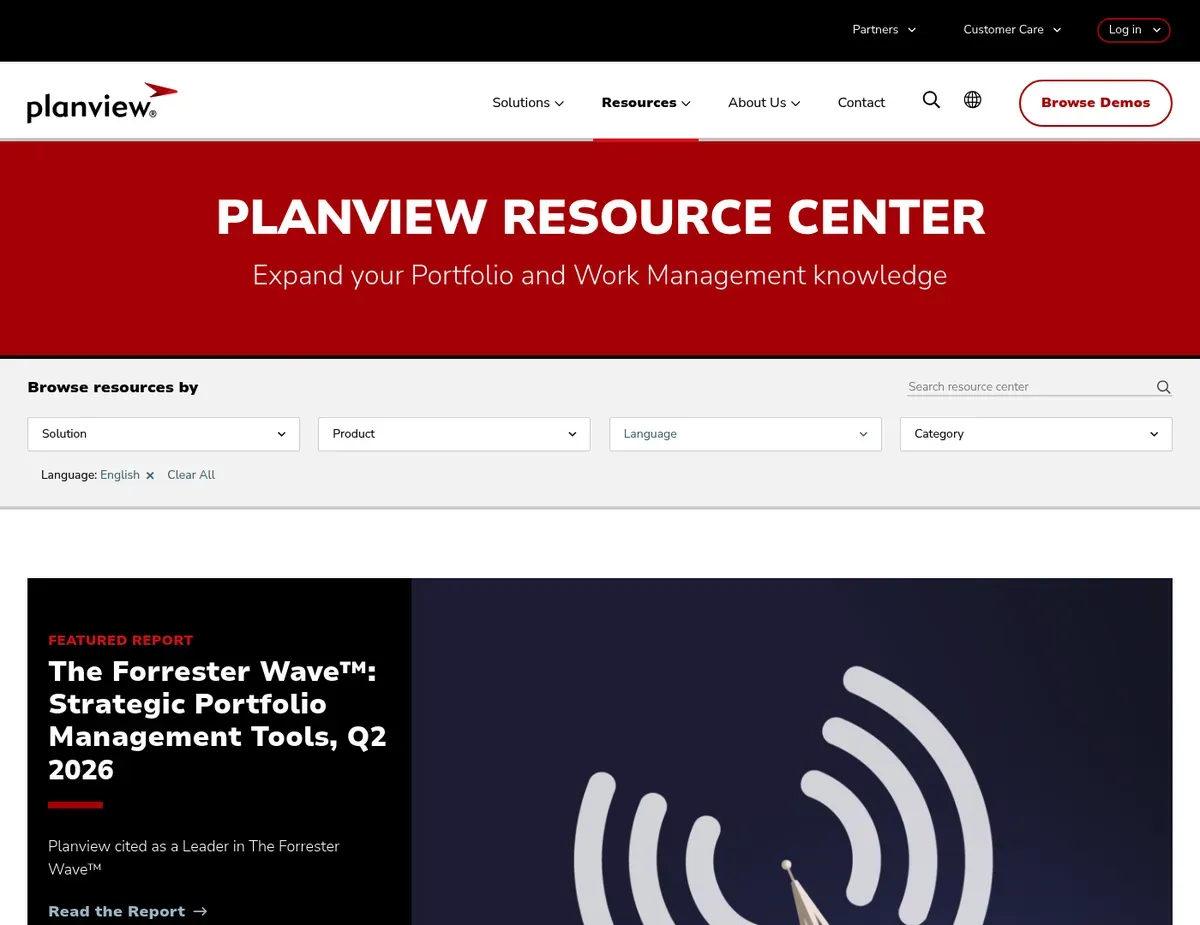
Planview Enterprise portfolio heat maps displaying strategic alignment of projects
Planview excels at what large enterprises actually need: forcing strategic discipline into portfolio governance. You get formalized stage-gate workflows where C-level strategic objectives map visibly to specific project deliverables. Organizations managing complex resource allocation across thousands of employees benefit from Planview’s robust capacity planning tools, which handle cross-functional matrix management and automated conflict detection.
Planview’s advanced scenario modeling is where it earns its premium. Before approving project funding, portfolio managers test different portfolio compositions—”What if we shift investment to digital transformation instead of infrastructure?”—without disrupting live portfolios. The system maintains accurate multi-year financial baselines and tracks actual costs against projections, critical for large capital programs in regulated industries. Organizations already integrated with SAP or Oracle benefit from Planview’s ability to sync financial data bi-directionally, making the platform a genuine source of truth rather than a parallel entry system.
The constraint is steep: initial configuration is extensive and typically requires specialized Planview consultants for 3–6 months before the platform reflects your organization’s specific hierarchy, business unit structure, and KPIs. The native reporting engine, while powerful, demands dedicated training; most PMOs export raw data to Tableau or Power BI for executive-level visualization rather than relying on Planview dashboards alone. Full PPM capabilities are gated behind the Enterprise One tier, making Planview financially prohibitive for organizations managing fewer than 500 resources or with tightly constrained budgets.
Best for: Large enterprises (1,000+ employees, 500+ resource pool) managing formal, stage-gate portfolios where C-level strategic alignment and multi-year financial governance are non-negotiable.
Not ideal for: Small-to-midsize organizations without dedicated PMO administration staff, or agile-only companies seeking lightweight portfolio visualization without enterprise configuration overhead.
Unlike Smartsheet, Planview requires significant upfront configuration and specialized admin training before teams can input project proposals. Full Planview PPM capabilities are gated behind the Enterprise One tier—verify current licensing terms at https://planview.com/products/planview-ppm/ before committing.
Clarity by Broadcom
Clarity by Broadcom is built for highly regulated industries (finance, healthcare, government) that require deep audit trails and immutable financial records alongside complex portfolio governance. The platform’s strength is its mature financial management engine: you can track actual costs against baseline budgets across multi-year programs, generate earned value reports, and maintain complete audit trails showing every change, approval, and variance. Where Clarity wins is in organizations already standardized on SAP or Oracle; the platform integrates seamlessly with mainframe ERP systems, enabling bi-directional financial roll-ups without manual data entry or reconciliation.
Clarity’s customization depth is powerful. The malleable data model allows PMOs to reflect complex organizational structures (holding companies with nested business units, regional towers, functional centers of excellence) that would be difficult or impossible in less flexible tools. Organizations managing diverse project methodologies—Waterfall in infrastructure, Agile in digital, stage-gate in R&D—can define custom statuses, workflow rules, and approval hierarchies per portfolio type. While Clarity offers exceptional customization through its malleable data model, realizing this potential typically requires specialized Clarity certified consultants to configure the underlying XML rules engine.
The interface itself is a limitation. Clarity relies on legacy web architecture with optional Classic portlets that create a steep learning curve for program managers accustomed to modern SaaS interfaces. Broadcom’s shift to aggressive enterprise licensing bundles often forces organizations to negotiate complex, organization-wide agreements rather than transparent per-user pricing, obscuring true TCO.
Best for: Highly regulated enterprises (Fortune 500 financial services, healthcare systems, government agencies) managing billion-dollar portfolios where audit trail depth and SAP/Oracle integration are competitive requirements.
Not ideal for: Organizations prioritizing rapid implementation or teams seeking an intuitive, self-service onboarding experience without specialized training investments.
Unlike Smartsheet, Clarity requires extensive XML configuration and database administration to customize portfolio hierarchies and resource balancing rules. The standard interface relies on legacy web architecture—verify interface modernization status and training requirements at https://www.broadcom.com/products/software/value-stream-management/clarity-ppm before rollout.
Smartsheet
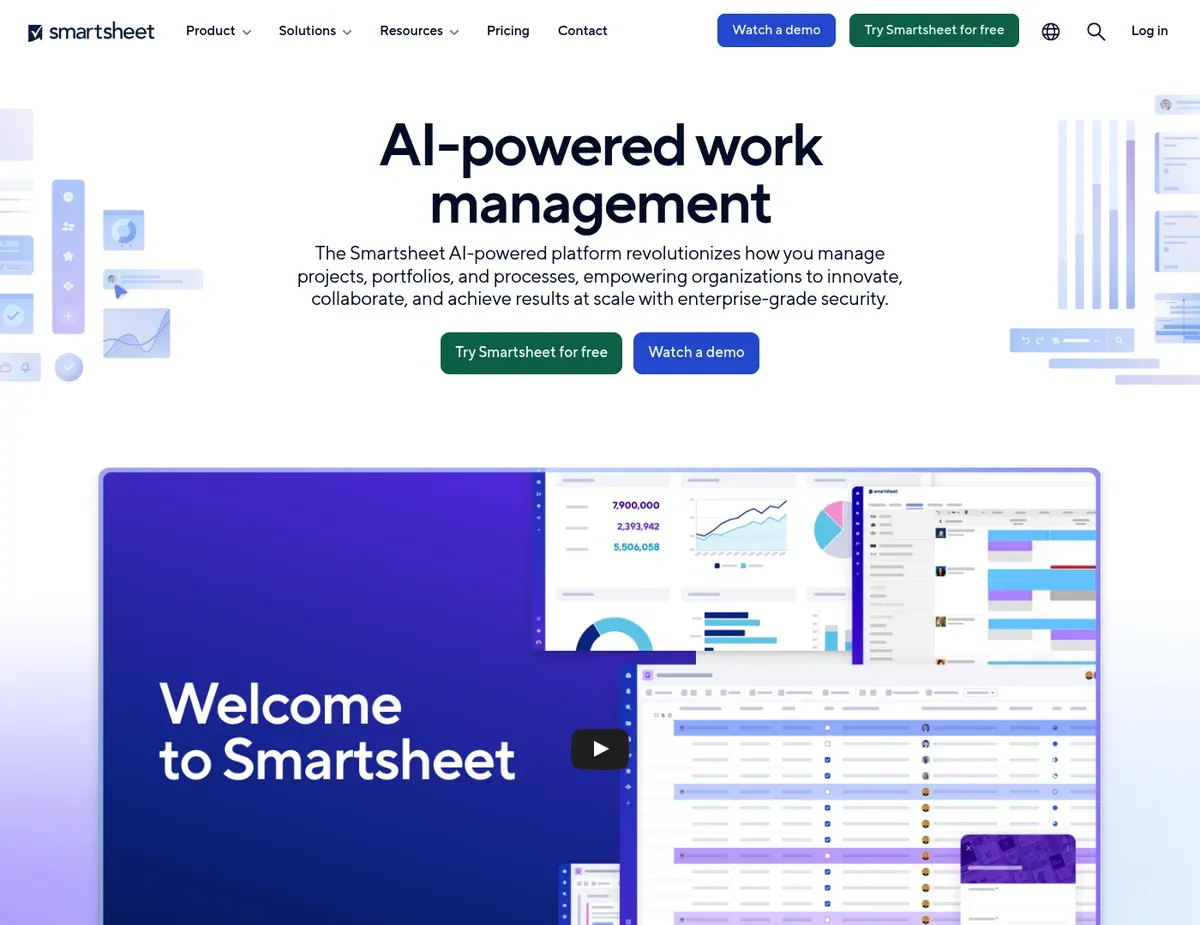
Smartsheet Card-based portfolio view showing project status in Kanban-style columns
Smartsheet targets PMOs transitioning from Excel or Google Sheets who need rapid process digitization without months of configuration overhead. The familiar spreadsheet-like interface allows teams to onboard and build initial portfolio trackers in days rather than months, making it the fastest path to a centralized portfolio view for organizations escaping decentralized spreadsheets. The platform’s Dynamic View and DataMesh features enable secure external contractor visibility—critical for organizations managing outsourced delivery—and cross-sheet data aggregation without writing complex database queries. [2]
Smartsheet excels at stage-gate automation and user adoption. Workflow rules route project intake forms through approval chains, eliminating manual email coordination; users comfortable with spreadsheets find Smartsheet’s interface immediately intuitive, driving adoption across non-technical business units.
The Gantt chart and portfolio card views provide visibility into project status and dependencies without requiring data model expertise. For organizations with 50–200 active projects and a user base under 300, Smartsheet often delivers faster value than more complex platforms.
The scaling limitations are real. For organizations transitioning from spreadsheets, Smartsheet excels at basic stage-gate automation and drives high user adoption rates, though complex organizations may eventually encounter scaling limitations. Smartsheet lacks native, built-in strategic planning frameworks (OKR mapping, balanced scorecards, capability-based portfolio selection); instead, strategists must manually hardcode ROI formulas in sheet columns, duplicating logic across dozens of sheets and creating formula-maintenance nightmares. The flat file architecture—rather than a relational database—makes complex cross-portfolio financial roll-ups highly manual and error-prone. Enterprise plans support up to 20,000 rows per sheet; organizations with granular task data across large portfolios quickly hit these row limits, fragmenting data across multiple sheets and destroying single-source-of-truth governance.
Best for: PMOs transitioning from Excel/spreadsheets needing high user adoption rates and rapid time-to-value, or organizations requiring high visibility and collaboration from external vendors and contract teams.
Not ideal for: Complex matrix organizations needing automated, real-time resource conflict resolution, or enterprises requiring government portfolio standards compliance (Federal EWMS) without extensive customization.
Unlike Planview, Smartsheet does not include native predictive scenario modeling, forcing PMOs to build separate sandbox sheets to manually compare portfolio tradeoffs and test reallocation decisions. Smartsheet can encounter row and cell limits of up to 20,000 rows per sheet on Enterprise plans when attempting to aggregate granular task data across large portfolios—verify current row/column limits and plan capacity requirements at https://smartsheet.com/platform before scaling beyond 200 projects.
ServiceNow SPM
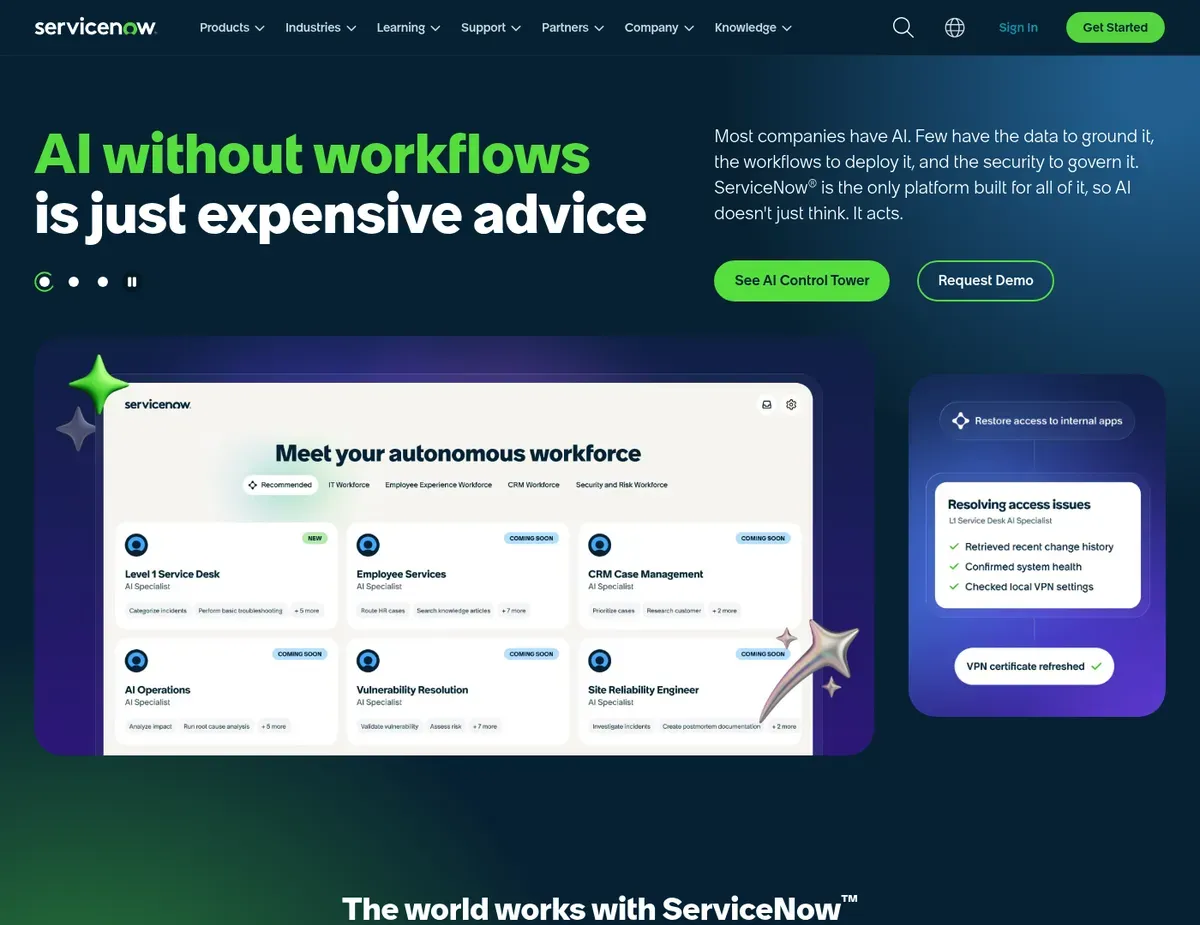
ServiceNow SPM Demand management funnel visualizing project proposals through stage-gates
ServiceNow SPM unifies strategic portfolio management with IT service management (ITSM) and operations, making it the natural choice for technology companies and IT departments already operating on ServiceNow. The platform bridges the gap between project planning (what you’re building) and live incident response (what’s running), eliminating the data silos that plague organizations using separate tools for projects and service management.
Automated idea-to-project lifecycle workflows ensure new proposals are formally evaluated against enterprise strategic goals before funding allocation, with stage-gate approvals triggered by weighted business drivers rather than first-in-first-approved defaults.
ServiceNow SPM’s core advantage is single-platform operations. Because ServiceNow uses a unified data model, project tasks automatically sync with enterprise service management records and the CMDB (configuration management database), ensuring that live infrastructure reflects approved project changes without manual reconciliation. IT delivery metrics (deployment frequency, lead time, change failure rate) integrate natively with portfolio forecasts, giving CIOs precise visibility into how project investments map to operational stability.
Organizations already standardized on ServiceNow for ITSM avoid the API overhead and data synchronization complexity that plague multi-tool stacks.
The constraints are significant. Portfolio licensing requires existing investment in the ServiceNow ITSM platform, making SPM an impractical add-on for organizations using Jira Service Management, Zendesk, or competing service desks. Configuring the Strategic Portfolio Management module requires certified ServiceNow administrators; casual setup by PMO directors without platform expertise is impossible, adding dependency on already-stretched IT teams. ServiceNow’s heavy focus on IT delivery metrics means less specialized out-of-the-box support exists for non-IT portfolio domains (construction, pharmaceutical R&D, capital infrastructure), requiring heavy customization or template rebuilding.
Best for: Technology companies and IT departments already utilizing ServiceNow for service management, seeking a single platform to govern both agile project delivery and live operational stability.
Not ideal for: Non-IT portfolios (capital infrastructure, manufacturing, pharma R&D), or organizations without an existing ServiceNow instance and dedicated platform admin staff.
Unlike Microsoft Project Online, ServiceNow SPM requires the organization to adopt or already use the ServiceNow platform ecosystem, making it unsuitable as a standalone PPM tool for companies standardized on competing platforms. Configuring the ServiceNow Strategic Portfolio Management module requires certified ServiceNow administrators, preventing PMO self-service—verify training and admin resource requirements at https://servicenow.com/products/strategic-portfolio-management.html before committing to platform expansion.
Microsoft Project Online

Microsoft Project Online Grid-based portfolio analysis view listing projects with side-by-side strategic
Microsoft Project Online is the natural choice for enterprises standardized on the Microsoft 365 stack, offering deep, native integration with Planner, Teams, and SharePoint without custom API work. The platform efficiently handles global, shared resource pools across vast organizational structures through its enterprise resource management capabilities, eliminating manual resource allocation spreadsheets for organizations already licensed on Microsoft infrastructure. Built-in strategic alignment algorithms allow PMOs to force-rank proposed projects against weighted business drivers, ensuring portfolio composition reflects strategic intent rather than political pressure or first-in-first-approved defaults.
Project Online’s primary strength is ecosystem integration. Single Sign-On and identity synchronization happen automatically with Azure Active Directory; resource availability feeds directly from Outlook calendar data; project status syncs to Teams channels, enabling broader organizational visibility without separate reporting portals. Organizations with Power BI licenses benefit from deep analytics on resource utilization, budget variance, and project health trends.
For companies already paying for Microsoft 365 Enterprise licensing, Project Online often represents the lowest-cost path to portfolio management because per-user add-on costs are modest.
The age of the platform shows. The classic Project Online interface relies on legacy web parts that feel visually outdated compared to modern SaaS competitors, often prompting users to retreat to Excel for reporting rather than fighting the legacy UI. Calculating program-level financial metrics (EAC, cost performance index, budget-at-completion) requires complex manual formula configuration in custom fields, unlike the native financial engines in Planview or Clarity. Licensing requires the purchase of specific Project Plan 3 or Plan 5 licenses per user (roughly $20–25/user/month), which quickly becomes costly in organizations where casual team members only need to view the portfolio roadmap without editing rights.
Best for: Enterprises standardized on the Microsoft 365 stack seeking seamless Single Sign-On and SharePoint integration, or heavily projectized organizations managing formal Waterfall or hybrid delivery methodologies.
Not ideal for: Agile-only software development teams seeking integrated backlog management, or organizations seeking a highly customizable, modern user interface without reliance on add-ins and legacy architecture.
Unlike Planview, Project Online offers highly rigid portfolio analytics out-of-the-box, limiting PMOs that want to build highly custom, cross-functional workflow automation natively without PowerApps development overhead. The legacy Project Online interface and custom formula requirements for financial metrics require workarounds—verify interface modernization roadmap and financial calculation options at https://microsoft.com/microsoft-project before standardizing on this platform for complex portfolios.
Scenario recommendations
Scenario 1 – PMOs transitioning from basic Excel tracking: Go with Smartsheet when your organization has operated on spreadsheets for years and your primary goal is centralization without enterprise complexity. Smartsheet’s spreadsheet-like interface means your current power users can onboard teams and build the first portfolio view within weeks, avoiding the 3–6 month consultant-led implementation that Planview or Clarity demand. The limitations: if you’re managing more than 200 active projects or your portfolio includes complex multi-year financial baselines, Smartsheet’s flat-file architecture will eventually create maintenance burdens. Run a pilot with your top 50–75 projects first to validate that row limits won’t constrain your full portfolio.
Scenario 2 – Highly regulated enterprises with strict compliance demands: Reach for Clarity by Broadcom when your industry (banking, healthcare, government) requires immutable audit trails, cost tracking against baselines, and demonstrable governance in executive reports. Clarity’s financial tracking depth and SAP/Oracle integration make it the only realistic choice for organizations where regulators audit project decision-making or where billion-dollar program budgets demand earned-value reporting. Plan for 4–8 months of implementation and expect to hire certified Clarity consultants; the upfront investment pays for itself in reduced compliance risk and audit friction.
Scenario 3 – Technology companies already standardized on ServiceNow: If you’re running ServiceNow for ITSM and your IT leadership has already invested in platform expertise, ServiceNow SPM is the right call for unifying project delivery with live operational management. The single data model means incident management automatically reflects approved projects, and your existing ServiceNow admins can configure SPM workflows without external consultants. Caveat: this only works if your portfolio is IT-centric; if you’re managing non-IT initiatives (marketing campaigns, real estate, product R&D), ServiceNow’s IT-focused templates will require heavy customization or external consulting.
Scenario 4 – Large enterprises needing formalized stage-gate portfolio governance at scale: Planview is the pick for organizations managing 500+ resources, multiple business units, and C-suite demand for clear strategic alignment visible in heat maps and executive dashboards. Planview’s scenario modeling, cross-functional matrix capacity planning, and native strategic objective frameworks make it the only realistic choice when your challenge is not just tracking projects, but enforcing governance discipline across a complex, multi-year portfolio. The trade-off: expect 3–6 months of specialist-led configuration and plan to retire competing portfolio tools (spreadsheets, legacy systems) simultaneously to avoid maintaining two parallel universes. The ROI appears when you stop funding misaligned projects and optimize resource allocation based on data instead of politics.
Setup guide
Follow these steps to configure and launch your PPM platform effectively.
Step 1: Define your portfolio scope and create a strategic objectives hierarchy. Before launching any PPM platform, map your organization’s strategic goals (digital transformation, market expansion, operational efficiency) to specific business drivers that will weight project prioritization. In Planview, create a hierarchy of strategic objectives; in Clarity, define your investment portfolio structure; in Smartsheet, build a reference sheet of strategic drivers with numeric weights. Document how these objectives connect to your organization chart (business units, cost centers, account teams) so the platform can enforce alignment governance. For ServiceNow, use the idea management module to pre-stage your evaluation criteria before launching SPM. This step takes 2–3 weeks but prevents months of rework later when stakeholders dispute how priorities are being applied.
Step 2: Configure user roles, permissions, and single sign-on (SSO) integration. Set up your identity provider integration (Azure AD, Okta, SAML) so users authenticate once and access the PPM platform without separate credentials. Define three core user classes: portfolio managers (full read/write access to all projects), project managers (edit their assigned projects only), and stakeholders (read-only visibility to approved projects in their business unit). In Microsoft Project Online, map Azure AD groups to SharePoint permission levels; in Clarity and Planview, configure role-based access control matrices in the admin console; in Smartsheet, use workspace-level permissions to segment access by business unit. This step is critical for user adoption because password fatigue kills engagement faster than complex workflows. Allocate 1–2 weeks for SSO configuration and user provisioning validation.
Step 3: Integrate the PPM platform with your financial systems and data sources. Establish API connections or scheduled data syncs between your platform and existing systems: ERP (SAP, Oracle, NetSuite) for project budgets and actuals; HRIS (Workday, SAP SuccessFactors) for resource capacity and allocation; development platforms (Jira, Azure DevOps) for release schedules and dependency mapping. In Planview and Clarity, use native ERP connectors; in ServiceNow, leverage the existing ITSM/CMDB connections; in Microsoft Project Online, connect Power BI for financial analytics; in Smartsheet, use Zapier or IFTTT for lightweight integrations if native connectors aren’t available. Test the first sync cycle with a small pilot portfolio (25–50 projects) to validate data accuracy before scaling to your full portfolio. Budget 4–6 weeks for connector validation and reconciliation.
Step 4: Build portfolio intake and approval workflows tailored to your governance model. Design the forms and workflow rules that route new project proposals through your stage-gate approval process. Define required fields (project name, business justification, strategic objective alignment, estimated budget, resource requirements), routing rules (who approves based on budget tier), and conditional logic (if cost exceeds $500K, require CFO sign-off). In Smartsheet, use workflow rules to send notifications; in Planview and Clarity, configure approval chains in the intake module; in ServiceNow SPM, define stage-gates with weighted evaluation criteria; in Project Online, create custom fields and routing rules in the project template. Start with a single intake workflow (e.g., IT projects) and pilot it with one business unit before rolling out enterprise-wide. This typically takes 3–4 weeks and is the highest-friction step for user adoption because it codifies your governance rules in executable logic.
Step 5: Load historical project data and run a pilot with your first portfolio cohort. Import existing projects from legacy systems or spreadsheets using bulk import templates, assigning them to one business unit or program. Include 50–100 representative projects covering different phases (planning, active, closed) so you can test resource allocation logic, financial tracking, and reporting accuracy before going enterprise-wide. In Planview and Clarity, hire a consultant to validate data mapping; in Smartsheet and Project Online, use native import tools; in ServiceNow, export from your existing ITSM system. Run the pilot for 4–6 weeks, gather feedback on usability and data accuracy, and refine workflows before rolling out to the full portfolio. Document any data quality issues (missing budget baselines, incorrect resource assignments) and establish a cleanup schedule. Plan 4–6 weeks for pilot execution, feedback, and refinement.
FAQ
Below are answers to common questions about selecting and implementing these tools.
Q: Which platform integrates best with existing enterprise ITSM ecosystems without custom API work?
ServiceNow SPM is the answer if your organization already operates on ServiceNow; the platform natively integrates project management with incident management and the CMDB, eliminating data silos between project planning and live operations. The integration happens automatically because both SPM and ITSM share the same underlying data model, so project changes propagate to service management records without manual sync or API orchestration. However, this only works if you’re already standardized on ServiceNow—if you’re using Jira Service Management, Zendesk, or another platform, ServiceNow SPM becomes an impractical add-on requiring both platforms. In that scenario, Microsoft Project Online works better for organizations already on Azure AD and Microsoft 365, since it integrates Teams, SharePoint, and Planner natively.
Verify your existing ITSM platform and identity provider before selecting based on integration depth.
Q: How do these platforms handle real-time resource conflict resolution across complex matrix organizations?
For matrix organizations managing hundreds of concurrent resource assignments, Planview and Clarity offer the most robust solutions. Planview’s capacity planning engine displays real-time supply (available resource hours) versus demand (project requirements) by skill, role, and location, and can automatically flag over-allocations when a resource is booked to more hours than available. Clarity includes automated resource balancing algorithms (configured via XML rules) that can suggest reallocation options when conflicts are detected. ServiceNow SPM provides ITSM-native capacity planning focused on IT resources, but lacks the cross-functional matrix depth of Planview.
Smartsheet and Project Online require manual conflict detection or semi-automated alerts based on custom formula checks. If real-time conflict prevention is your primary pain point, Planview’s scenario modeling lets you test “what-if” reallocations before committing, while Smartsheet forces you to manually audit capacity spreadsheets. Plan for Planview if you have 500+ resources; consider Clarity if your organization spans multiple business units and ERP systems.
Q: What’s the lowest-cost entry point for organizations starting their PPM journey?
Smartsheet offers the fastest and lowest-cost path for organizations transitioning from spreadsheets, because teams can build working portfolios in days without specialized consultants, and the per-user cost is modest ($15–30/user/month depending on tier). If you’re already standardized on Microsoft 365, Project Online adds portfolio management to existing licensing at an incremental cost of roughly $20/user/month for Plan 3 and $30/user/month for Plan 5. The total cost of ownership, however, differs sharply by organization size: Smartsheet scales well up to 200 projects but hits row limits and formula maintenance burdens beyond that; Project Online suits Microsoft-standardized enterprises but lacks Planview’s governance sophistication; Planview and Clarity demand 3–6 months and $500K–$1M in consultant costs during implementation, making them only cost-effective for enterprises managing $100M+ in annual portfolio spend where governance errors carry high costs. Calculate your true TCO by including implementation and admin labor, not just per-user licensing.
Q: How should we migrate existing complex multi-year portfolio data from a legacy PPM system without losing historical financial baselines?
The safest approach depends on your legacy system’s export capabilities. If your current system (legacy Planview, Clarity, or homegrown solution) can export to CSV with complete project hierarchies, budgets, actuals, and baseline history, most modern platforms can import using bulk load tools or with help from data migration specialists. Planview and Clarity explicitly support data migration from competing platforms and include migration consulting in their implementation engagements—this is the recommended path if you’re moving to either platform. Microsoft Project Online requires careful mapping of your legacy project structure to its template format, often requiring consultant support for complex hierarchies.
Smartsheet’s import tools are more limited and work best for flat project lists rather than complex portfolio structures with nested programs. The key risk: if your legacy system tracks cost baselines (planned vs actual) in a structure that doesn’t map neatly to your new platform’s financial model, you may lose historical variance data. Plan a 4–8 week data validation period post-migration where financial reports are reconciled against the legacy system before retiring the old platform. Do not turn off the legacy system immediately after import; run parallel reporting for at least one business cycle.
Q: What are the first steps for onboarding cross-functional matrix teams to a new stage-gate approval workflow without disrupting current operations?
Start by piloting the new workflow with one business unit (IT, product development, infrastructure) managing 25–50 representative projects rather than the full enterprise portfolio. Define clear stage-gate criteria (gate 0: intake → gate 1: planning approval → gate 2: resource allocation → gate 3: execution) and map who approves at each gate based on budget tier or strategic importance. In Smartsheet, configure a workflow template that routes intake forms through approval chains; in Planview, set up stage-gate rules in the portfolio governance module; in ServiceNow SPM, define stage-gate workflows with weighted evaluation criteria. Run the pilot for 4–6 weeks with clear communication that this is a test, gathering feedback on approval bottlenecks, missing data fields, and excessive gate criteria.
Most teams initially over-specify approval gates; expect to cut 20–30% of non-critical gates after pilot feedback. Once the pilot stabilizes, gradually roll out to additional business units over 2–3 months, using each deployment wave to refine the workflow based on accumulated learnings. The mistake teams make: forcing the entire enterprise through a new workflow simultaneously creates adoption friction and governance failures. Phased rollout by business unit takes longer but produces sustainable adoption and higher-quality governance decisions.
Final verdict
Planview takes the top slot for large enterprises requiring formalized, C-suite-visible portfolio governance across 500+ resources. It maps strategic objectives directly to project deliverables, provides advanced scenario modeling for funding decisions, and handles complex matrix resource allocation at the scale that other platforms struggle with. The caveat: plan 3–6 months of specialist-led configuration and budget $500K–$1M in consulting costs before the platform reflects your organization’s hierarchy and KPIs accurately.
For highly regulated industries (finance, healthcare, government) where audit trails and financial baseline tracking are competitive requirements, Clarity by Broadcom is the stronger choice. The platform’s depth in earned value measurement, cost tracking, and integration with SAP/Oracle financial systems make it the only realistic option when regulators demand governance evidence and billion-dollar portfolios require multi-year baseline fidelity.
If your constraint is speed and your organization is escaping spreadsheets without enterprise complexity, Smartsheet delivers the fastest path to a centralized portfolio view. The platform onboards teams in weeks, not months, and its familiar spreadsheet interface drives adoption across non-technical business units. The limitation: it scales to roughly 200 active projects before row limits and formula maintenance create friction; beyond that threshold, you should architect for Planview or Clarity instead.
For technology companies already standardized on ServiceNow, ServiceNow SPM unifies project delivery with live ITSM operations on a single data platform, eliminating the synchronization overhead that plagues multi-tool stacks. This is the right call only if your portfolio is IT-centric and your organization has already invested in ServiceNow platform expertise.
Microsoft Project Online suits enterprises standardized on Microsoft 365 where deep Outlook, Teams, and SharePoint integration matter more than governance sophistication. The platform delivers the lowest incremental cost for Microsoft-licensed organizations but requires workarounds for complex financial metrics and lacks Planview’s strategic alignment frameworks.
Sources
- ↑ Planview PPM Product Page — https://planview.com/products/planview-ppm/
- ↑ Smartsheet Platform Page — https://smartsheet.com/platform

Leave a Reply